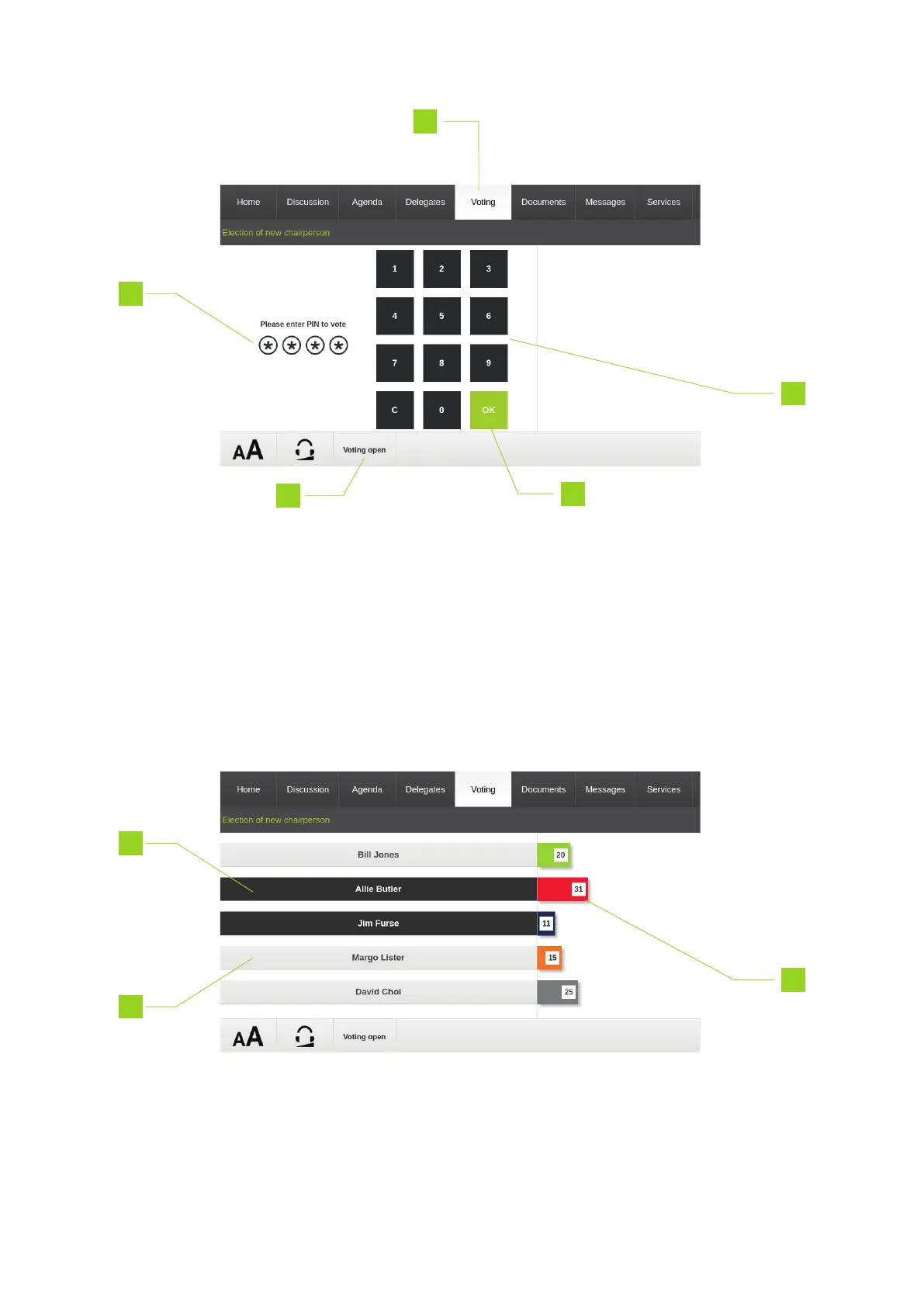
1. Go to the Voting tab
2. The bar on the bottom of the screens shows whether the voting session is already open
3. Use the keypad to enter the correct PIN code
4. The stars indicate which numbers you already entered
5. Press OK to confirm the PIN code
The voting screen on the uniCOS unit looks as followed:
REG UO HO W TO USE THE UNICO S INTERF ACE 39



 To Next Page