12
Mounting Configurations
The US-2002 can be used on a desktop, or it can be rack mounted. For desktop use, install the four (4) rubber feet supplied
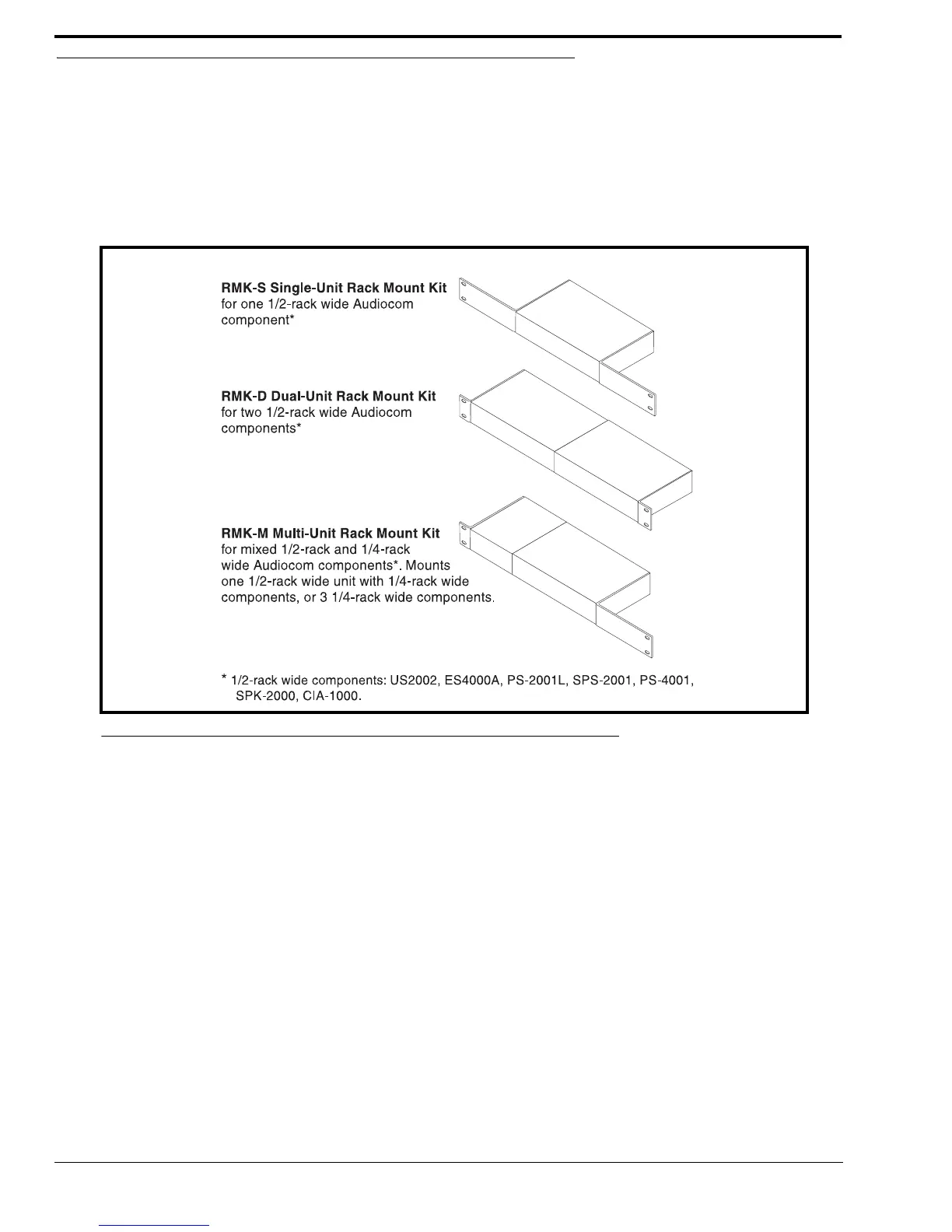
with the US-2002. For rack mounting, use optional Audiocom RMK Rack Mount Kits (Figure 3).
NOTE: You will have to perform the sidetone adjustment (See “Sidetone Adjustment” on page 28) after all components
are connected. However, when the US-2002 is rack mounted, you may not be able to access the sidetone
trimmers. In this case, you can position the US-2002 in the rack and make all required connections. Then, adjust
the sidetone trimmers before installing and tightening all rack mount screws.
FIGURE 3. Audiocom RMK Rack Mount Kits


 To Next Page