27
CHAPTER 3
Operation
Power-Up Check
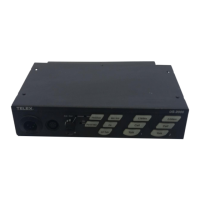
When power is first applied to the US-2002, it performs a power-up reset, in which the front panel indicators cycles through all
of the possible colors and then turn off. This verifies the general operation of the intercom station and indicators. The US-2002
also reads the settings of all DIP switches at this time and configures itself accordingly.
To perform a power-up check, do the following:
1. Plug in any PA-KP local power supplies being used.
2. Turn on any system power supplies being used.
Test Tone
The US-2002 can generate a test tone, which is used to verify intercom channel operation after installation or to locate a
malfunction. This test tone is also used for the sidetone adjustment, see “Sidetone Adjustment” on page 28.
To use the test tone, do the following:
1. Simultaneously press the All Talk and PA keys to activate the test tone.
2. Tap the Call key for the channel you want to test (can be either US-2002 channel or an ES-4000A channel).
3. Verify the test tone can be heard at all intercom stations on the channel.
4. Replace any defective cables or intercom stations where the test tone is being lost.
5. Tap the same Call key to stop the test signal on that channel.
6. Press any key, except a Call key, to turn off the test tone.


 To Next Page