25
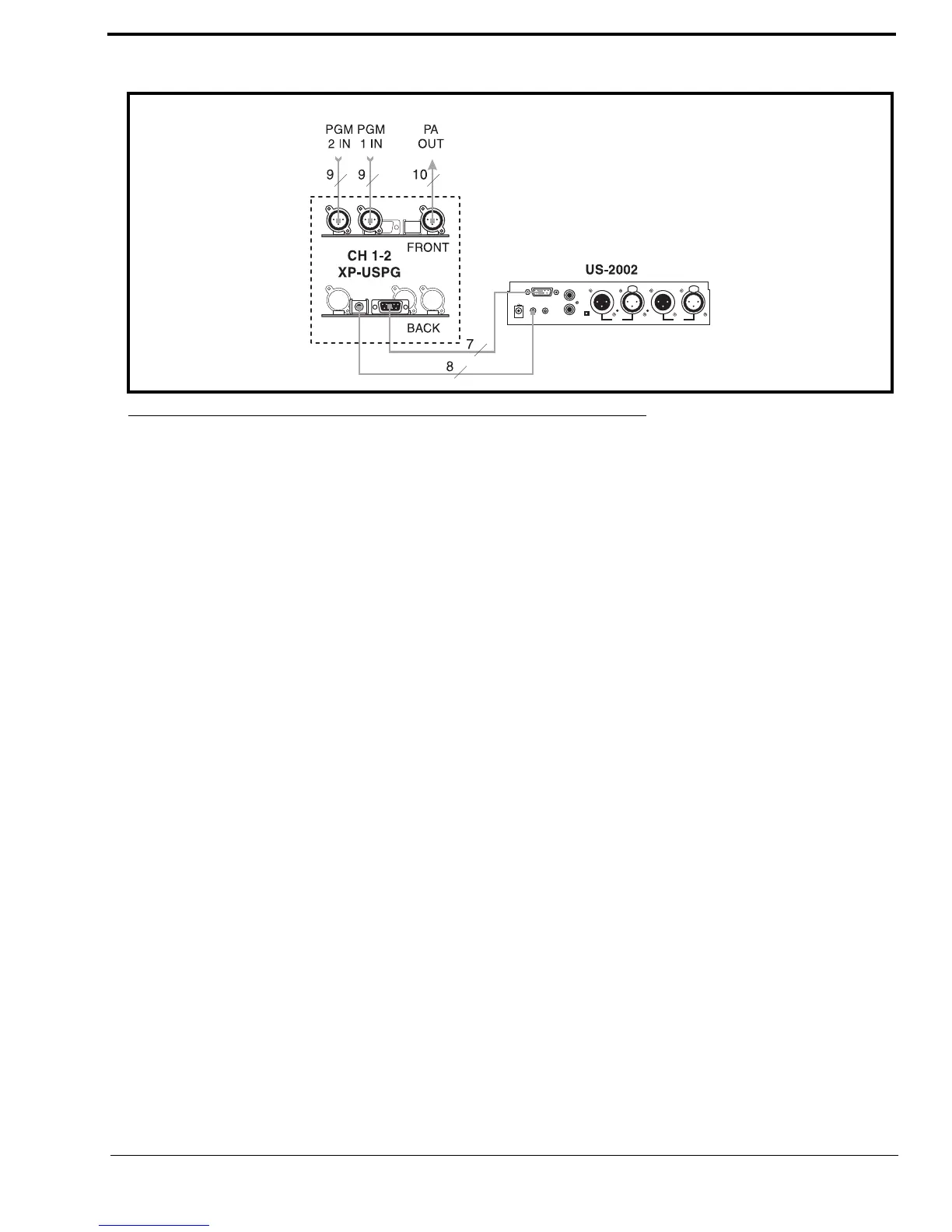
The configuration, shown in Figure 14, connects two (2) audio sources to the Program Inputs connector: one (1) for each
channel. Audio sources can be directly connected with a user-supplied DB9M connector. (Refer to the program input
connector specifications, located on page 13, for connector pin-out.) However, a more convenient method is to use an XP-
USPG Breakout Panel as shown. The XP-USPG lets you use standard, 3-pin XLR audio cables to connect audio sources. The
XP-USPG also interfaces the PA jack of the US-2002 to a standard, 3-pin XLR audio cable.
NOTE: The XP-USPG Breakout Panel can be rack mounted using a BOP-1000 Rack Mount Plate.
FIGURE 14. External Audio Input and PA Output.


 To Next Page