EasyManua.ls Logo

Tellermate Touch - User Manual

Tellermate Touch
12 pages
Print Icon
To Next Page IconTo Next Page
Loading...
User Guide
for Touch & LiveSafe

Other manuals for Tellermate Touch

Question and Answer IconNeed help?

Do you have a question about the Tellermate Touch and is the answer not in the manual?

Summary

General Overview

Main Menu

The Touch main menu. Access LiveSafe dashboard, count tasks, settings, and training videos.

LiveSafe Dashboard

Main interface for LiveSafe settings management. Requires a 4-digit PIN for access.

LiveSafe Operator and Collector Lists

View Operator List

View bills added by cashier/operator, showing LiveSafe used and total amount.

View Collector List

View bills added by manager/collector, showing LiveSafe used and total amount collected.

LiveSafe Settings

iButton Management

Manage iButtons for operators and collectors, including adding, editing, and deleting.

Timezone and Cloud Configuration

Timezone

Set system date & time by selecting the device's correct timezone.

Cloud Settings

Configure Touch API for event notifications by entering the API URL.

Transactions

Recent Transactions

View recent denominations fed into LiveSafe(s), listed by iButton and denomination.

History

SAFES History

View breakdown and history of denominations fed into LiveSafe(s) with exact time.

Operator History

View denominations fed by operator iButton, showing total and individual amounts.

Safe Status

iButton Configuration

Add Collector Key

Register a red iButton to allow a collector to retrieve bills from the safe.

Add Operator Key

Register a black iButton for users to insert bills into the safe.

Assign Alias

Link iButtons to serial numbers by assigning a user-friendly alias.

Delete Keys

Remove operator or collector iButtons from the LiveSafe system after confirmation.

Counting Money

Deposit

Task to remove cassette and send count results to Touch Cloud Viewer for banking preparation.

Creating a Deposit

Procedure for collectors to count total cash from cassettes and residual bills.

Closeout

Closing a Shift

Task for cashier/operator to count register cash, including bills added to LiveSafe.

LiveSafe Count Configuration

LiveSafe Count Setup

Configure operator/collector roles and how count tasks are performed.

iButtons

Select iButton usage for LiveSafe access: operator, collector, shift, or no iButton.

Closeout Configuration

Configure closeout settings, referencing the operator for bill counting and reference numbers.

Deposit Configuration

Reference Numbers

Overview

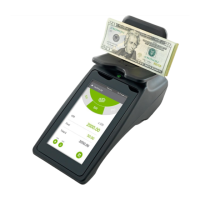
The Tellermate Touch & LiveSafe system is an integrated cash management solution designed to enhance efficiency, security, and accountability in retail and other cash-handling environments. It combines a smart safe (LiveSafe) with a cash counting device (Touch) to streamline cash handling processes from the point of sale to deposit.

Function Description

The LiveSafe is an intelligent safe that provides secure storage for bills. It automatically validates and registers bills upon insertion, recording both quantity and value regardless of denomination. This ensures that cash is secured immediately after receipt, reducing the risk of theft and errors. Access to the LiveSafe's cassette, which stores the bills, is controlled through iButtons, ensuring that only authorized personnel can deposit or collect cash.

The Touch cash counter is a weight-based device that quickly and accurately counts cash. It integrates seamlessly with the LiveSafe, allowing users to configure and monitor the safe's settings directly from its interface. The Touch also serves as a data hub, sending all count data to a Cloud-based Touch Viewer account. This provides comprehensive visibility and auditing capabilities for all cash handling tasks, including the contents of the LiveSafe.

When used together, the Touch and LiveSafe create a closed-loop cash management system. Users can count cash from the register using the Touch, deposit it into the LiveSafe, and then send all associated data to the Touch Viewer with a single button press. This integration eliminates unseen gaps in cash management processes, provides full accountability, and simplifies adherence to internal cash management procedures.

Usage Features

The system offers a user-friendly interface for various cash handling tasks:

  • Main Menu: The Touch's main menu provides access to the LiveSafe dashboard, count tasks (Start Bank, Closeout, Pickup, Deposit), Touch settings, and training videos.
  • LiveSafe Dashboard: This central hub allows users to view the current status of the LiveSafe, configure its settings, and manage iButtons. Access to the dashboard requires a 4-digit PIN.
  • Operator and Collector Lists: Users can view detailed information about deposits made by cashiers/operators and collections made by managers/collectors. This includes the LiveSafe used and the total amount added or collected, broken down by denomination.
  • Timezone & Cloud Configuration: The Touch allows users to set the system's timezone, which affects the date and time of transactions. It also supports Cloud API integration, enabling notifications of money-related events in the LiveSafe to be sent to a specified URL, enhancing real-time monitoring.
  • Transactions (Recent & History): The system provides a clear overview of all recent and historical transactions. Users can view denominations fed into the LiveSafe(s) by both the LiveSafe itself and individual operators, along with exact timestamps. This feature offers a complete audit trail of cash movements.
  • Safe Status: This screen displays the status of all connected LiveSafe units, including software version, timezone, bills counted and rejected, and network details.
  • Counting Money (Deposit Task): The Deposit task is used to remove the cassette from the LiveSafe and send count results to the Touch Cloud Viewer. The process involves selecting a collector, choosing the relevant LiveSafe, and then counting the collected bills from largest to smallest denomination. A review screen provides a breakdown of the register total, LiveSafe total, and overall total.
  • Counting Money (Closeout Task): The Closeout task is performed at the end of a cashier's shift. It allows the operator to count down the cash in the register, including bills already added to the LiveSafe. Similar to the Deposit task, it involves selecting a register number, operator, and LiveSafe, followed by counting and a review of totals.
  • LiveSafe Count Configuration: This section in the settings menu allows users to define how operator and collector roles are performed for each count task (Start Bank, Closeout, Pickup, Deposit, Safe).
  • Reference Numbers: The system supports global reference number configuration for various count tasks (Closeout, Deposit) and allows users to configure the store name, which is essential for sending data to the Touch Viewer application.

Maintenance Features

The system incorporates features to manage and maintain its operational integrity:

  • iButton Configuration: iButtons are crucial for controlling access and accountability. The LiveSafe dashboard allows for comprehensive iButton management, including:
    • Adding Collector Keys: Essential for authorizing personnel to collect bills from the safe. The process involves selecting "Add Collector," placing the iButton on the contact point, and confirming successful registration.
    • Adding Operator Keys: Optional, but allows users to insert bills into the safe. The procedure is similar to adding collector keys.
    • Assigning Aliases: Users can assign descriptive aliases (names) to iButtons, linking them to their serial numbers for easier identification and management. This is done by editing the iButton entry and renaming it via a keypad.
    • Deleting Keys: Operator and collector keys can be easily deleted from the system. A warning message is displayed before deletion to prevent accidental removal.
  • Software and Firmware Updates: While not explicitly detailed as a user-initiated feature, the "Safe Status" screen displays the software version of the LiveSafe and the firmware versions of its components (SCC and NV), indicating that the system is designed to track and potentially facilitate updates to ensure optimal performance and security.
  • Cloud Connectivity: The system's reliance on Cloud-based data transmission (Touch Viewer) implies continuous monitoring of connectivity. The "Cloud settings" in the Timezone & Cloud configuration allow users to enable bill event notifications, ensuring that the system can communicate effectively with external platforms.
  • Troubleshooting and Support: The manual mentions contacting Tellermate for more information on certain features (e.g., Cloud settings), suggesting that support channels are available for troubleshooting and assistance with advanced configurations. Training videos are also accessible from the main menu to guide users through various tasks.

Tellermate Touch Specifications

General IconGeneral
TypeTouch terminal
DisplayTouchscreen LCD
Operating Temperature0°C to 40°C
ConnectivityEthernet, USB
Weight1.5 kg
Humidity10% to 90% non-condensing

Related product manuals