Introduction to LiveSafe + Touch 1
General Overview 2
Main menu 2
LiveSafe dashboard 2
LiveSafe operator and collector lists 3
LiveSafe settings 3
Timezone & Cloud configuration 4
Transactions 4
Recent 4
History 5
Safe status 5
iButton configuration 6
Add collector key 6
Add operator key 6
Assign Alias 6
Delete key 6
Counting money 7
Deposit 7
Closeout 8
LiveSafe count configuration 9
LiveSafe count setup 9
iButtons 9
Closeout configuration 9
Deposit configuration 10
Reference Numbers 10
Introduction to Touch + LiveSafe
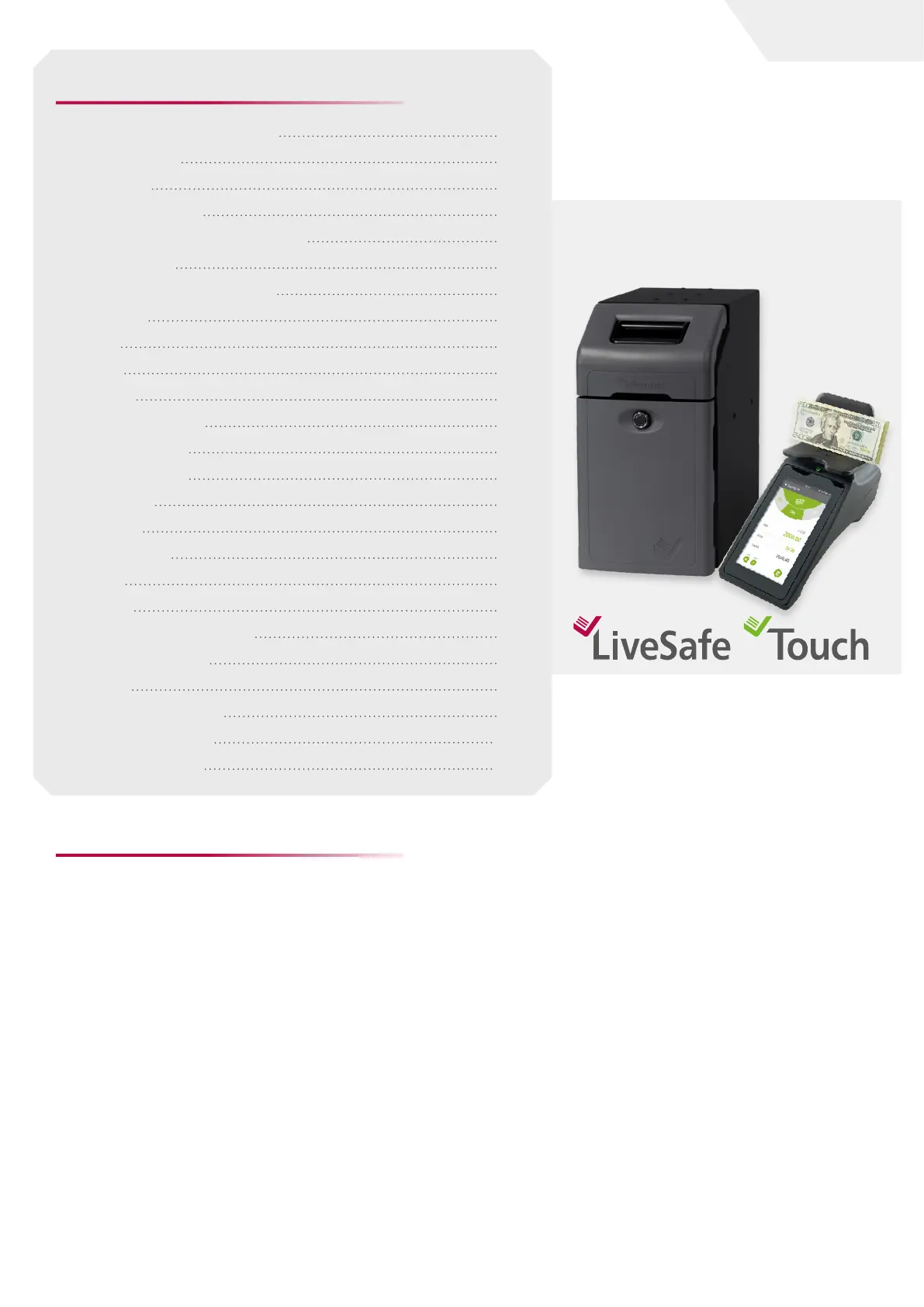
LiveSafe is an intelligent safe that supports and
protects employees at the point of sale. The compact
dimensions of the LiveSafe ensure that it can be
installed next to or under the cash register.
Upon receipt, the bills are immediately placed in
the safe. Bills accepted by LiveSafe are registered
in terms of both quantity and value, whatever their
denomination. Before being secured in the cassette
each bill will be validated.
The depositing of bills and gaining access to the
cassette containing those bills is controlled through
the use of iButtons, which are allocated to authorized
persons.
The Touch cash counter counts the cash in a register
quickly and accurately logs who performed the count
and when.
The Touch also provides full visibility and control of
the LiveSafe settings, making it easy to configure and
make changes as needed using the Touch interface.
In addition to configuring and viewing the current
status of the LiveSafe at any time, the Touch will also
permit the sending of all your count data to your
Cloud-based Touch Viewer account. Touch Viewer
provides even more visibility and auditing capabilities
for all Touch count tasks, listing to the contents of the
LiveSafe.
When using the Touch and LiveSafe products
together, you will close any unseen gaps in your cash
management processes. The Touch allows users to
count and secure deposits, made up of cash in the
register and the associated cash deposited into the
LiveSafe - with one button press, this data is sent to
your Touch Viewer account. This provides a seamless
flow of data and offers full accountability, making
adherence to processes easier in terms of enterprise-
wide cash management.
Table of Contents:
page I 1
User Guide


 To Next Page