LiveSafe operator and collector lists
View the LiveSafe operator list
To view the bills that have been added by the cashier/
operator:
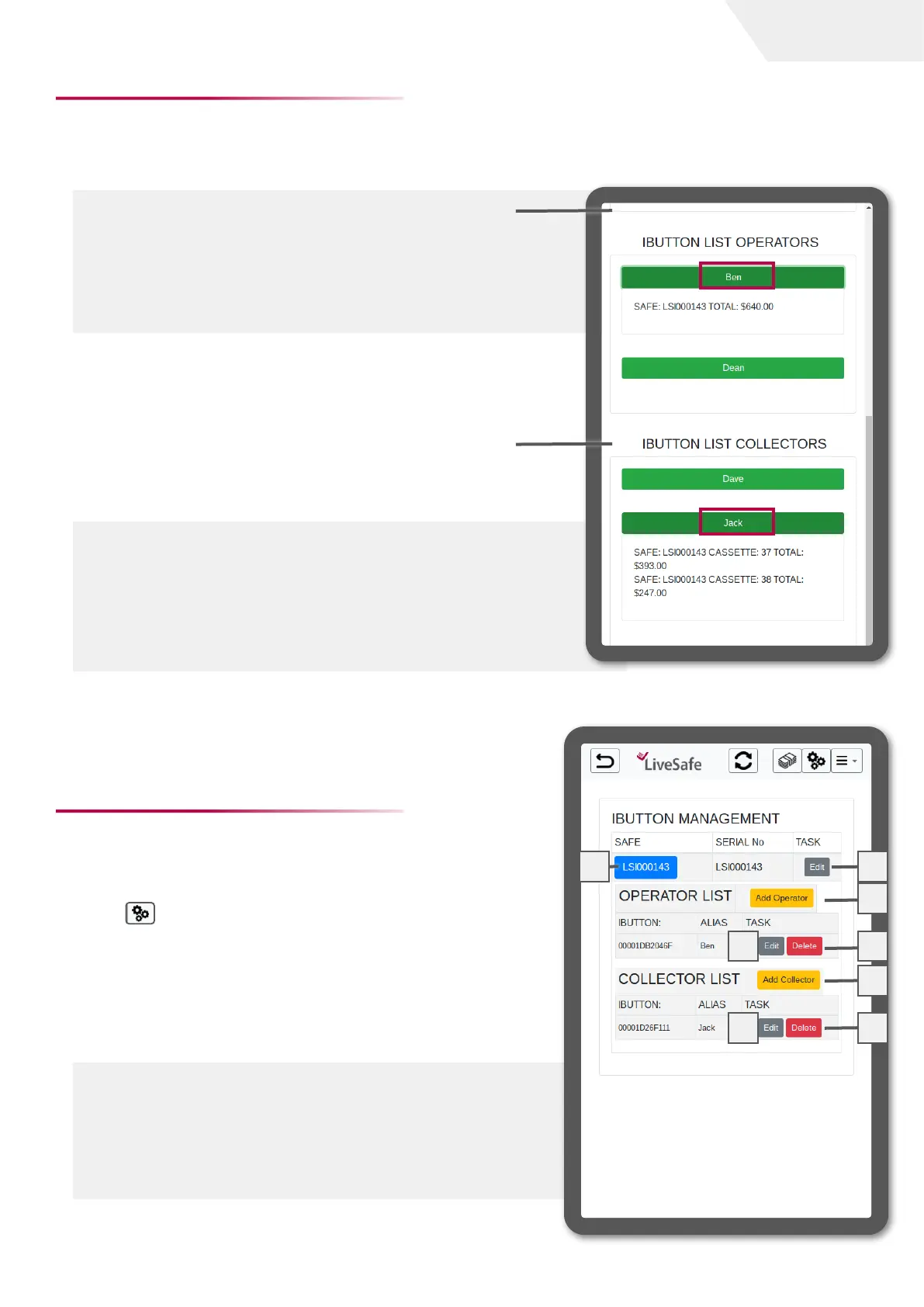
From the LiveSafe dashboard, select the operator’s
name. The details for the selected operator will expand
and show which LiveSafe was used and the total amount
that was added. In this example, we expand Ben’s
deposit. We can see Ben added a total of $640 to LiveSafe
LSI000143.
At the start of the selected count, the portion of bills
deposited against the selector iButton will be pulled in as part
of the count is performed.
View LiveSafe collector List
To view the bills that have been added by the manager/
collector:
From the LiveSafe dashboard, select the relevant
collector name. The details for the selected collector
will expand and show which LiveSafe was used and the
total amount that was collected. In this example, we
expanded Jack’s data. We can see Jack has collected
from LSI000143 a total of $640 ($393 and $247).
Each manager/collector will collect the cash from the safes,
and later create a deposit using the Deposit task.
LiveSafe settings
The LiveSafe iButton management feature provides the
ability to add, delete, and edit iButtons.
To manage the iButtons, go to the LiveSafe dashboard
settings . Then select the relevant LiveSafe safe to
expand its iButtons settings.
1 LiveSafe
2 Edit LiveSafe name
3 Add operator
4 Edit operator alias
5 Delete operator
6 Add collector
7 Edit collector alias
8 Delete collector
1
2
3
4
5
6
7
8
page I 3
User Guide


 To Next Page