User Guide
LiveSafe count setup
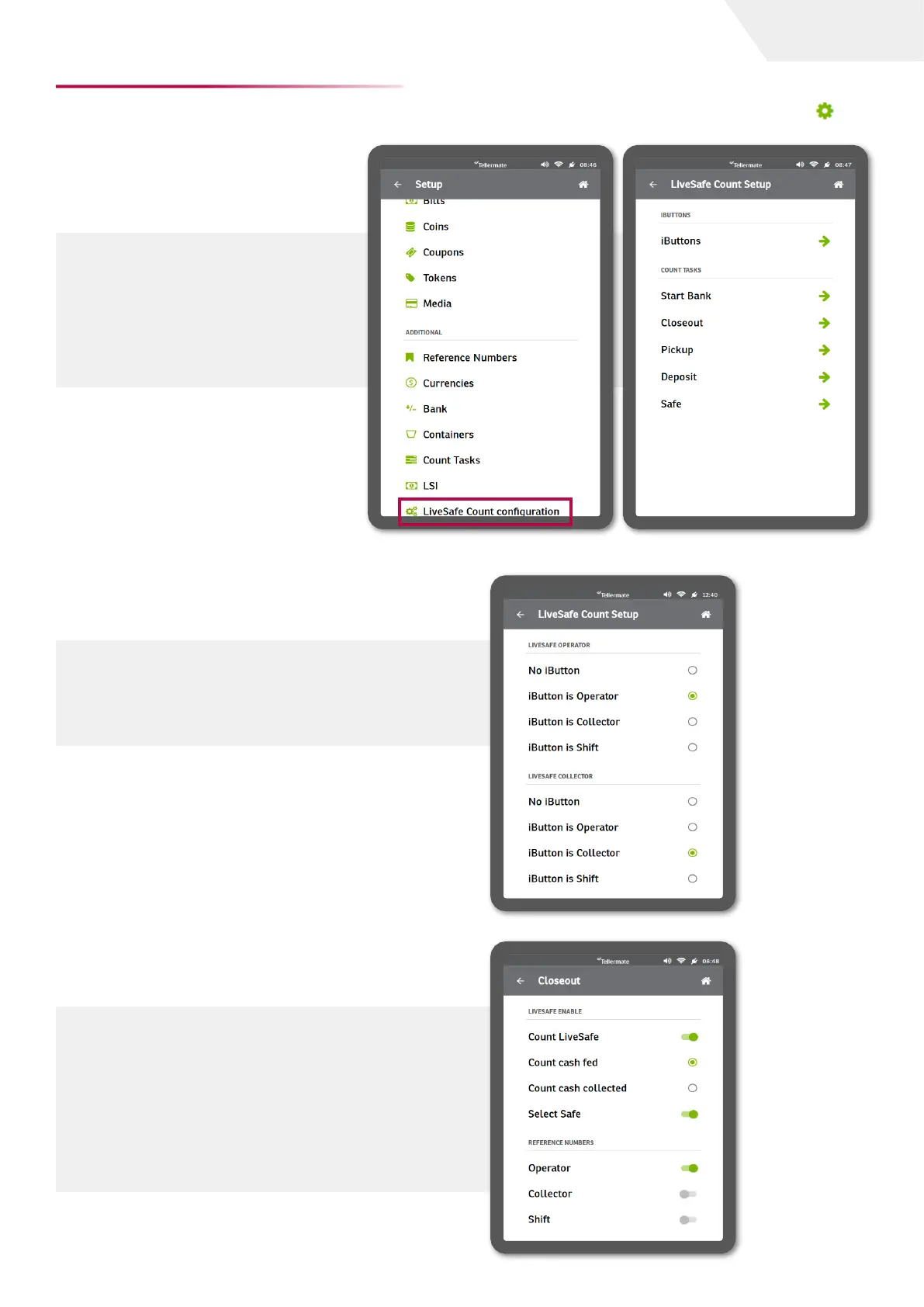
Here the user can determine how
the operator/collector roles would
be performed. Each count task can
be configured from the LiveSafe
Count configuration page (Home
screen -> Settings -> Setup).
iButtons
The user can select here whether iButtons are
to be used to access the LiveSafe in the capacity
of an operator, collector, by shift or even without
recourse to an iButton.
Closeout configuration
A closeout is done when the cashier ends a
shift. See image for configurations.
Bills are counted as they are fed into the
LiveSafe using the preprogrammed operator
iButton. The reference number to be set for
this role is the Operator. Please ensure your
settings mirror those indicated right.
LiveSafe count configuration
The LiveSafe count settings can be configured from the setup option in the main menu - Settings .
page I 9


 To Next Page