Page 7 of 31
Use the default credentials from the Security Card to log
back onto your device.
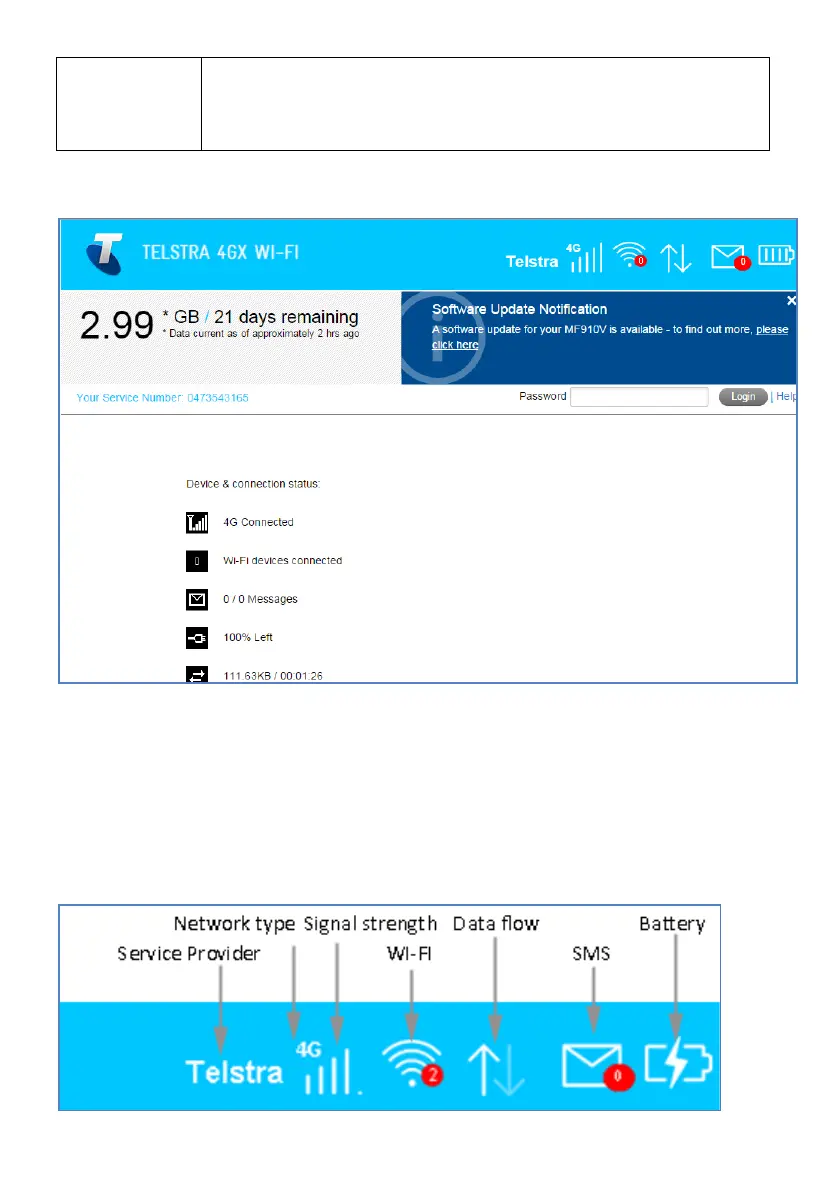
WEB INTERFACE, MODEM HOMEPAGE
• The default login password is ‘password’
• The home page shows a brief summary of the device status and your remaining
data from Telstra.
• Software update notifications (if applicable) will be shown on this page as per
the example above.
STATUS ICONS – WEB INTERFACE













 To Next Page