Step 3: Speak message
· Speak the message, taking care that you do not pause for more than three
seconds before the end of the message.
Step 4: End message
· At the end of the message, pause for at least 3 seconds, then speak one
more word. If you wish to record the message more than once, or make a
series of recordings, pause briefly before beginning the next message.
Generating a Tape from a Telephone
Step 1: Program audio port
·
With a tone (DTMF) telephone connected to Line 1, lift the handset and
press the MAN/RING switch position until the Line 1 light blinks and
confirmation tone (three beeps) is heard.
·
Enter:
*33#1# (This enables Audio Port Permission for Line 1. You will
hear three beeps if the command is accepted.)
·
Enter:
*05#1#0#0# (This configures the audio port for immediate access,
single user, and disconnect when the handset goes on-hook.)
·
Hang up.
Reference Manual Chapter 4: Operation
40-400-00033, Rev. C
Page 13
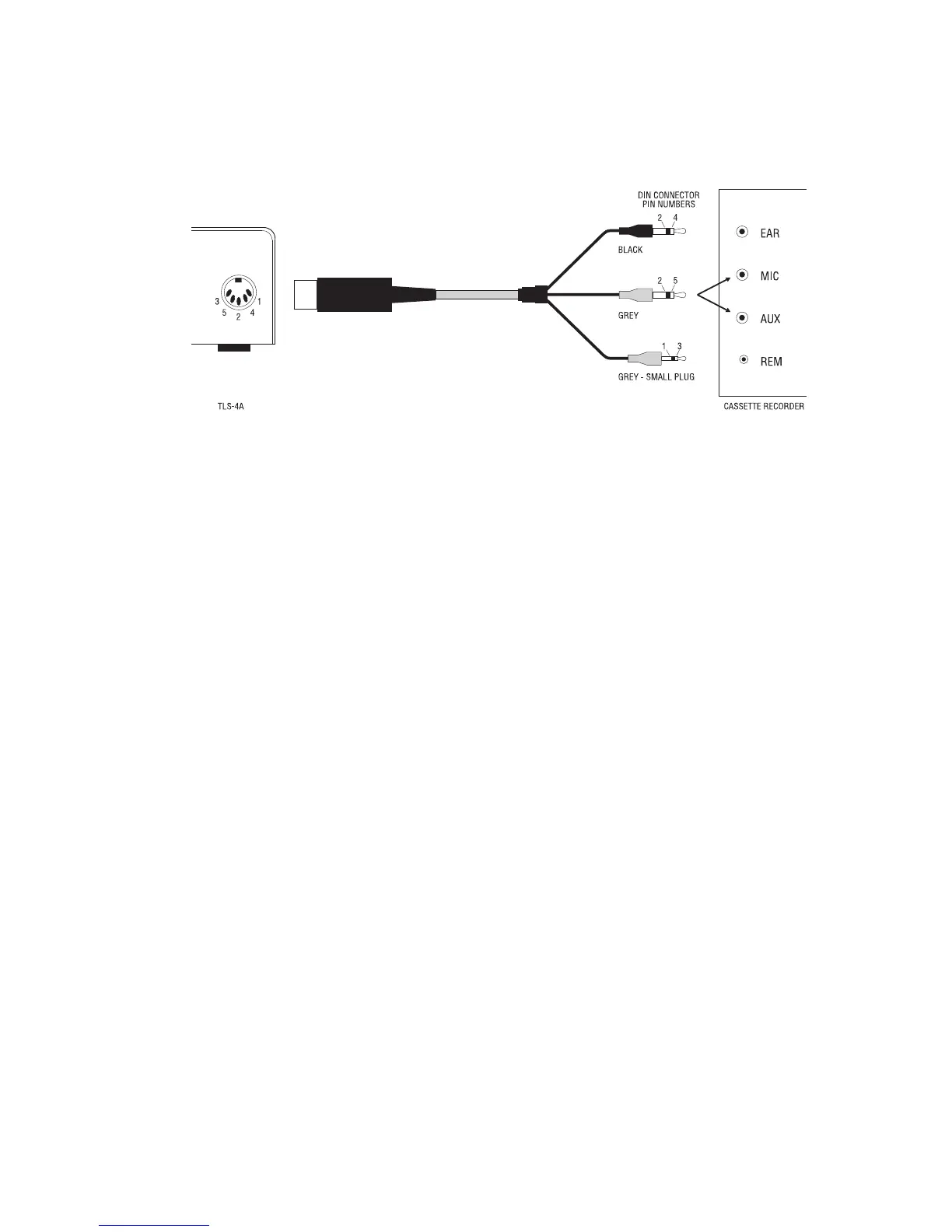
Figure 2 Audio Port Connector Cable



 To Next Page