599 / Eagle Users manual Release 1.009 CE – April 15, 2015
Part #74447
Printed in USA 8
FNC (12)
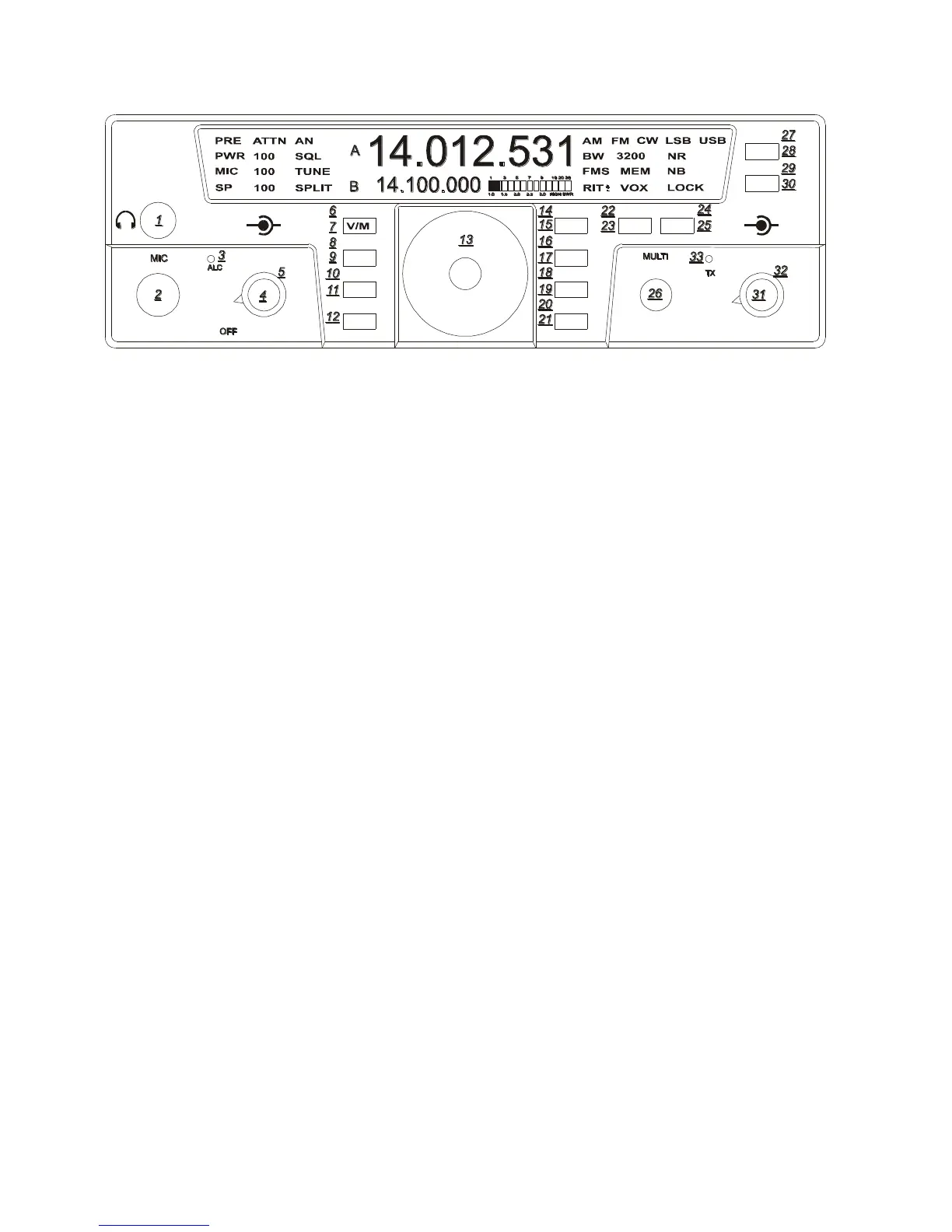
The FNC button is a vital portion of this
radio. All Secondary Functions of the Eagles
button set are accomplished by pressing the
FNC button. When the FNC button is first
pressed, the FNC button will begin flashing.
This is referred to as Entering Secondary
Function Mode. You will also see FUNC
blinking on the main screen where the
Bandwidth Value is normally displayed.
Pressing a button using the Secondary
Function will execute the secondary function
for that button. Either turning it on or off, or
changing its mode, etc. Pressing the FNC
button once again will exit that secondary
feature adjustment as well as Exiting
Secondary Function Mode.
PWR (24)
Power output will be shown on the Eagle
toward the left side of the display. It displays
the output in watts and can be adjusted and
shown as a numeric value from 5-100. To set
the power output first Enter Secondary
Function Mode and then press TUNE/PWR.
The multi knob can now be used to adjust the
output. After the power output has been
selected you may exit FNC mode and PWR
adjustment mode by pressing FNC.
TUNE (25)
If the auto tuner for the Eagle is not turned on
or is not installed this button will generate a
carrier signal for tuning purposes at 20 watts.
This is providing the power output is set at a
minimum of 20 watts. If set lower, it will
transmit a lower level carrier. If the power
output is set anywhere from 20-100 watts the
Eagle will still only tune at 20 watts. This is
an easy and safe way to tune an external
outboard antenna tuner or solid state
amplifier. To increase this power output level
while in the tune positions Enter Secondary
Function Mode and then press TUNE/PWR
again. You may now adjust the power level
using the MULTI knob to vary the output for
tuning a linear amplifier.
If the auto tuner is installed and turned on in
the Configuration Menu the TUNE button
will now automatically match the Eagle to the
antenna you are using. You will hear some
clicking noise within the Eagle until the tuner
determines the best match. When finished the
TX light will flash twice plus you will hear a
beep tone from the Eagle. Remember when
using an external tuner or when tuning a
linear amplifier to always go into the
Configuration Menu and turn off the internal
auto tuner. With the internal tuner enabled in
the configuration menu, you can place the
tuner into bypass mode, or return it to the
current tuned settings. Refer to the section
“Internal Tuner” for more information.
TEN-TEC
AF RF
MR
AN
SP-CW
BW PBT
A=B
VOX
PWRRITAGC
PRE
SQL
MON
E
AGLE
NR
MIC
FNC
LOCK
ATTN
FAST
BAN
MOD TUNE
A/B
NB















 To Next Page