599 / Eagle Users manual Release 1.009 CE – April 15, 2015
Part #74447
Printed in USA 9
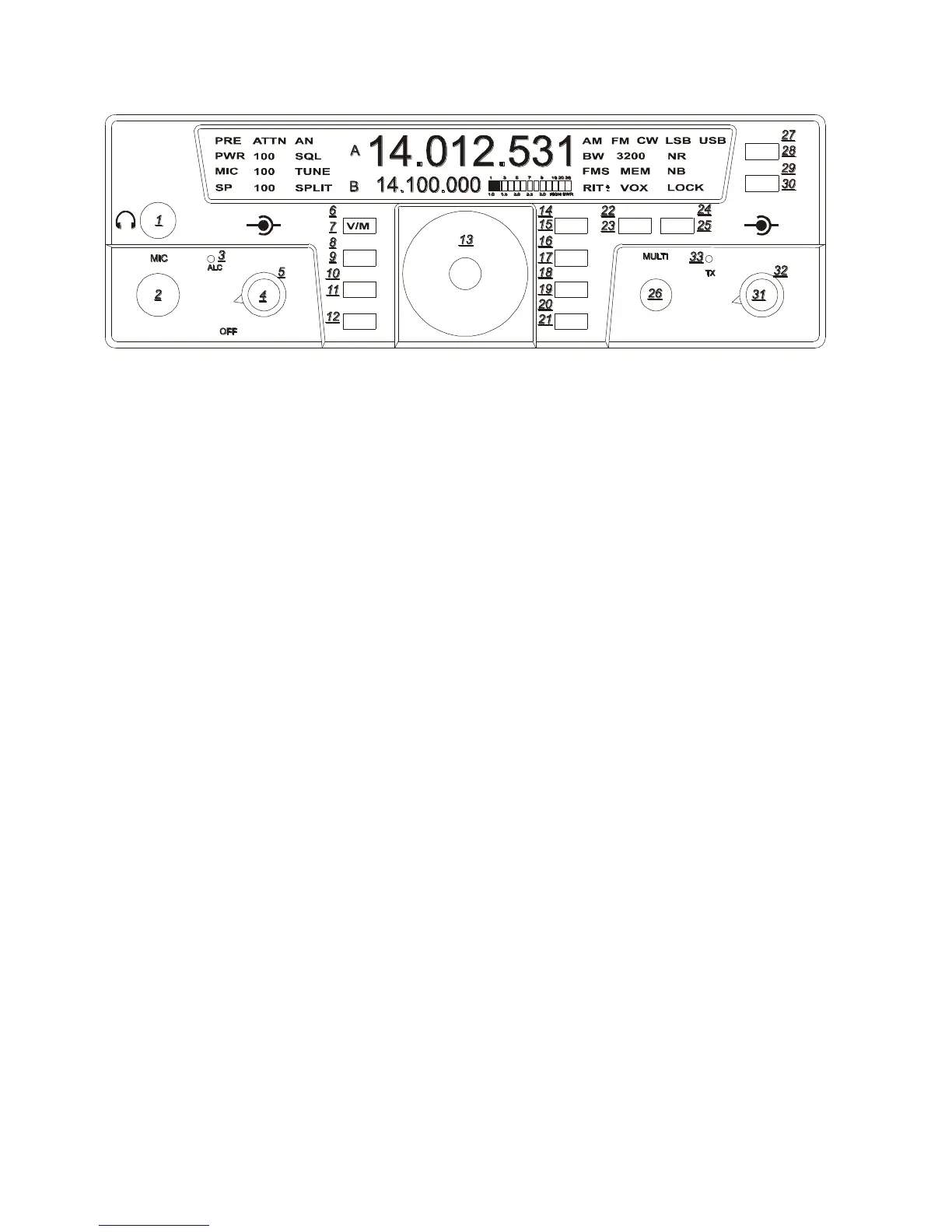
Multi (26)
Most features on the Eagle are directly
accessible, however, for those that are not the
MULTI KNOB is used to adjust specific
values. More about this will be addressed
within specific features throughout this
manual.
Band (21)
To change bands or toggle through the Ham
bands press the BAN button and the next
Ham band will be recalled. Using the BAN
button when Secondary Function Mode is
active changes bands to the next lower Ham
band. Using the BAN button when the
Secondary Function Mode is not active
changes bands to the next higher Ham band.
When the band is changed, the A Frequency,
the B Frequency and the Mode are recalled
from the last time the band was used. Since
the Mode is recalled, the Tuning Rate, and the
AGC will also be recalled from the last time
that Mode was used.
Split (28)
To operate SPLIT mode press and hold the
A/B button for 2 seconds. The word SPLIT
will appear next to the VFO B. VFO B now
indicates the transmit frequency. To exit
SPLIT mode, press and hold the A/B button
until the word SPLIT disappears.
A/B (28)
This Primary Function allows you to toggle
the frequencies between VFO A and VFO B
each time you press the button.
A=B (27)
The Frequency in VFO A can be copied to
VFO B. To copy the frequency of VFO A to
VFO B, Enter Secondary Function Mode then
press the A/B/A=B button. Exit Secondary
Function Mode by pressing FNC.
RIT (22)
The Receiver Incremental Tuning can be
selected, adjusted, and zeroed. Enter Receiver
Incremental Tuning adjustment by first
Entering Secondary Function Mode then
press the MOD/RIT button. You will notice
RIT will begin to flash on the front panel.
You may now adjust the receiver in 10 Hz
increments up or down frequency using the
MULTI knob. The absolute value of the
actual RIT is displayed where the bandwidth
is normally displayed. There is a “+” and “-“
indicator next to the RIT indicator on the
display to identify whether the RIT
adjustment is actually positive or negative. To
zero out the RIT simply press and hold the
MOD/RIT button while in FNC mode and the
display will zero out. Exit Secondary
Function Mode and RIT adjustment mode by
pressing FNC.
TEN-TEC
AF RF
MR
AN
SP-CW
BW PBT
A=B
VOX
PWRRITAGC
PRE
SQL
MON
E
AGLE
NR
MIC
FNC
LOCK
ATTN
FAST
BAN
MOD TUNE
A/B
NB















 To Next Page