599 / Eagle Users manual Release 1.009 CE – April 15, 2015
Part #74447
Printed in USA 10
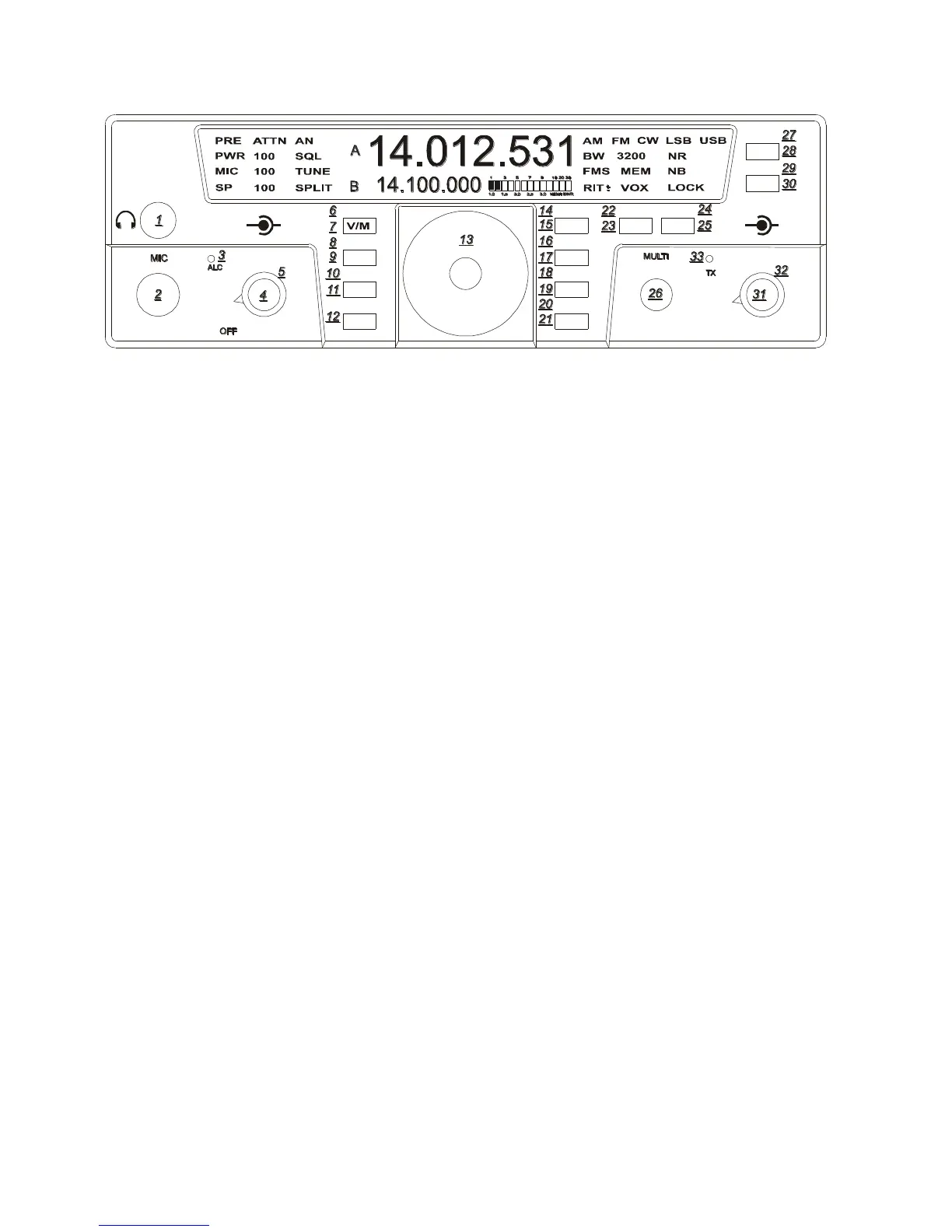
Lock (15)
To lock the VFO on a frequency so no
movement to the VFO knob varies the
frequency, press the LOCK button once to
lock the VFO. Press the LOCK button a
second time to release the lock feature. Lock
state is indicated by the text on the right side
of your screen when turned on.
Switching to Memory Operation (7)
Pressing the V/M button activates the
memory on the Eagle. Pressing the V/M one
time will switch into memory mode. MEM
with a number will appear on the front panel
screen. Rotating the MULTI knob will
address memory locations that hold receive
and transmit frequency pairs to control the
transceiver. Turning the MULTI control
shows the number (1 – 100) for the next
available or empty location. At this point, the
operator may either (A) copy the information
from both VFO’s to a memory location; or
(B) copy the memory information to the
VFO’s. To copy the memory channel back
into VFO mode press the FNC function
button then press the V/M button. Exit
Secondary Function Mode by pressing FNC.
Your favorite memory can now be tuned and
modified with the VFO.
Storing a Frequency to Memory (6)
When the main display holds a frequency you
wish to store into memory, Enter Secondary
Function Mode then press V/M. The MEM
front display will show the number of the last
used storage location (1-100). You may
either accept this location by again pressing
the V/M button or change the location by
rotating the MULTI knob first. An unused
location displays a series of dashed lines --.---
.--- on the main display. V/M stores the
frequency of the active VFO in the memory
(along with current Mode and Bandwidth).
Recalling a Stored Frequency (7)
You may recall a stored frequency from
memory by pressing the V/M button to switch
from VFO to Memory operation. With the
MEM lit on the screen your current memory
location and number will appear on screen.
Rotate the MULTI knob until the desired
memory frequency appears in the main
display, then press FNC then V/M to copy it
into the VFO.
Exit Secondary Function Mode by pressing
FNC.
TEN-TEC
AF RF
MR
AN
SP-CW
BW PBT
A=B
VOX
PWRRITAGC
PRE
SQL
MON
E
AGLE
NR
MIC
FNC
LOCK
ATTN
FAST
BAN
MOD TUNE
A/B
NB















 To Next Page