44
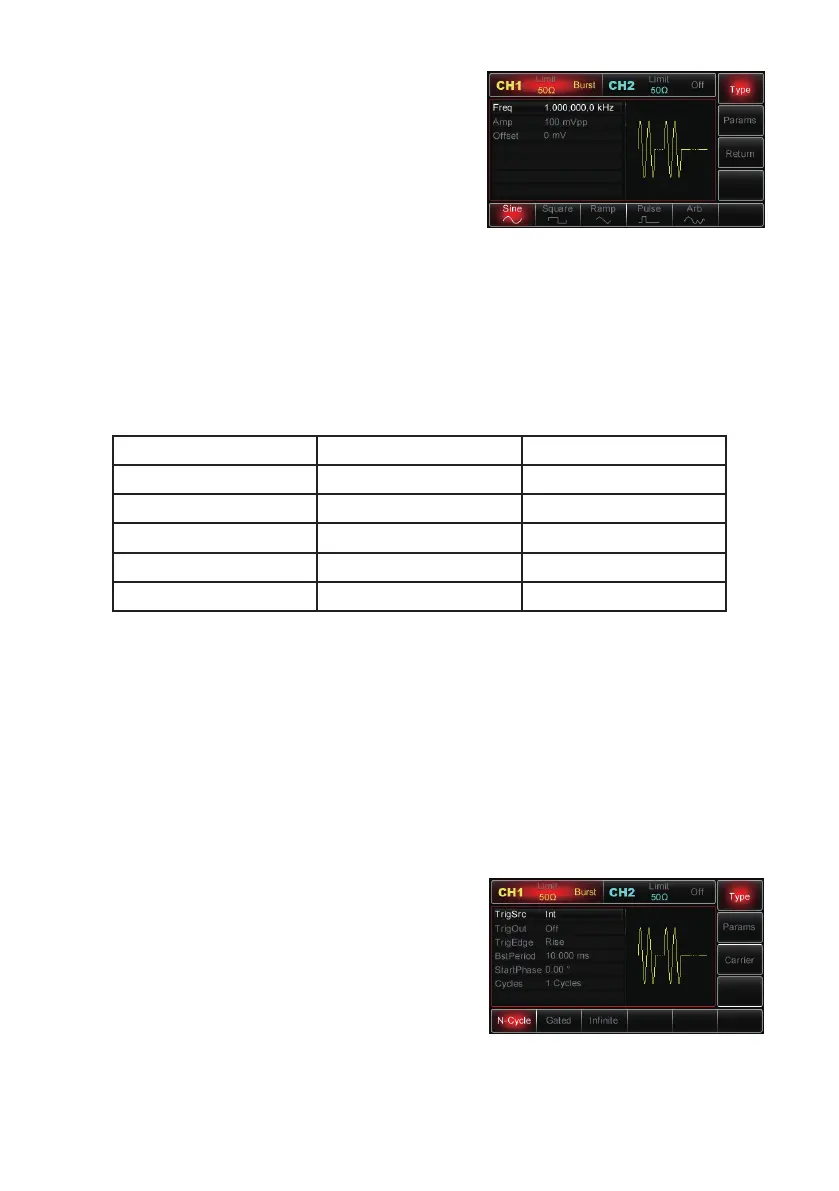
With pulse train function enabled, press Carrier
MHz to select sweep waveforms and the display
(right) will be shown.
Setting Waveform Frequency
• In N-Cycle and Gated modes, waveform
frequency defines the signal frequency during impulse trains.
• In N-Cycle, impulse train is output with a specified number of cycles at a specified
waveform frequency.
• In Gated mode, the impulse train is output at waveform frequency when the
trigger signal is at high level.
• Note: Waveform frequency is different from impulse train period; the latter is used
to define the intervals between specified impulse trains (for N-Cycle only). It
defaults at 1 kHz for all waveforms. Refer to following table for details:
Waveforms Min. Value Max. Value
Sine 1µHz 25MHz
Square 1µHz 5MHz
Ramp 1µHz 400kHz
Pulse 500µHz 5MHz
Arbitrary 1µHz 5MHz
• To set waveform frequency, select the waveform rst, then use the multipurpose
knob and direction buttons to set up the parameter or press Params→Freq MHz
and enter in the desired frequency value and select the desired unit to nish the
setting.
Impulse Train Type
• The Generator can output three types of impulse trains: N-Cycle, Gate and Infinite.
It defaults at N-Cycle.
N-Cycle
• Enable pulse function, then press Type→N-
Cycle MHzs to access N-Cycle mode (if you
are in the impulse train waveform selection
interface currently, press Return MHz rst).
• In N-Cycle mode, the Generator will output a
waveform with a specied number of cycles
(Impulse Train) every time it receives a trigger.
• After specied cycles are output, the Generator
will stop and wait for the next trigger. Internal, external or manual triggering source
can be selected for impulse train output.


 To Next Page