45
• To modify the source, enter into burst type interface (see the gure at the bottom
of page 44), then use the multipurpose knob and direction buttons or press
Params→TrigSrc MHzs to complete the setup.
• Note: When the external trigger source is selected, Trigger Out option won’t show
on the parameter list, because Trigger Out is executed through the external digital
modulation connector (FSK Trig) which cannot function as trigger input and output
connectors at the same time.
Gated Mode
• Enable impulse function, then press Type→Gated MHz to access Gated mode (if
you are in impulse train waveform selection interface currently, press Return MHz
first).
• In Gated mode, Trigger Source, Trigger Out, Trigger Edge, Burst Period (Impulse
Train Period) and Cycle Count options won’t show on the parameter list.
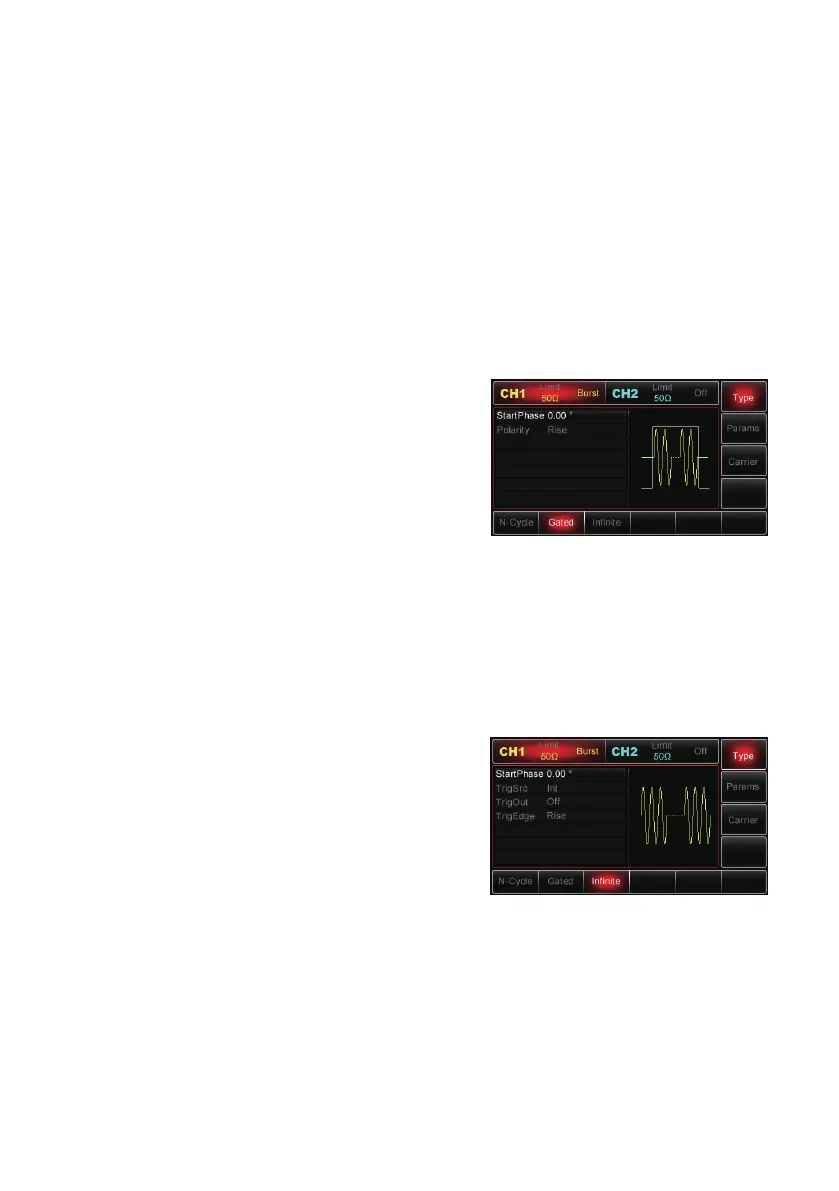
• Since only external source can be applied, the
Generator will output based on the hardware
trigger applied on external digital modulation
connector (FSK Trig).
• When the polarity is set to be positive and
the trigger input signal goes at high level, the
Generator will output a continuous waveform;
when trigger input signal goes low, current
waveform cycle will be finished first, and then the Generator will stop and remain
on the level corresponding to the start phase of the selected waveform.
• For noise waveform, when the gated signal goes false, the output will stop
immediately.
• To modify the polarity, access Gated mode interface (see above right), then use
the multipurpose knob and direction buttons, or press Params→Polarity MHz to
complete the setup.
Innite Mode
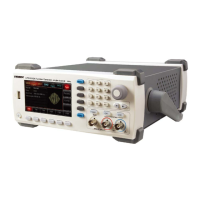
• Enable impulse function, then press
Type→Innite MHz to access Innite mode (if
you are in impulse train wave form selection
interface currently, press Return MHz rst).
• In Innite mode, Burst Period (Impulse Train
Period) and Cycle Count won’t show on the
parameter list, which means increasing the
number of waveform cycles to an innite count.
The Generator will output continuous waveform when it receives the trigger signal.
• Trigger source can be internal, external or manual in this mode. To modify the
parameter, enter the impulse train type interface (see the gure above right),
use the multipurpose knob and direction buttons or press Params→ TrigSrc to
complete the setup.
• Note: When the external trigger source is selected, the Trigger Out option won’t
show on the parameter list, because Trigger Out is executed through the external
digital modulation connector (FSK Trig), which cannot function as trigger input and
output connector at the same time.


 To Next Page