16
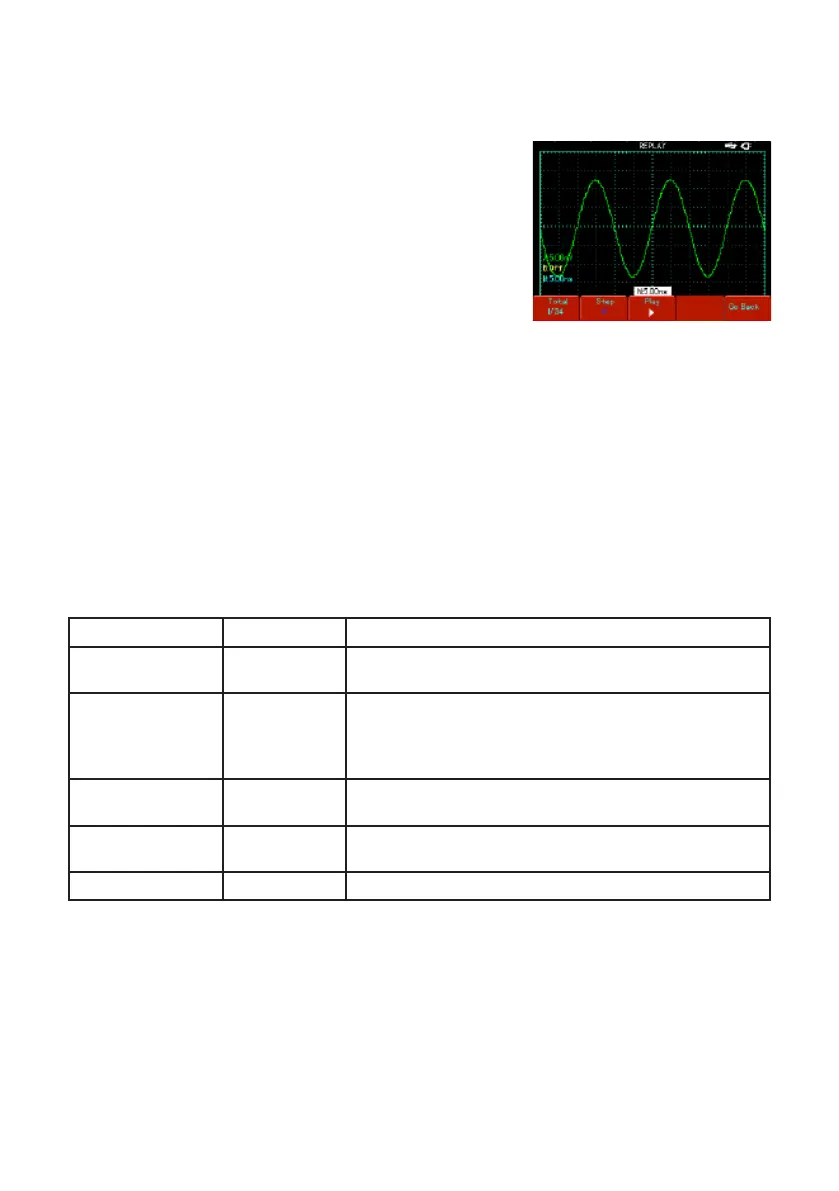
To request recalling a recorded waveform document saved on the USB device
• Insert the USB device and press [SAVE] to access the storage menu. Press [F3] to
select the recording function.
• Press [F3] to select “import”, then press [F2] to
activate the “USB document” option. Select “3” with
the jog dial and press [F4]. The playback waveform
will appear on screen when the “Loading.......”
progress bar disappears.
• If [F3] is pressed again, all recorded waveform
screens will be displayed. Press [F3] to stop
playback, then select playback of a certain screen of
waveform with the jog dial.
Record
• Press [SAVE] to access the storage menu, then press [F3] to select the record
function.
• Press [F1] to activate the waveform recording function. The system enters the
recording mode. The number of screens being recorded is shown in the top right
corner.
• When all specied screens are recorded, press [F1] to close the recording function.
All recorded waveforms will be saved internally.
• Insert the USB device and press [F4] to access the record and save menu. Press
[F2] to activate the “USB document” option, then select “3” with the jog dial.
• Press [F4]. The waveform is successfully recorded on the USB device when the
“Saving.......” progress bar disappears.
Functions Menu Setup Notes
Waveform record
ON
OFF
Recall a saved setup.
Recall and display a saved waveform.
Playback
Screen
Single screen
Playback
Return
The number of screens being played and total number of screens
Select single screen playback with the jog dial.
Play and pause a recorded waveform document.
Go back to the previous menu.
Import
USB document
(1-10)
Import the recorded waveform document on the USB
device to the oscilloscope.
Save
USB document
(1-10)
Save the recorded waveform on the USB device.
Return
Go back to previous menu.
Note: Your 72-93xx Series Digital Storage Oscilloscope can record up to 1,000 screens
of waveform data. If any of the following operations is activated during recording, the
oscilloscope will restart recording from screen 1 again :
• Changing vertical range of the signal
• Changing horizontal time base of the signal
• Changing horizontal position of the signal
• Changing vertical position of the signal


 To Next Page