5
DISPLAY SETTING CONTROLS
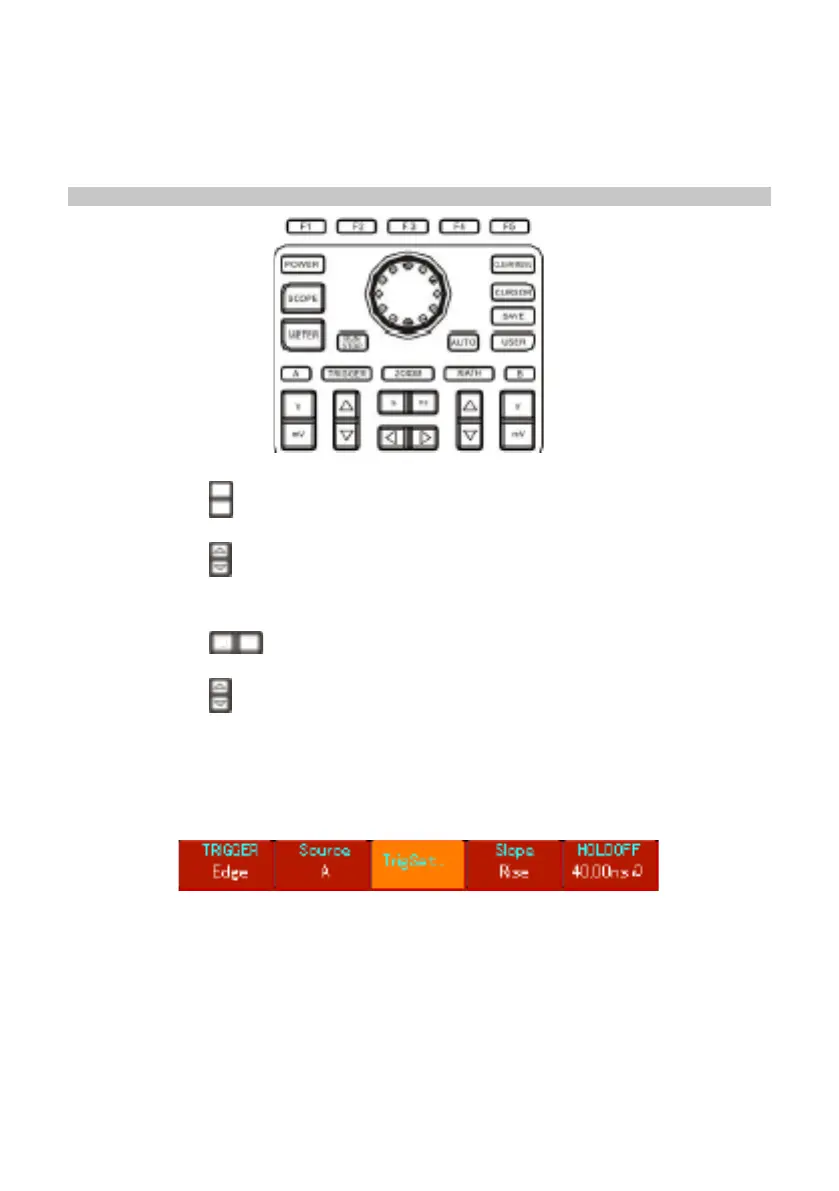
Using the Autoset function
• Connect the signal to be measured to the signal input channel.
• Press AUTO and the oscilloscope will scan the time base and trigger mode and set
the vertical deection factor. You can manually adjust further after this process to
get the optimum display.
Vertical control
• Pressing the key to adjust the vertical range (V/div) of the oscilloscope, you can
adjust the signal to a size best suited to screen.
• Pressing the key adjusts the position of the reference waveform so you can
adjust the position on the screen display.
Horizontal control
• Pressing the key to change the horizontal time base range setup. Range of
horizontal scanning rate is 5ns-50s/div (72-9360) in steps of 1-2-5.
• Pressing the key adjusts the position of the reference waveform so you can
adjust the position on the screen display. You can observe more pre-trigger
information.
The Trigger System :
• Press [TRIGGER] to adjust the trigger setup of the waveform.
mV
V
S nS



 To Next Page