6
INSTRUMENT SETUP
Vertical system setup
Channel A, Channel B and shifting signals vertically
• Each channel has its own menu. Set up each item for each channel individually.
Press the [A] or [B] function key and the system will display the operation menu for
Channel A or Channel B.
Resetting the Instrument
• To use factory setup, follow the steps below :
• After connecting to power press [POWER] to turn the oscilloscope on. When the
power-on screen appears, press and hold the [CLEAR/MENU] key to select factory
setup. When setup is done, this screen will appear.
Using the Jog Dial Function
• The jog dial is a multifunction control that enables
easy operation and control of various menus. The
example below illustrates the use of this dial.
Making menu selection with the jog dial
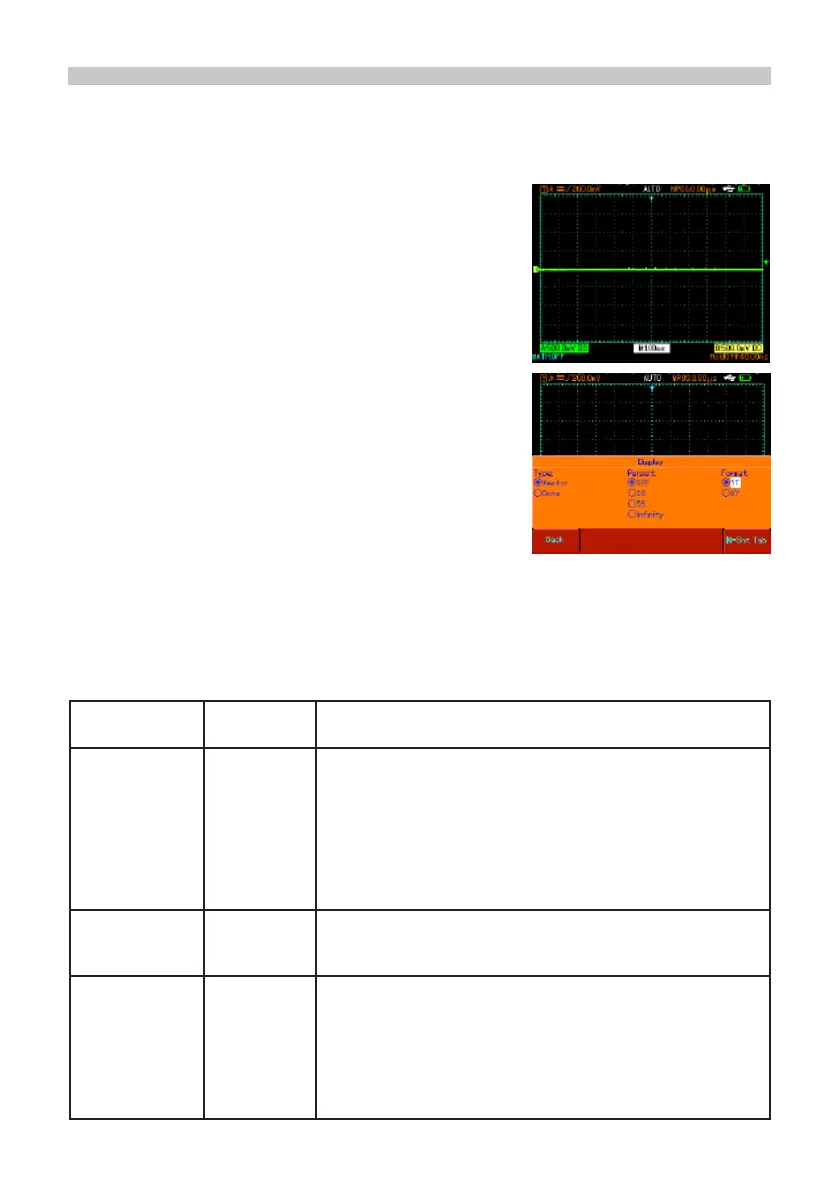
• Press [SCOPE]. The menu in the gure below
appears at the bottom of the screen.
Parameter measurement
Frequency counter
Off
• Press F3 to select the display menu.
• With the jog dial, select the display type. The selected
menu will appear bold. Turn the jog dial to make a
selection, then press the jog dial once to conrm. The
screen will then enter the next menu. If you wish to
change the format repeat the above steps. Otherwise
press the jog dial to close this menu.
• Press F5 to return to a previous selection option and reset that page.
Input A On
Off
Channel A on
Channel A off
Coupling DC
AC
Ground
AC and DC quantities of input signal is allowed to pass.
This mode is for observing DC or exchange signals with DC
quantities.
DC quantities of the input signal are intercepted. This
mode is for observing exchange signals with DC quantities
intercepted.
DC level of the channel input terminal upon equivalent
grounding is displayed.
Bandwidth
Limit
Full
Bandwidth
20MHz
The oscilloscope’s frequency bandwidth is full bandwidth.
Limit bandwidth to 20MHz to reduce display noise.
Bias Voltage Voltage
Reset to zero
Return
Adjust the channel bias voltage with the jog dial. When the
DC quantities of the signal being tested are much larger
than the amplitude of the AC signal, you can offset the DC
quantities with bias voltage. In this condition, you can observe
the amplied AC signal.
Reset the bias voltage to zero.
Go back to the Channel A menu


 To Next Page