EasyManua.ls Logo

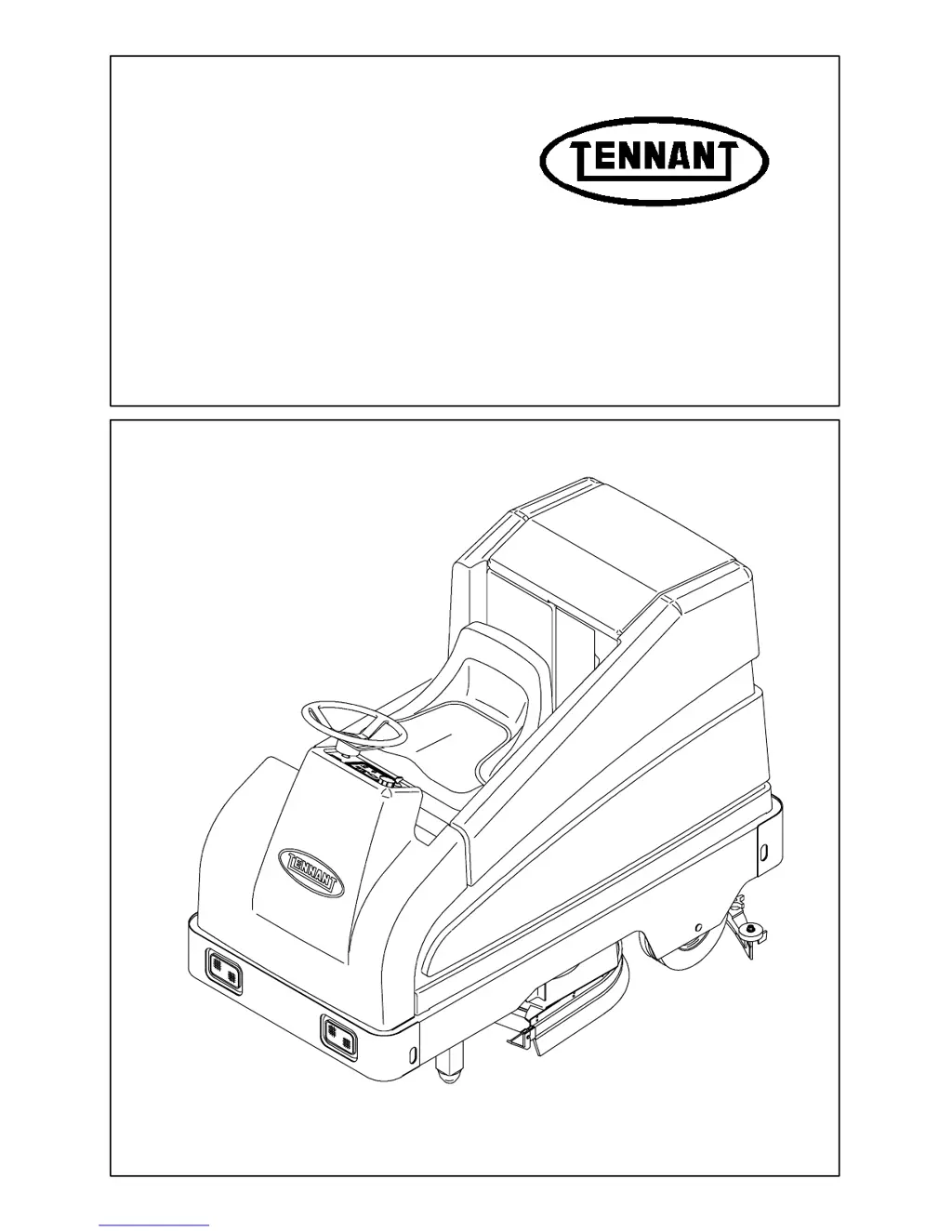
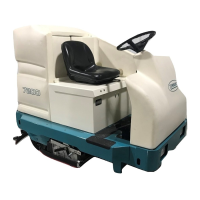
Tennant 7200 - Service Manual

Tennant 7200
272 pages
Print Icon
To Next Page IconTo Next Page
Loading...
330045
Rev. 02 (3--02)
Service Manual
7200

Table of Contents

Other manuals for Tennant 7200

Questions and Answers

  • G
    Gregory StoneAug 15, 2025
    What to do if my Tennant 7200 Scrubber has trailing water?
    • J
      Jessica MaynardAug 15, 2025
      If your Tennant Scrubber leaves water trails, it could be due to several reasons. Check if the squeegee blades are worn and rotate or replace them. Ensure the squeegee is properly adjusted. A clogged vacuum hose can also cause this, so flush the vacuum hoses. Clean the vacuum fan inlet filter if it's dirty. Remove any debris caught on the squeegee. Make sure the vacuum hose to the squeegee or recovery tank is properly connected and not damaged; reconnect or replace if necessary. Ensure the tank cover is completely closed, checking for obstructions. Finally, inspect the recovery tank seals for tears and replace them if needed.
  • L
    longanitaAug 18, 2025
    Why is my Tennant 7200 Scrubber leaving water behind?
    • M
      Matthew WilliamsonAug 18, 2025
      If your Tennant Scrubber is leaving water behind, it could be due to several reasons. The squeegee blades may be worn and need to be rotated or replaced, or the squeegee might be out of adjustment and require adjustment. Check for clogs in the vacuum hose and flush them out if necessary. Also, ensure the vacuum fan inlet filter is clean. Debris caught on the squeegee can also cause this issue, so remove any obstructions. Make sure the vacuum hose is properly connected to the squeegee or recovery tank, and replace it if damaged. Verify that the tank cover is completely closed, checking for any obstructions. Lastly, inspect the recovery tank seals for tears and replace them if needed.
  • S
    sarah14Aug 21, 2025
    What to do if my Tennant 7200 Scrubber has little or no solution flow?
    • W
      William ZimmermanAug 21, 2025
      If your Tennant Scrubber isn't dispensing enough solution, start by checking if the solution tank is empty and fill it if necessary. Ensure the solution flow is turned on. If those aren't the causes, the solution control rod might be broken or out of adjustment, in which case you should replace and/or adjust the rod. Also, check for plugged solution supply lines and flush them. If the solution solenoid is clogged or stuck, clean or replace it. If your model has ES mode, make sure the ES switch is on.
  • S
    Sherry McdonaldAug 25, 2025
    How to fix poor sweeping performance on a Tennant 7200 Scrubber?
    • A
      Amy ReedAug 25, 2025
      To address poor sweeping performance on your Tennant Scrubber, consider the following: * Replace worn brush bristles. * Adjust the sweeping brushes. * Empty the hopper if it's full. * Replace worn or damaged hopper skirts. * If the brush drive has failed, contact a TENNANT representative for assistance.
  • G
    Gene PatrickAug 27, 2025
    What to do if the FaST system on my Tennant 7200 Scrubber does not operate?
    • M
      Mrs. Jordan NielsenAug 27, 2025
      If the FaST system on your Tennant Scrubber isn't working, make sure the FaST switch is turned on. If it still doesn't operate, check if the FaST circuit breaker has tripped and reset the 10A circuit breaker button after determining the cause. Also, check for a clogged FaST PAK supply hose and/or connector, and soak them in warm water to clean if necessary. Ensure the FaST PAK carton is not empty or disconnected, and replace or connect it as needed. If the system isn't primed, operate it for 5 to 10 minutes to prime it. Finally, check for a clogged flow control orifice/screen and remove and clean it. For faulty pumps, air compressors or detergent timer modules, contact a Tennant representative. For clogged filter screen drain solution tank, remove and clean filter screen.
  • J
    jacobswilliamAug 31, 2025
    What to do if Tennant Scrubber has no solution flow?
    • D
      debranguyenAug 31, 2025
      If there is little to no solution flow from your Tennant Scrubber to the floor, start by checking if the solution tank is empty and fill it if needed. Inspect the solution control rod for breakage or misalignment, and replace or adjust it accordingly. Ensure the solution flow is turned on. If the supply lines are plugged, flush them. Also, check the solution solenoid for clogs or if it's stuck; clean or replace it as necessary. If your machine has an ESt mode, verify the ESt switch is turned on.
  • M
    Margaret DunnSep 4, 2025
    Why is my Tennant 7200 Scrubber not scrubbing well?
    • F
      Francisco WebbSep 4, 2025
      If your Tennant Scrubber's scrubbing performance is lacking, there are several potential causes. Start by removing any debris caught on the scrub brushes. If the issue persists, consider these points: * Check if you are using the proper detergent or brush. * Replace worn scrub brushes. * Reset any tripped scrub brush motor circuit breakers. * Ensure the battery is fully charged by charging it until the charger automatically turns off. Additionally, you may need to reduce scrub brush down pressure or level the scrub head if the brush pressure is uneven. If you have a cylindrical scrub head, check for broken brush drive belts and replace them if necessary.
  • D
    David YoungSep 6, 2025
    Why won't the vacuum fan turn on in my Tennant 7200 Scrubber?
    • J
      Jennifer FoxSep 7, 2025
      If the vacuum fan on your Tennant Scrubber won't turn on, first check if the recovery tank is full and drain it. Foam filling the recovery tank can also cause this issue, so empty the tank. Also, reset the vacuum fan circuit breaker if it has tripped. Using less detergent or switching to a different detergent, or using a defoamer may also solve the problem.
  • J
    John MckenzieSep 12, 2025
    How to improve the scrubbing performance of my Tennant 7200?
    • M
      Mary MaloneSep 12, 2025
      To improve the scrubbing performance of your Tennant Scrubber, start by removing any debris caught on the scrub brushes. If the issue persists, replace worn scrub brushes. If the scrub brush motor circuit breakers have tripped, reset them. Reduce scrub brush down pressure and level the scrub head if brush pressure is uneven. If you have a cylindrical scrub head, a broken brush drive belt could be the cause, so replace the belt if necessary. Lastly, ensure that the batteries are fully charged. If you are still experiencing problems with the scrubbing performance, consult a Tennant representative for advice regarding the proper detergent or brush for your needs.

Summary

TENNANT 7200 Service Manual

General Information

Safety Precautions

Details safety precautions, machine warnings, and guidelines for safe operation.

Chassis

Scrubbing

Scrubbing Troubleshooting

Table of common scrubbing problems, causes, and remedies.

Electrical

Batteries

Details on battery care, maintenance, and charging procedures.

Electrical Schematics

Wiring diagrams for the machine's electrical system.

Wire Harnesses Group

Diagrams illustrating wire harness routing and connections.

Self Test Mode

Procedure for entering Self Test Mode to check system operation.

Self Test Error Codes

Table of error codes displayed during Self Test Mode.

Manual Mode

Procedure for entering Manual Mode to exercise functions without interlocks.

Input Display Mode

Procedure for entering Input Display Mode to check inputs/sensors.

Troubleshooting

Introduction to electrical troubleshooting charts and flowcharts.

Power Up Testing

Flowchart for testing the machine's power-up sequence.

Propel System

Details on propel operation, error codes, power checks, and throttle testing.

Motor Controller LED Diagnostics

Guide to interpreting LED codes for motor controller diagnostics.

Troubleshooting Charts

Tables of common faults, error codes, and possible causes.

Propel System Schematic

Schematic diagram of the propel system wiring.

Self Test Error Breakdown

Detailed explanations for specific Self Test errors.

Tennant 7200 Specifications

General IconGeneral
Power SourceBattery
Battery Voltage36 V
Max Speed3.5 mph
Sound Level69 dBA
Machine TypeRider

Related product manuals