EasyManua.ls Logo

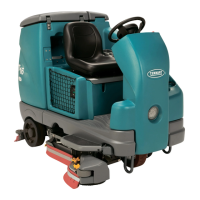
Tennant 7100 - Service Manual

Tennant 7100
305 pages
Print Icon
To Next Page IconTo Next Page
Loading...
330695
Rev. 02 (811)
Service Manual
7100

Table of Contents

Other manuals for Tennant 7100

Questions and Answers

  • J
    Jessica ThomasJul 27, 2025
    How to improve poor scrubbing performance of my Tennant Scrubber?
    • D
      Deborah MurphyJul 27, 2025
      If your Tennant Scrubber's scrubbing performance is poor, start by removing any debris caught on the scrub brushes. Check with a Tennant representative to ensure you are using the correct detergent and brush type for your cleaning needs. Replace the scrub brushes if they are worn. Reset the scrub brush motor circuit breakers if they have tripped. Reduce the scrub brush down pressure. Ensure even brush pressure by leveling the scrub head. If you have a cylindrical scrub head, replace any broken brush drive belts. Low battery charge can also affect performance, so charge the batteries until the charger automatically turns off.
  • D
    Dustin BellAug 3, 2025
    How to fix trailing water with my Tennant 7100?
    • B
      briannablanchardAug 3, 2025
      If your Tennant Scrubber leaves trailing water or exhibits poor water pickup, several factors could be at play. Start by checking the squeegee blades for wear and either rotate or replace them. Ensure the squeegee is properly adjusted. A clogged vacuum hose can also be the culprit, so flush it out. Inspect the vacuum fan inlet filter; if it's dirty or wet, clean and dry it. Remove any debris caught on the squeegee. Verify that the vacuum hose is securely connected to the squeegee or recovery tank, replacing it if damaged. Ensure the tank cover is completely closed and free from obstructions. Finally, inspect the recovery tank seals for tears and replace them if necessary.
  • R
    Robert MyersAug 11, 2025
    What to do if there is little or no solution flow in my Tennant Scrubber?
    • L
      larryharrellAug 11, 2025
      If your Tennant Scrubber isn't dispensing enough solution, start by ensuring the solution tank is full. Check the solution control rod; if it's broken or misaligned, replace or adjust it. Make sure the solution flow is turned on. If the supply lines are plugged, flush them. A clogged or stuck solution solenoid might also be the cause, so clean or replace it. If your scrubber has an ES mode, verify the ES switch is on.
  • H
    hvegaAug 19, 2025
    Why won't the vacuum fan turn on in my Tennant Scrubber?
    • R
      reneesmithAug 19, 2025
      If the vacuum fan on your Tennant Scrubber won't turn on, first check if the recovery tank is full and drain it if necessary. Foam buildup in the recovery tank can also cause this issue, so empty the tank. You may need to reduce the amount of detergent you're using or switch to a different detergent. Consider using a defoamer. Finally, check if the vacuum fan circuit breaker has tripped and reset it if needed.

Summary

General Information

Safety Precautions

Essential safety guidelines for operating and servicing the machine.

Specifications

Technical details including dimensions, capacities, and machine performance.

Maintenance Chart

Comprehensive chart detailing maintenance tasks by interval and procedure.

Chassis

Brakes and Tires

Covers service, parking brakes, and tire information.

To Remove Front Drive Assembly

Detailed steps to remove the front drive assembly.

To Install Front Drive Assembly

Detailed steps to install the front drive assembly.

Scrubbing

To Drain and Clean Solution Tank with ES

Procedure for draining and cleaning the solution tank.

To Drain and Clean Recovery Tank

Procedure for draining and cleaning the recovery tank.

Scrub Head

Overview of the scrub head, its types, and adjustments.

To Remove Disc Scrub Head

Steps to remove the disc scrub head.

Scrub Brushes

Information on brushes, wear checks, and replacement.

Squeegees

Information on rear and side squeegees, blades, leveling, and deflection.

Rear Squeegee Blades

Information on squeegee blade edges, wear, and replacement.

Machine Troubleshooting

Common problems, causes, and remedies for the scrubbing system.

Electrical

Batteries

Information on battery care, charging, electrolyte levels, and testing.

To Charge Batteries

Step-by-step guide for charging the machine's batteries.

To Replace Batteries

Procedure for safely removing and installing batteries.

Instrument Panel

Description of the touch panel, circuit board, switches, and key switch.

Control Panel

Location of components and access procedure for the control panel.

Circuit Breakers

Explanation of resetable circuit breakers and their protected circuits.

Fuses

Information on fuses, their function, location, and replacement.

Directional Pedal

How the directional pedal controls speed and direction.

Electric Motors

Information on brush inspection for vacuum, scrub, and propel motors.

ES Pump

Function of the ES™ pump and its automatic operation.

Vacuum Fan

Function of the vacuum fan in creating suction.

Electrical Schematic (S;N 7100 xxx02700- )

Wiring diagram for electrical system components.

Electrical Schematic (S;N 7100 xxx00001-02699)

Wiring diagram for electrical system components.

Wire Harness Group (S;N 7100 xxx02700- )

Diagram showing wire harness connections and routing.

Wire Harness Group (S;N 7100 xxx00001-02699)

Diagram showing wire harness connections and routing.

FaST Electrical Schematic (S;N 7100 xxx01709- )

Electrical schematic for the FaST system.

Operating Modes

Explanation of the machine's different operating modes.

Scrub Button

Explains the function of the scrub button for activating operations.

Squeegee Button

Explains the function of the squeegee button for water pickup.

ES Button

How to enable or disable the ES system.

Battery Gauge

How the battery gauge indicates charge level and system status.

Interlocks

Details various interlocks that control machine functions.

Curtis Propel Controller Troubleshooting

Table of LED codes, explanations, and possible causes.

Troubleshooting

General guidance for diagnosing and repairing the electrical system.

ES System

Flowchart for diagnosing issues with the ES™ system.

Propel Controller

Flowchart for diagnosing issues with the propel controller.

Power-Up Testing

Flowchart for diagnosing power-up issues.

Scrub System

Flowchart for diagnosing scrub system problems.

Scrub System Error Breakdown

Explains specific error messages and their causes/solutions.

Squeegee System

Flowchart for diagnosing squeegee system issues.

Tennant 7100 Specifications

General IconGeneral
Power SourceBattery
Machine TypeRide-on Scrubber
Battery Voltage24 V
Cleaning Path28 in / 710 mm
Cleaning Path Width28 in / 710 mm

Related product manuals