1
Backlight Brightness
100%
km/h
100%
Display Unit
mph
3
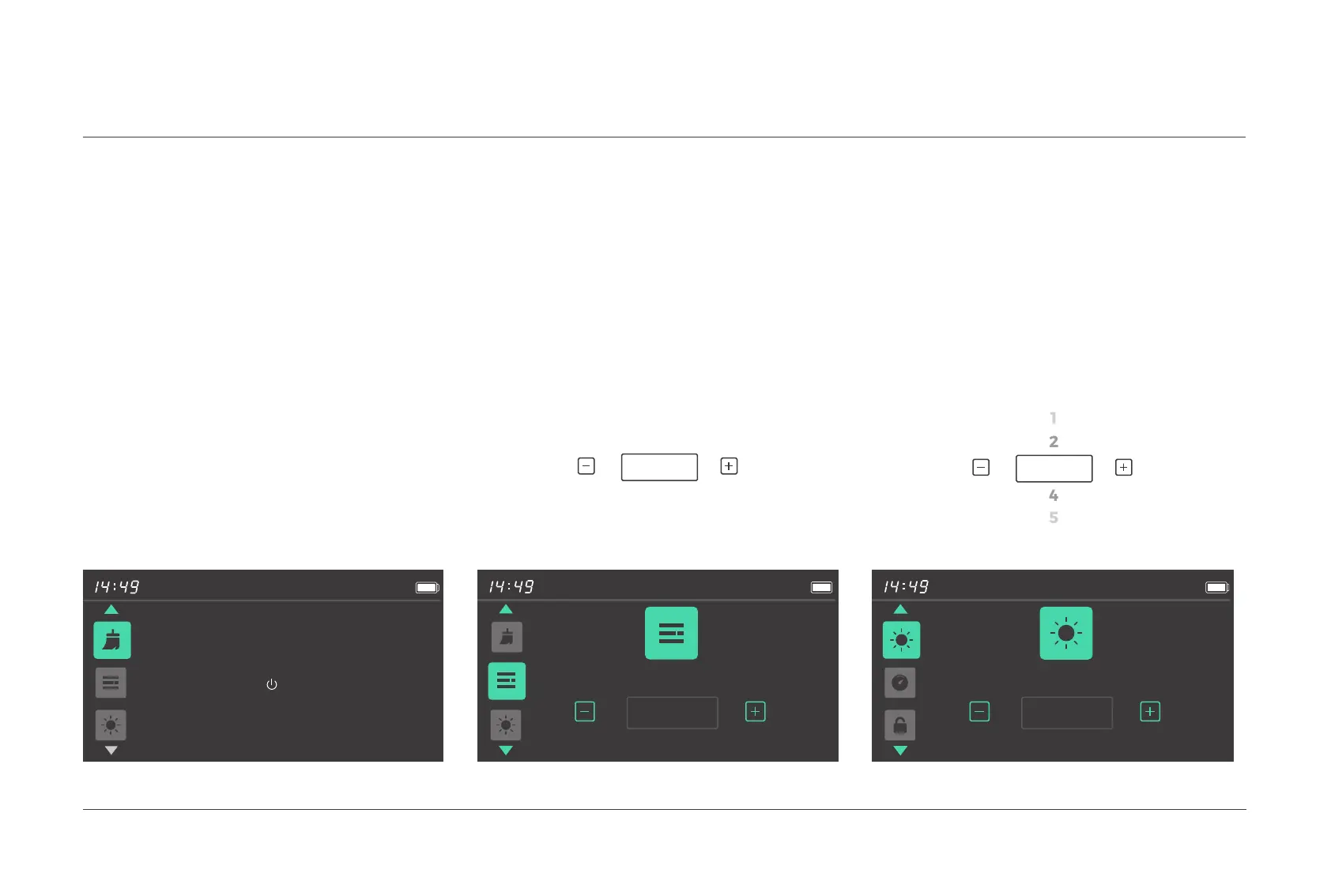
After entering the menu preview interface,
press the
[
Power
]
button to enter this menu
item, and then click the
[
+
]
or
[ - ]
button to switch
between km / h and mph.
Press the
[
Power
]
button to confirm and save
the setting, and switch to the next menu inter-
face.
After entering the menu preview interface,
press the [ Power ] button to confirm clearing
the trip data.
After entering the menu preview
inter-
face, press the
[
Power
]
button to enter this
menu item, and then click the
[
+
]
or
[
-
]
button to set the brightness to AUTO, 1, 2, 3, 4,
or 5. AUTO means automatic backlight.
Press the
[
Power
]
button to confirm and save
the setting, and switch to the next menu interface.
5.1 Clear the trip mileage
5.2 Unit settings
5.3 Display backlight brightness
settings
Press to clear
100%
Clear Trip
It will also clear the data below:
Max Speed, Avg Speed, Trip Time.
05.
USER MENU
026 Display operations



 To Next Page