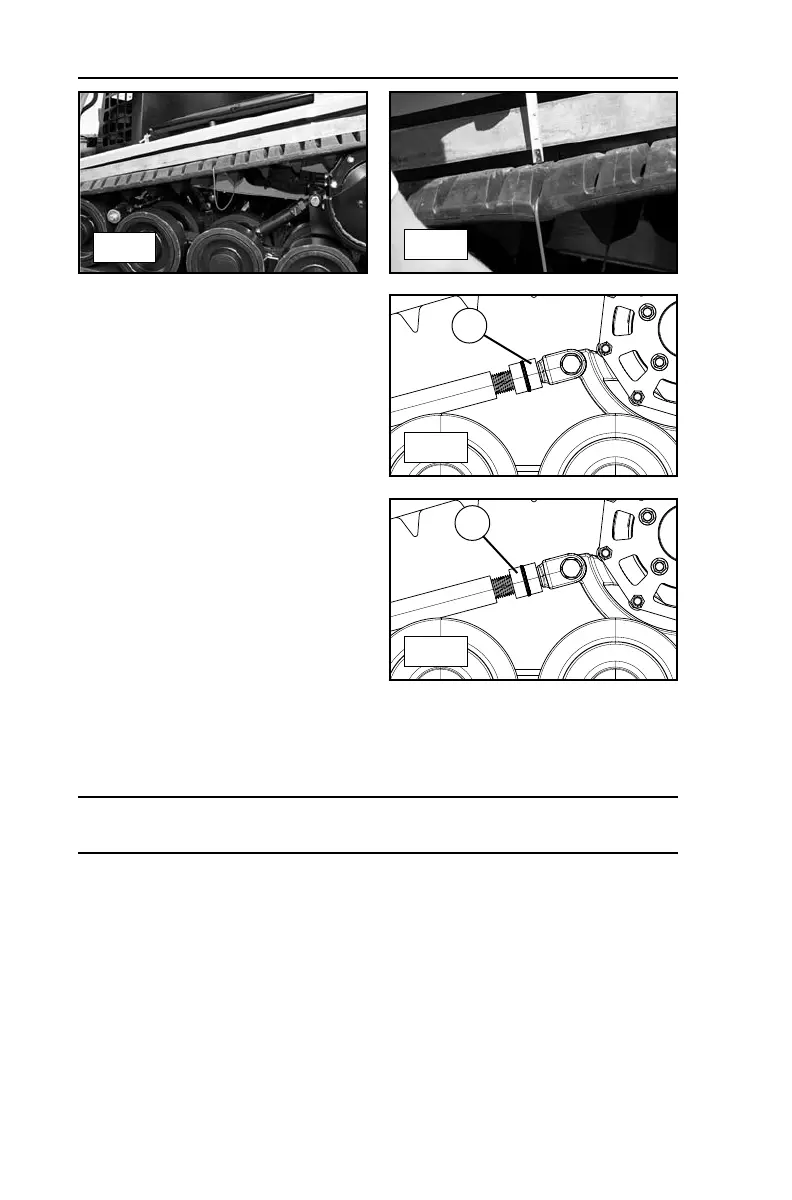
7.14 Track Tension Adjust
1. Shut the machine down
according to the procedure in
section 5.12, then locate the jam
nut on the track tension device
and clean the threads thoroughly
before proceeding. (fig. 7.14-1).
2. Using a wrench, loosen the jam
nut (A) on the track tension
device.
3. Once the jam nut is loose, turn
the lower nut (B) to increase
tension until within specification
(figure 7.14-2).
4. Turn the lower nut the opposite
direction to loosen the track.
5. Once proper tension is achieved, retighten the jam nut (A) on the tensioner.
Note: If the track tensioner is stiff, it may be helpful to apply a penetrating lubri-
cant onto the threads prior to adjusting tension.
7 MAINTENANCE
72
7.13-1
7.13-2
7.14-1
7.14-2
B
A


 To Next Page