Care and Maintenance7
90/112 TL160
Operating Manual 12.9.08 Version 1.0
7.8.9 Brakes
7.8.9.1 Checking the brake disc thickness
This check must be performed twice on each of the
two axles.
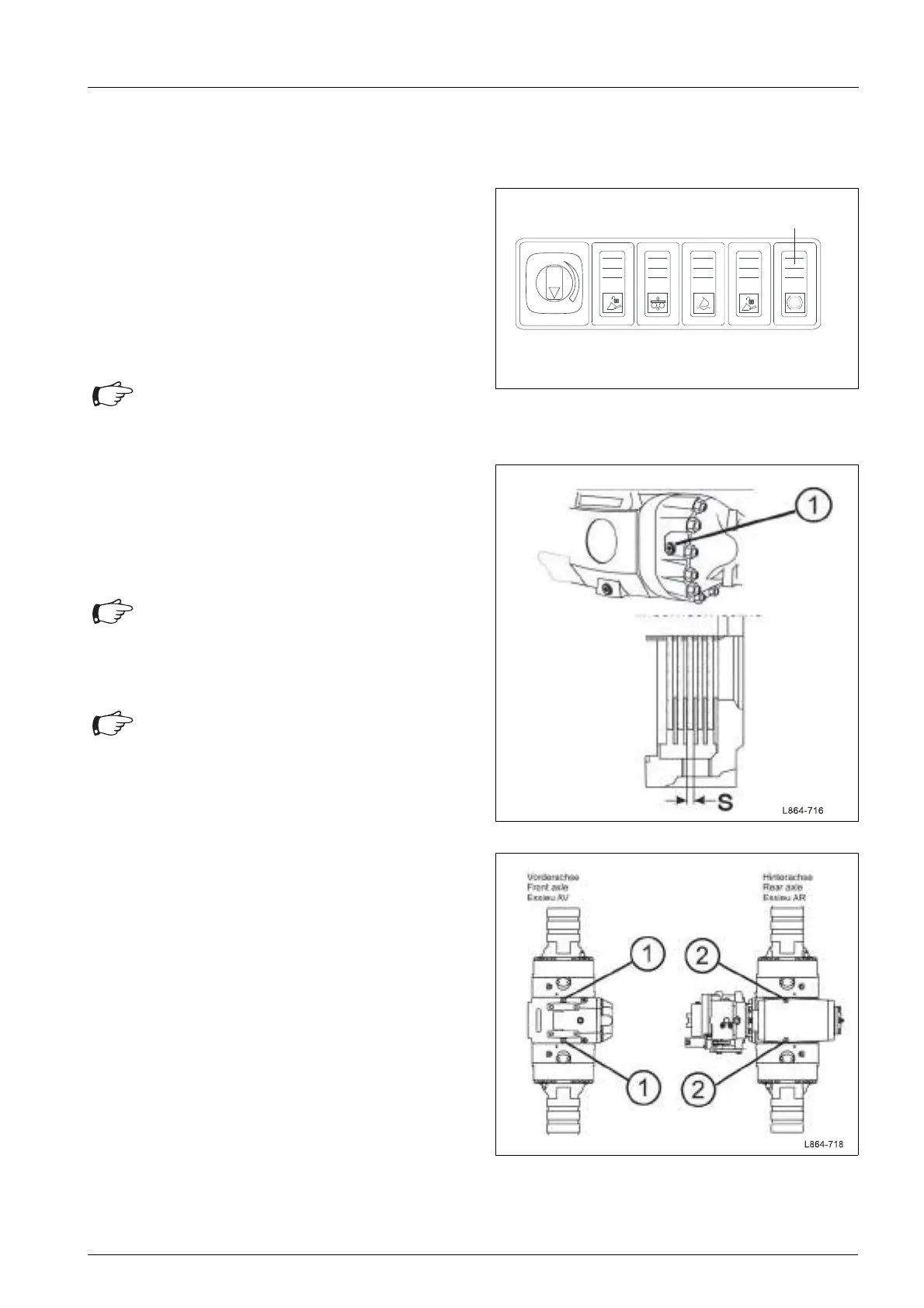
• Operate the parking brake preselection switch
(62/54), thereby applying the parking brake.
• Open the first inspection hole (63/1) on the front
axle.
• Check the wear of the brake discs using a
measuring gauge.
Close the inspection hole.n• Close the inspection hole.
• Check the remaining brakes of the other axle side
and the rear axle.
7.8.9.2 Bleeding the brake
• Remove the cover on the front-end above the axle.
• Let the engine run at medium speed.
• Fully depress the brake pedal
• Connect the bleeder hose to the first bleeder
screw (64/1) of the front axle and route it into the
collection bottle.
• Open the bleeder screw (64/1) until the brake fluid
(hydraulic oil) escapes without bubbles.
• Remove the bleeder hose and re-tighten the
bleeder screw.
• Connect the bleeder hose to the second bleeder
screw (64/1) of the front axle and route it into the
collection bottle.
• Open the bleeder screw (64/1) until the brake fluid
(hydraulic oil) escapes without bubbles.
• Remove the bleeder hose and re-tighten the
bleeder screw.
Fig. 62 Operation of parking brake
Attention
Minimum thickness of brake discs:
S= 4.5 mm
Fig. 63 Checking brake discs
Attention
• Collect the escaping oil in a suitable
container and dispose of in compliance
with regulations.
Attention
• Two persons are required to bleed the
brakes.
Fig. 64 Bleeding the brake



 To Next Page