20 SoundSystem SiXPack 5.1 +
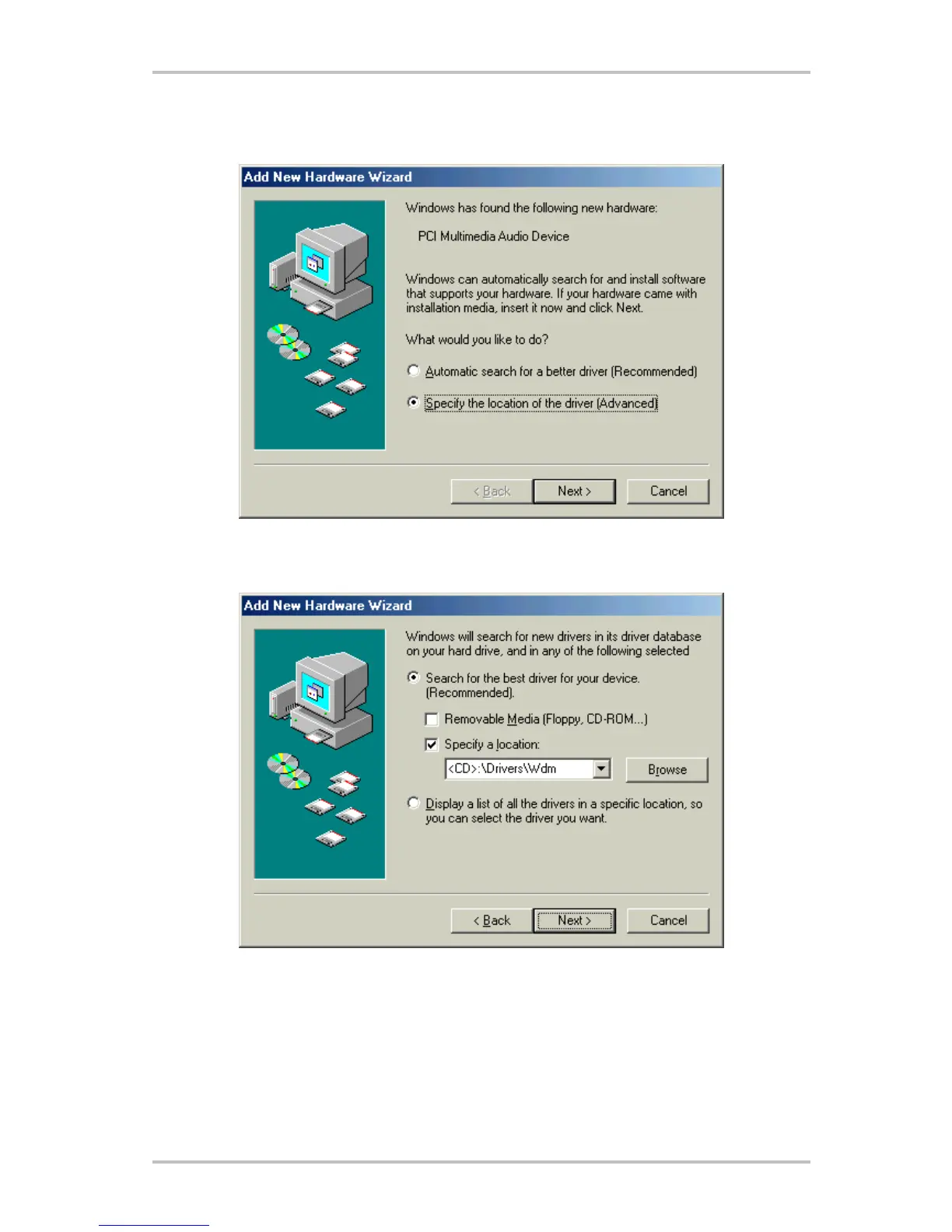
After the computer has restarted and the new hardware has been found by the Windows hard-
ware wizard the following window is displayed.
Choose "Specify the location of the driver (Advanced)" and click on "Next".
Check the box "Specify a location:", enter the path <CD>:\Drivers\Wdm\ and click on "Next". Alterna-
tively, you can select the path by clicking on "Browse".



 To Next Page