68 SoundSystem SiXPack 5.1 +
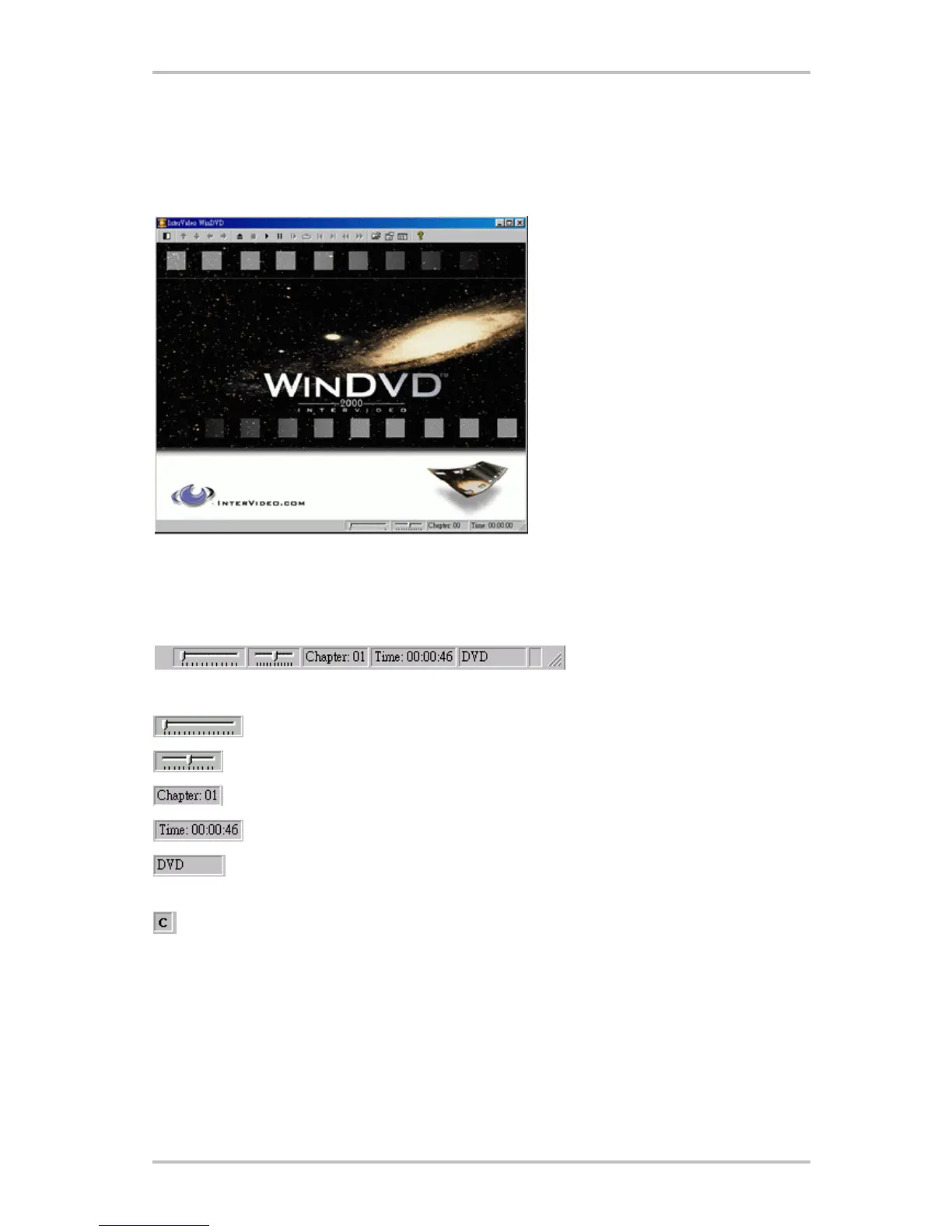
Video Viewing Window
The main viewing window for displaying video output. If you have selected View Toolbar in the
General Properties tab, the toolbar appears at the top of the viewing window. If you have se-
lected View Statusbar, the status bar is displayed at the bottom of the viewing window.
Status Bar
When you are viewing a DVD disc and select Show Status Bar from the Properties menu,
WinDVD displays the status bar across the bottom of the screen.
The following controls are available to you from the Status Bar:
Move to a different time in the title
Smooth Slow motion or fast forward
Shows the current chapter.
Shows the elapsed time
Shows the disk type
If "Repeat" function has been enabled, the appropriate character will appear
in the far right of the status bar. - "C" represents repeat chapter
- "T" represents repeat title



 To Next Page