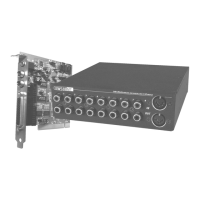
60 SoundSystem SiXPack 5.1 +
Crash Course in Intervideo WinDVD.
Using WinDVD
Viewing a DVD Title
To view a DVD title, put the disc into the DVD drive. WinDVD will automatically begin playing the
disk.
To launch WinDVD manually:
1. Select Start > Program Files > WinDVD, or if you have created one, click the WinDVD desktop
shortcut.
2. Make your selections from the menu within the WinDVD window, or click
(the Play icon)
on the control panel.
Creating a Playlist
1. With the disk in the drive, click
(the Playlist icon)
2. The Playlist window opens. Select File from the lower right set of options (File or Disc).
Move to the drive and directory in which the files are stored. Select the first file to be
played.
3. Click Add. Repeat this procedure with as many files as you want. Remember that these files
will now play in the order in which they appear. Delete and replace files to create the correct
order, if needed.
4. Click Save to save your playlist for future use. Click Close to close the window. When you
click Play, the playlist automatically plays the files in the order specified. You can play
.mpg, .vob, and .ac3 files.
Loading a Previously Saved Playlist
1. With the disk in the drive, click the Playlist icon.
2. The Playlist window opens. Click Load Playlist.
3. The list of saved playlists appears. Select the playlist to load.
4. Click Close to close the window. When you click Play, the playlist automatically plays the
files in the order specified. You can play .mpg, .vob, and .ac3 files.
Changing Your Settings
You may want to enable or disable certain features of your WinDVD. To change any properties
and features of your WinDVD:
1. Launch WinDVD and view the main control panel.
2. Click
(the Properties icon). The Properties window appears.



 To Next Page