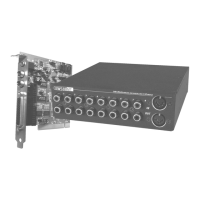
SoundSystem SiXPack 5.1 + 61
3. Tab to the desired properties to be changed. Select from General properties, Audio proper-
ties, Parental Control properties, and Display properties.
4. Select the properties you want. If you are unsure about what a particular property means,
see the online help for that properties property page, or check the glossary. You can change
these properties at any time.
5. Click OK again to accept your changes.
Setting Parental Control
Parents may want to set the parental controls, allowing only those movies and titles that are
age-appropriate to be viewed. (In some cases, movies can be shown in modified form to allow
different ratings for the same movie.) To set movie rating limits on your WinDVD:
1. Launch WinDVD and view the main control panel.
2. Click (the Properties icon. The Properties window appears.
3. Tab to the desired properties to be changed. Select Parental Control Properties.
4. Select the desired age-appropriate level. This will be the highest level allowed. No titles
with movie ratings higher than the one selected will be viewable. You can change this again
at any time.
5. If you have set a password, enter the password now, then click OK. You can change your
password at any time.
6. Click OK again to accept your changes. The parental control feature will now use the new
settings.
Ejecting a Disk
To eject a disk from the player, click
(the Eject button) from the video viewing window or the
toolbar.
Hiding and Viewing the Player
You can choose to only see the Video Viewing window. To hide the Player:
1. Open the Properties page.
2. Tab to General. Disable (remove the checkmark) View Player.
3. The player is now hidden. Enable the option again to view the player. You can open the
properties page from the right-click menu or from the toolbar on the video viewing window.



 To Next Page