70 SoundSystem SiXPack 5.1 +
the title and the familiar context menu appears. Choose “Edit Track Tags” and enter the info.
But now let's get back to our audio CD.
Insert an audio CD in the CD ROM drive of your PC, stop the automatic playback if it starts.
When the CDDB request was successful you should already have artist and title info displayed.
Click on the red record button in the player to start the recording process. Choose the title(s)
that you wish to encode – by default all titles are selected. Start the read and encode process
by clicking on the record button in the recorder. And now you need a little patience or a fast PC.
When the read and encode process is finished you will find a freshly ripped MP3 file(s) on your
hard disk. Should you belong to the group of people without Internet access, you can edit the
ID3 tags manually like mentioned previously. Information as to the exact location of the file(s)
can be found under “Options” --> “Recorder” --> “Settings” --> “Songs Directory “. Afterwards
you are ready for the MP3 CD recording and the next chapter.
Burn Baby, Burn!
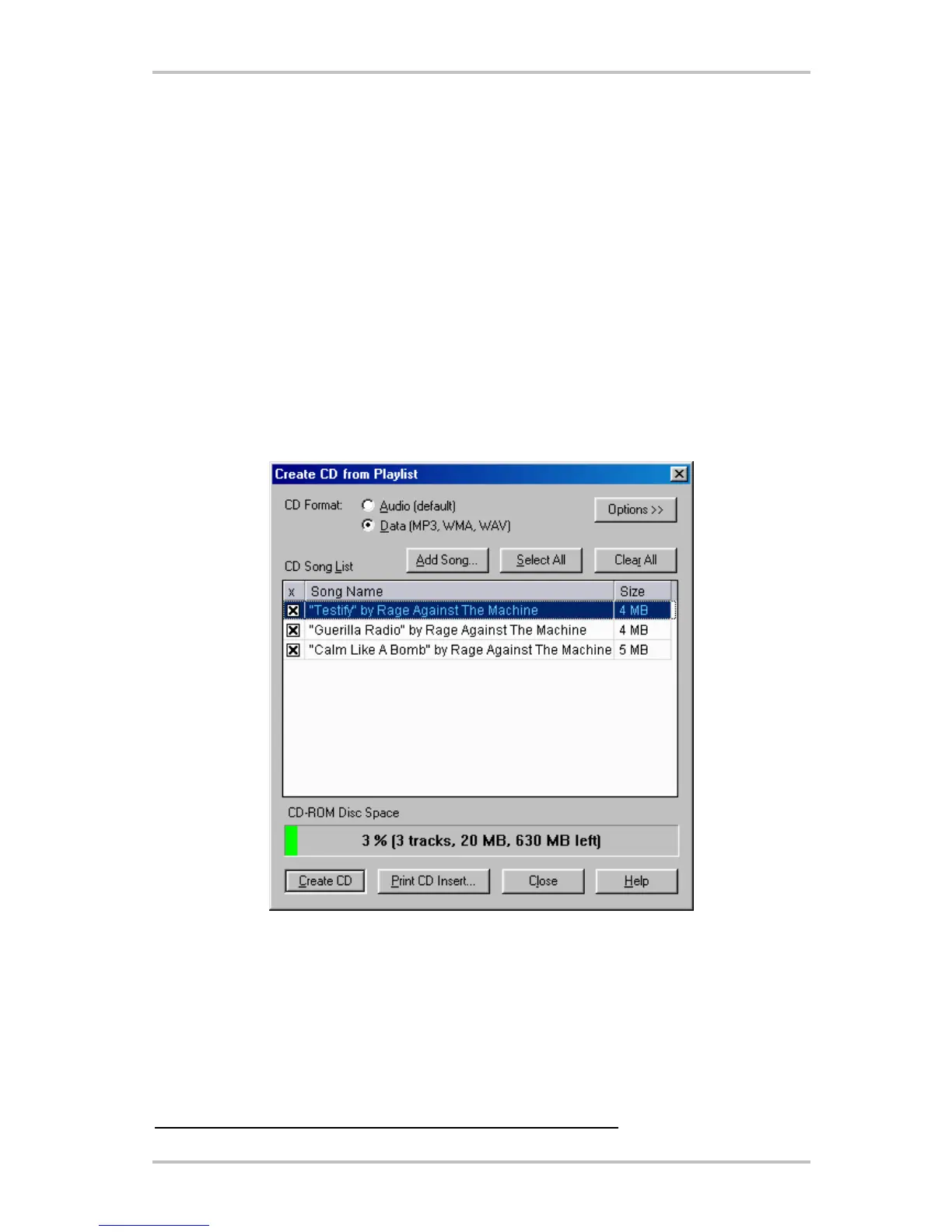
With the integrated CD burning program you can easily capture your personal favorites on one
CD. One good feature: Clear display of the amount of space remaining on the CD. In the playlist
window select “CD-R” and choose “Create CD from Playlist”. Pay attention to select “Data (MP3,
WMA, WAV)” for MP3 files and then click on “Add Song”, maneuver to the song path location
determined as stated in the previous chapter and click on “Create CD”. That's it – really.
Must burners are supported straight from the factory, a comprehensive and up-to-date list of
the models that have been checked can be found on the Musicmatch web page under
http://www.musicmatch.com/jukebox/player/cdr.cgi .



 To Next Page