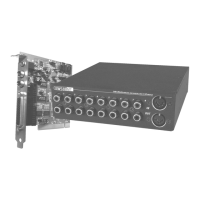
78 SoundSystem SiXPack 5.1 +
How do I record from my hi-fi system?
· Connect the line Out socket on your hi-fi system to the line In socket on the sound
card.
· Use the Record Out socket or the Tape Play socket on the tape section of your hi-fi am-
plifier.
· Then go to the SiXPack 5.1 + Control Panel under "Record" and choose the source "Line
In".
· Now you can open your recording software, like the included Wavelab Lite or the sound
recorder from Windows.
The digital input cannot be synchronized to the digital output of the CD-ROM drive.
· First ensure that you have properly connected the supplied cable to the CD-ROM drive.
· The digital output on the CD-ROM drive only outputs pure audio information, therefore
it is essential that there is an audio CD in the drive and not an MP3 collection that you
have burned yourself, for example.
· As standard, the SiXPack 5.1+ digital input is set to TTL signal level via the jumper (JP2),
which usually corresponds to the level of most CD-ROM drives. However, there are ex-
ceptions which mean that changing the jumper JP2 to S/PDIF level will result in success
in these cases.
· If this was also no help, ensure that the digital output of the CD-ROM drive is in fact
supplying a signal.
· Set the JP3 jumper to internal.
Background noise is continuously coming over the speakers, what can I do?
When the sound card was being designed, value was placed on incorporating the best
audio properties. Nevertheless, it is still possible that in certain computer configurations
inserting graphics and video cards, hard drive controllers or even power supply units can
have an effect on the audio signal. Generally, the built-in amplifier is very sensitive to this.
Use active speakers or your hi-fi system on the line output. When installing the sound card
in your computer, try to place it as far away as possible from the sources of interference
mentioned above. Switch the microphone input to Mute when it is not to be used.



 To Next Page