Page 17 of 20
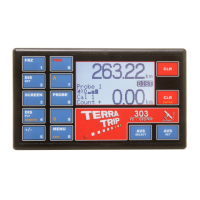
Note: 303 GeoTrip® with External Display Fitted, used for regularity target speed
rallies.
10 regularity target speeds can be pre programmed into the unit, and can be selected
with a single button press or the target speed can be entered on the fly without pre-
programming.
AVS SELECT opens the Average speed indicator select / setting menu.
Example 1: To Set up to 10 AVS speeds into memory:
Press AVS SELECT and use the up and down keys to select the required
memory (1-10).
Press AVS SELECT and the speed on the current memory will be highlighted.
Use the number keys to enter a desired target speed.
Press AVS SELECT to set the speed into the memory, or upper CLR to exit.
Repeat this procedure to fill the memories if you are pre programming target speeds,
but ensure that target speeds are placed in order of use in memory.
Example 2: To Set an AVS speed ‘on the fly’:
Press AVS SELECT TWICE and the speed on the current memory will be
highlighted. Use the number keys to enter a desired target speed.
Press AVS SELECT to set the speed into the memory, or upper CLR to exit.
The speed you have entered will be stored for next activation.
Whist the Average speed indicator screen is showing pressing AVS SET will start the
average speed display with the currently shown target speed.
If no keys are pressed whilst the Average speed indicator screen is being displayed it
will revert to the previous screen after 5 seconds.
13.4 AVS SET:
Note: 303 ONLY with External display Fitted.
AVS SET Activates the average speed indicator to the current memory selected with
the AVS SELECT key. Subsequent presses of the AVS SET key will increment the
average speed indicator memory, and activates the next target speed.
If the target speed of the current memory is ‘0.00’ then the average speed indicator
will turn off.
14.0 Special Functions:
14.1 Language:
To select operating language, turn the unit on whilst holding the MENU key. Keep
holding MENU until the language setting screen appears.


 To Next Page