19
3. Press
key to display the manual memorized data value of
Maximum (MAX), Minimum (MIN) and Average (AVG), if the
manual memorized data all are measured in the same mode.
4. Press key to exit this mode.
C. To clear the manual memorized data
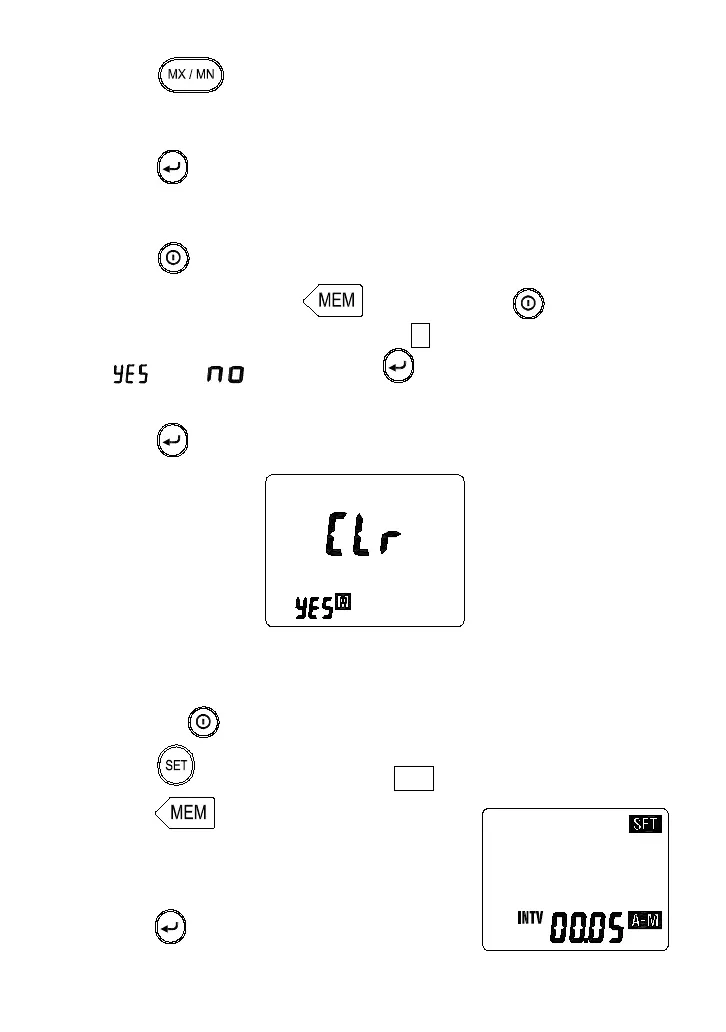
1. Press key to turn off the meter.
2. Press and hold down key then press key to turn on
the meter, LCD will show "CLr no M " mark, press key select
“ ” or “ ”, then press “ ” key to exit this mode. If you
select yes the all manual memorized data will be cleared.
3. Press again to exit clear auto datalogged memorized data.
5-12 Auto Datalogging Function
A. To Setting interval time
1. Press the power key to turn on the meter.
2. Press key, the annunciator “ SET ” is displayed.
3. Press key to enter the interval
time setting mode.
4. Press
keys to select desired interval
time from 1 second to 60 minutes.
5. Press
key to store the setting value.



 To Next Page