61
USER MANUAL
PRIME PLUS � 1/1 � 1-3 kVA � ΟNLINE UPS
170Vac to 220Vac. (Default: 170Vac)
For 100/110/115/120/127 VAC models:
85-115: setting the low voltage point in parameter 3 from
85Vac to 115Vac. (Default: 85Vac)
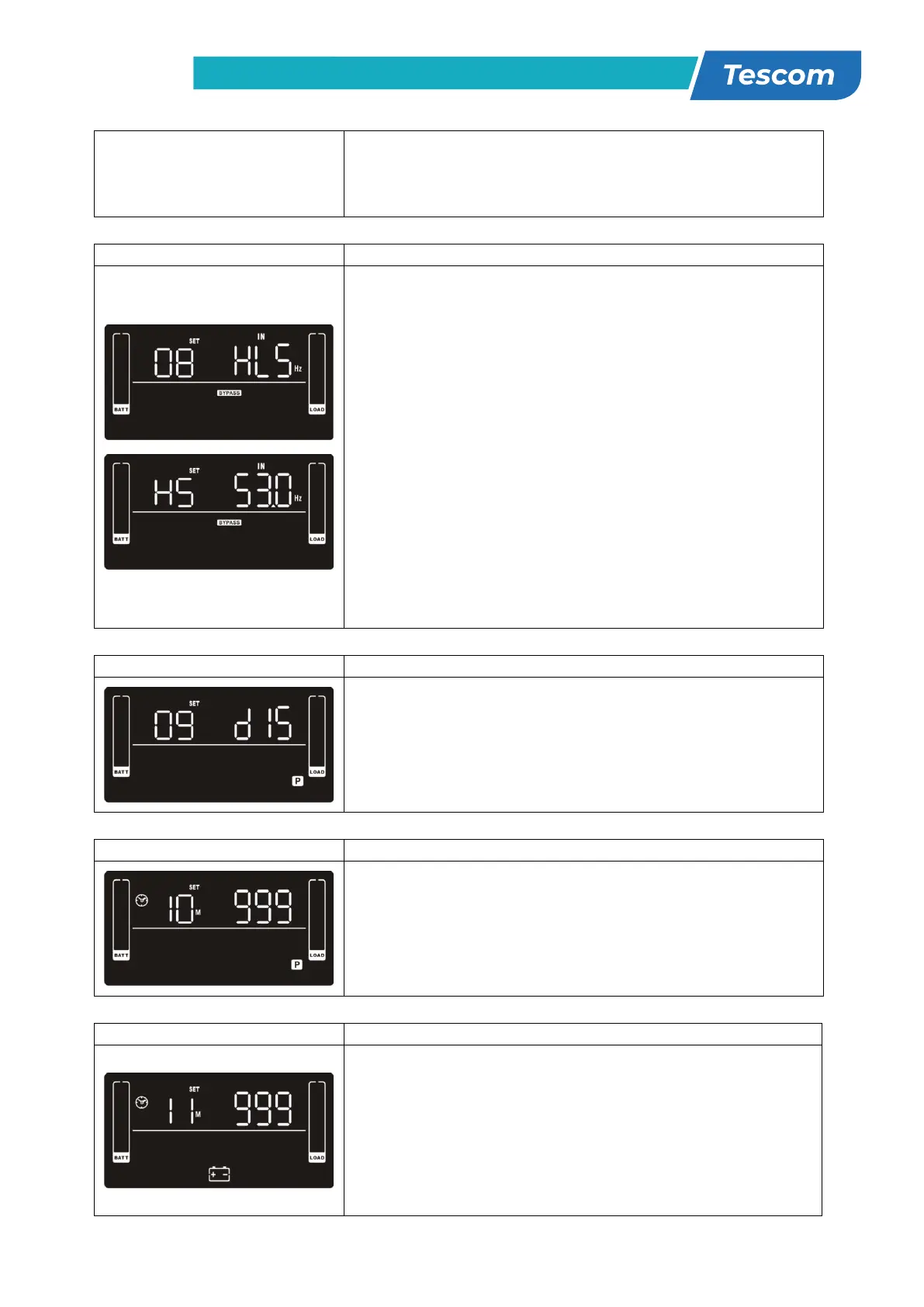
08: Bypass frequency range setting
Parameter 2: Set the acceptable high frequency point and
acceptable low frequency point for Bypass mode by pressing
the Down key or Up key.
HLS: Bypass high frequency point
For 50Hz output frequency models:
51-55Hz: setting the frequency high loss point from 51Hz
to 55HZ(Default: 53.0Hz)
For 60Hz output frequency models:
61-65Hz: setting the frequency high loss point from 61Hz
to 65Hz(Default: 63.0Hz)
LLS: Bypass low Frequency point
For 50Hz output frequency models:
45-49Hz: setting the frequency low loss point from 45Hz to
49HZ(Default: 47.0Hz)
For 60Hz output frequency models:
55-59Hz: setting the frequency low loss point from 55Hz to
09: Programmable outlets enable/disable
Parameter 2: Enable or disable programmable outlets.
ENA: Programmable outlets enable
DIS: Programmable outlets disable (Default)
10: Programmable outlets setting
Parameter 2: Set up backup time limits for programmable
outlets.
0-999: setting the backup time limits in minutes from 0-999
for programmable outlets which connect to non-critical
devices on battery mode. (Default: 999)
11: Autonomy limitation setting
Parameter 2: Set up backup time on battery mode for
general outlets.
0-999: setting the backup time in minutes from 0-999 for
general outlets on battery mode.
DIS: Disable the autonomy limitation and the backup time
will depend on battery capacity. (Default)
Note: When setting as “0”, the backup time will be only 10



 To Next Page