TI3500 GPU-24
12
2
Product Overview
2.11 – AC Input Circuit Breakers
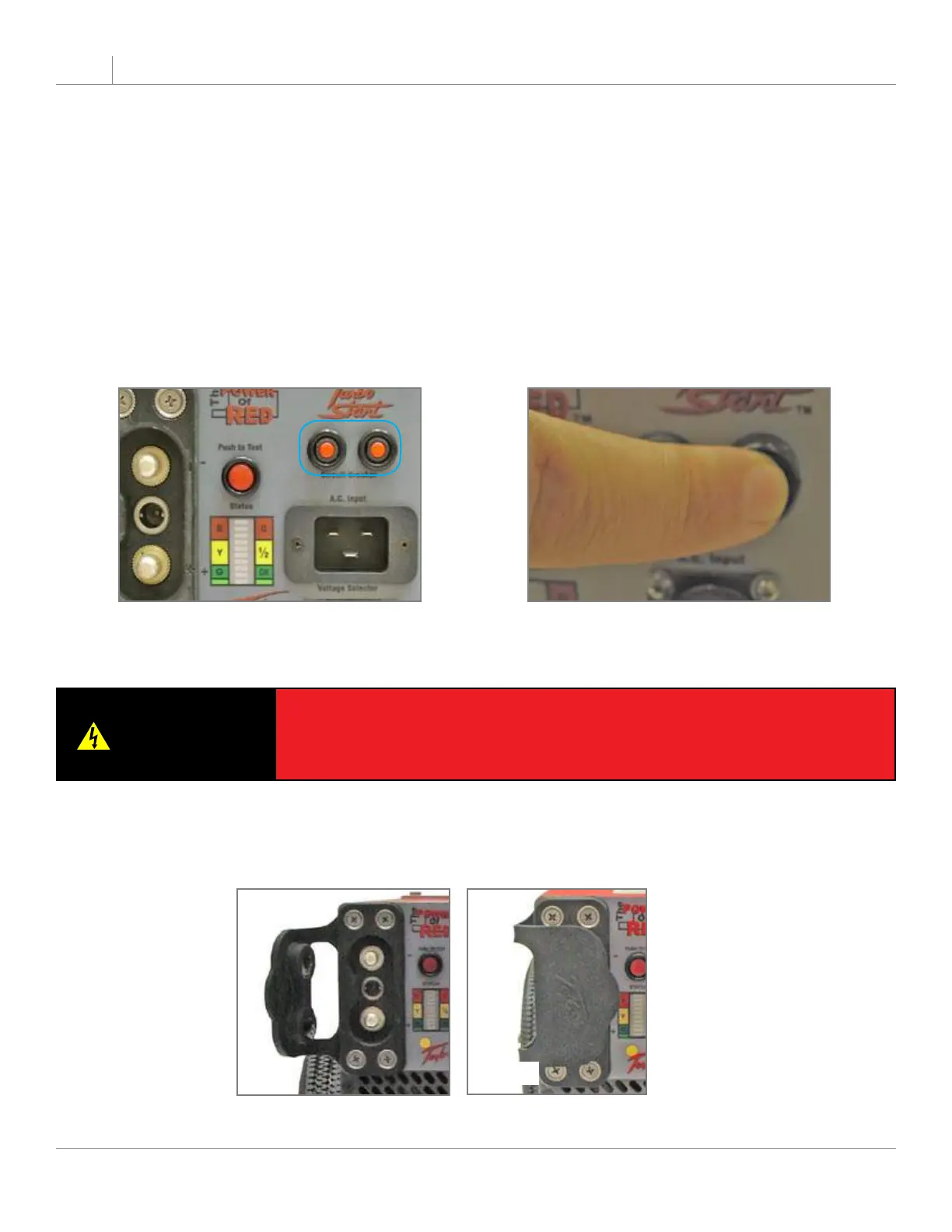
The AC Input Circuit Breakers are located above the AC Input Connector. When the circuit breaker has been
tripped, the red button will pop out. In the event that a breaker trips:
Disconnect the ac and dc connectors. 1.
Wait for a minimum of 60 seconds.2.
Reset breaker by pressing red button.3.
Reconnect ac and dc connections to the unit. 4.
The unit should power up automatically. If the breakers continue to trip, return the unit to Tesla™ Industries
for repair.
Figure 2.11.1 - AC Input Circuit Breakers
(outlined in blue)
Figure 2.11.2 - Pressing Circuit
Breaker
2.12 – 24 Vdc Output Connector
The 24 Vdc Output Connector will provide 50 amps continuous @ 28.5 Vdc (when plugged into ac power).
When the Output Connector is not in use, cover the receptacle with the protective cover (see Figure 2.12.1).
This will protect the Output Connector from dust and foreign matter.
Figure 2.12.1 - 24 Vdc Output Connector Protective Cover
Open
Closed
WARNING
Severe injury or death from electrical shock will occur if the user or
container comes in contact with the dc positive and negative power post at
the same time. Use extreme care when using any tool around these power
posts. Remove all jewelry and dog tags while operating.


 To Next Page