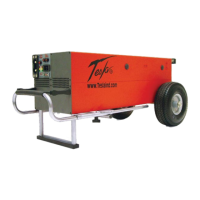
TI3500 GPU-24
20
Section 4 – Post Operation
4.1 – General
Although the TI3500 GPU-24 has been ruggedized and made weather resistant within the scope of unit’s
intended use, it is essential that good general care be taken to maintain unit in good operating condition and
to maximize unit’s operational life.
4.2 – After Use
Unit should be protected from environmental elements and man made hazards. Ideally unit should be secured
in a building or shed. Most importantly, unit shall be fully covered if stored while exposed to environmental
elements.
4.3 – Power Cell Recharge
NOTE
!
The TI3500 GPU-24 incorporates a backcharge feature that enables the unit
to be recharged from the vehicle once the engine is started and the starter/
generator is running. This feature will enable you to start multiple vehicles
without reconnecting to ac power if the GPU is allowed to backcharge for
approximately 30 seconds.
NOTE
!
Plug the TI3500 GPU-24 into ac power to keep the cells charged whenever it is
not in use, even if it is at Full Charge. The unit will not overcharge or overheat.
Connect AC Power Cord to Unit
CAUTION
!
Check Input Voltage Selector Switch for proper setting. Do not plug unit into
230 Vac when Input Voltage Selector Switch is set on 115 Vac.
Ensure 120 or 240 Vac power cord is properly connected to an approved ac power supply. After approximately
5-8 seconds, ensure unit’s LED status indicator illuminates indicating power cell state of charge and cooling
fan is operating. Any time the unit’s power cells are fully discharged the unit shall be recharged within 24
hours to prevent performance degradation and ensure maximum life.


 To Next Page