6 Using the product
24
4. Fasten the wall bracket with suitable screws.
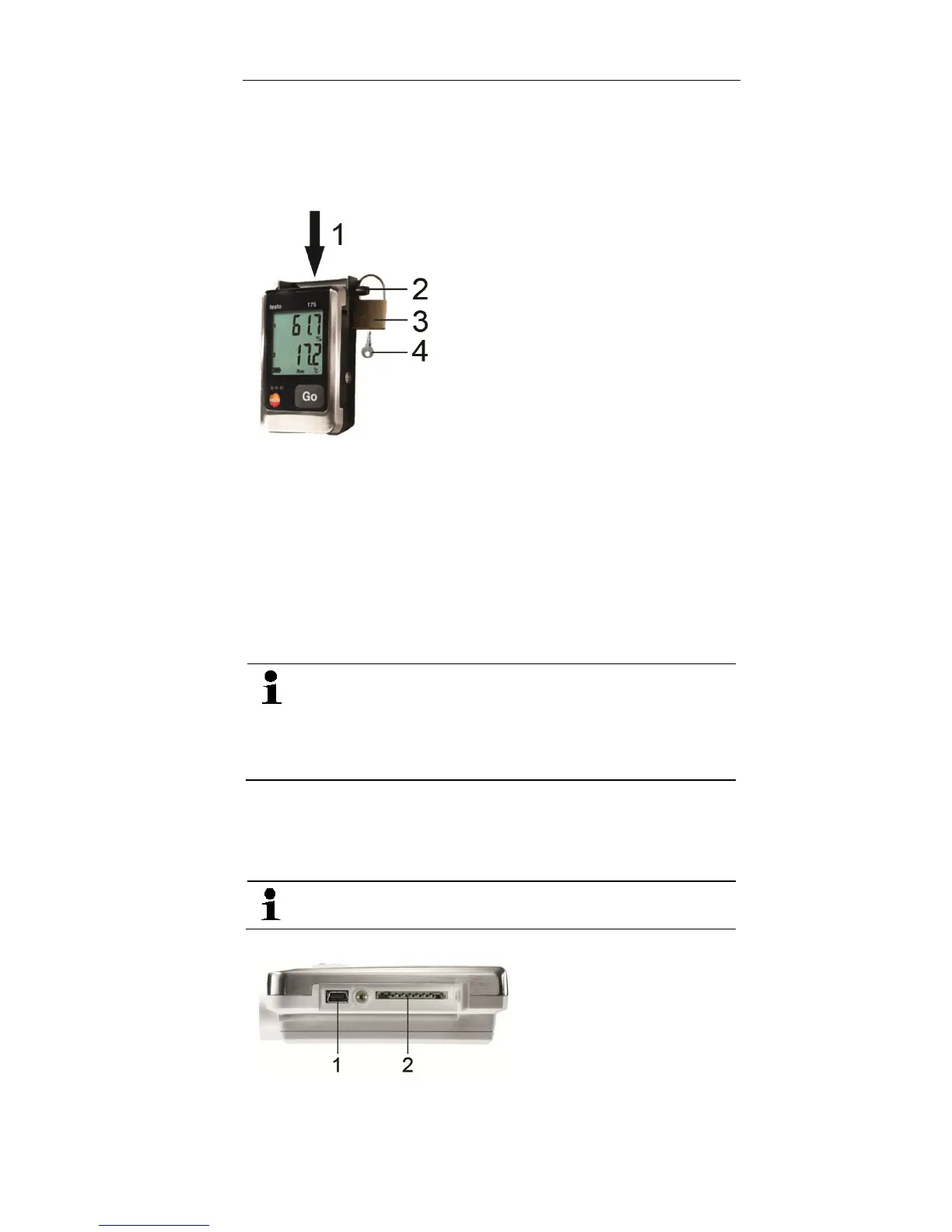
6.5. Securing the data logger
✓ The wall bracket has been mounted.
1. Slide the data logger into the wall bracket (1).
2. Push the locking pin (2) through the holes in the wall
bracket.
3. Fasten the lock (3) on the locking pin.
4. Pull off the key (4).
6.6. Reading out measurement data
The measurement data remain stored in the data
logger after they have been read out and can
therefore be read out several times. The
measurement data will only be deleted when the
data logger is reprogrammed.
Via USB cable
1. Connect the USB cable to a free USB port on the PC.
2. Loosen the screw on the right side of the data logger.
Use a coin for this purpose.
3. Open the cover.
4. Plug the USB cable into the Mini USB port (1).
Shop for Data Logging products online at: www.DataLoggerSto re.com 1.888.610.7664



 To Next Page