7 Maintaining the product
25
5. Read out the data logger and process the read out
data, see separate operating instructions testo Comfort
Software.
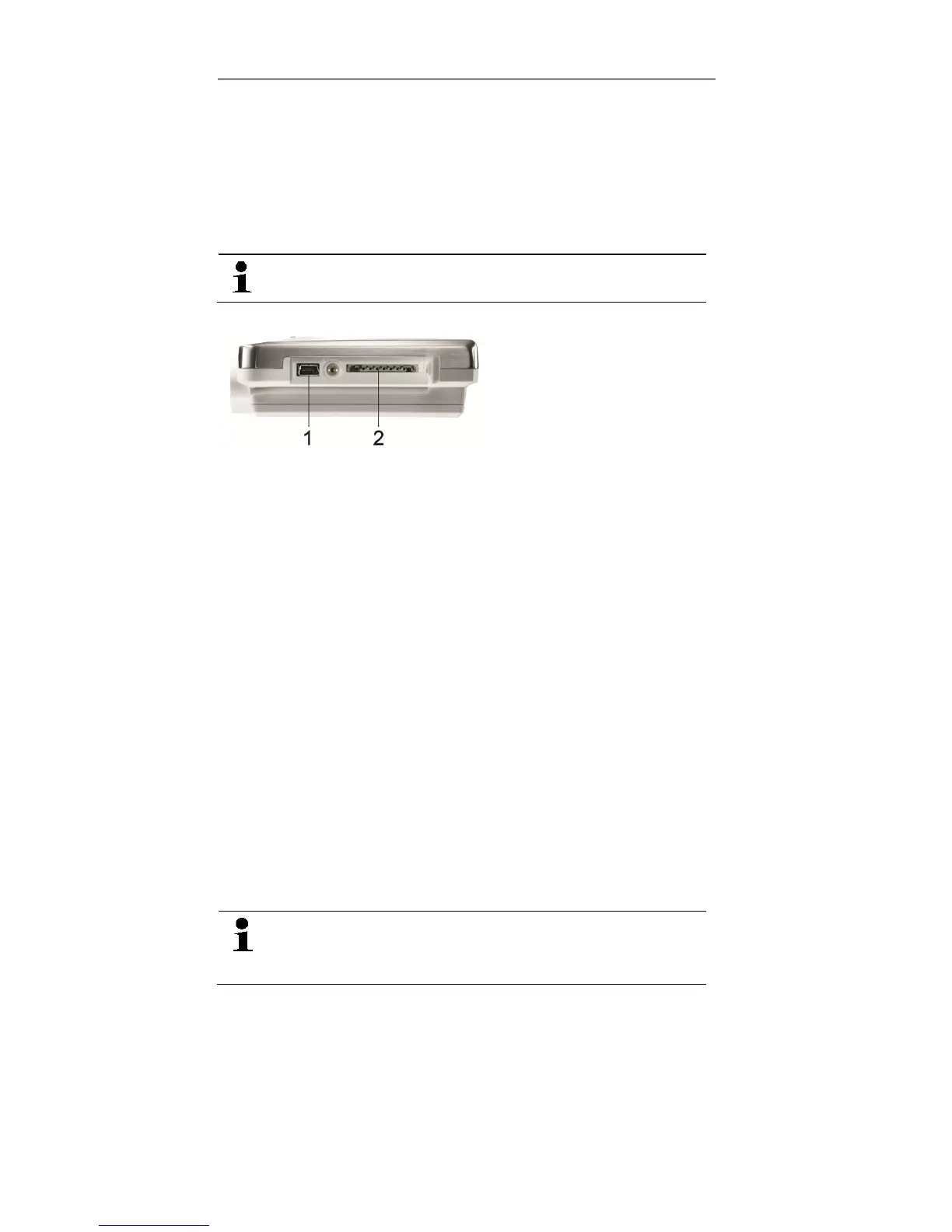
Via SD card
1. Loosen the screw on the right side of the data logger.
Use a coin for this purpose.
2. Open the cover.
3. Push the SD card into the SD card slot (2).
- The display shows Sd (testo 175 T1) or Sd CArd (testo
175 T2, testo 175 T3, testo 175 H1).
4. Hold [Go] depressed for longer than 2 seconds.
- The display shows CPY (testo 175 T1) or COPY (testo
175 T2, testo 175 T3, testo 175 H1).
- The yellow LED lights during the copying process.
- The green LED flashes twice and after the copying
process the display shows OUT.
5. Remove the SD card.
6. Insert the SD card into the SD card slot on the PC.
7. Process the read out data, see separate operating
instructions testo Comfort Software.
7 Maintaining the product
7.1. Changing batteries
The battery change stops the currently running
measurement program. However, stored
measurement data are preserved.
1. Read out stored measurement data, see Reading out
measurement data page 24.
✓ If it is no longer possible to read out the saved
measurement data because the battery capacity is too
low:
Shop for Data Logging products online at: www.DataLoggerSto re.com 1.888.610.7664



 To Next Page