8 Controls via testo Smart App
31
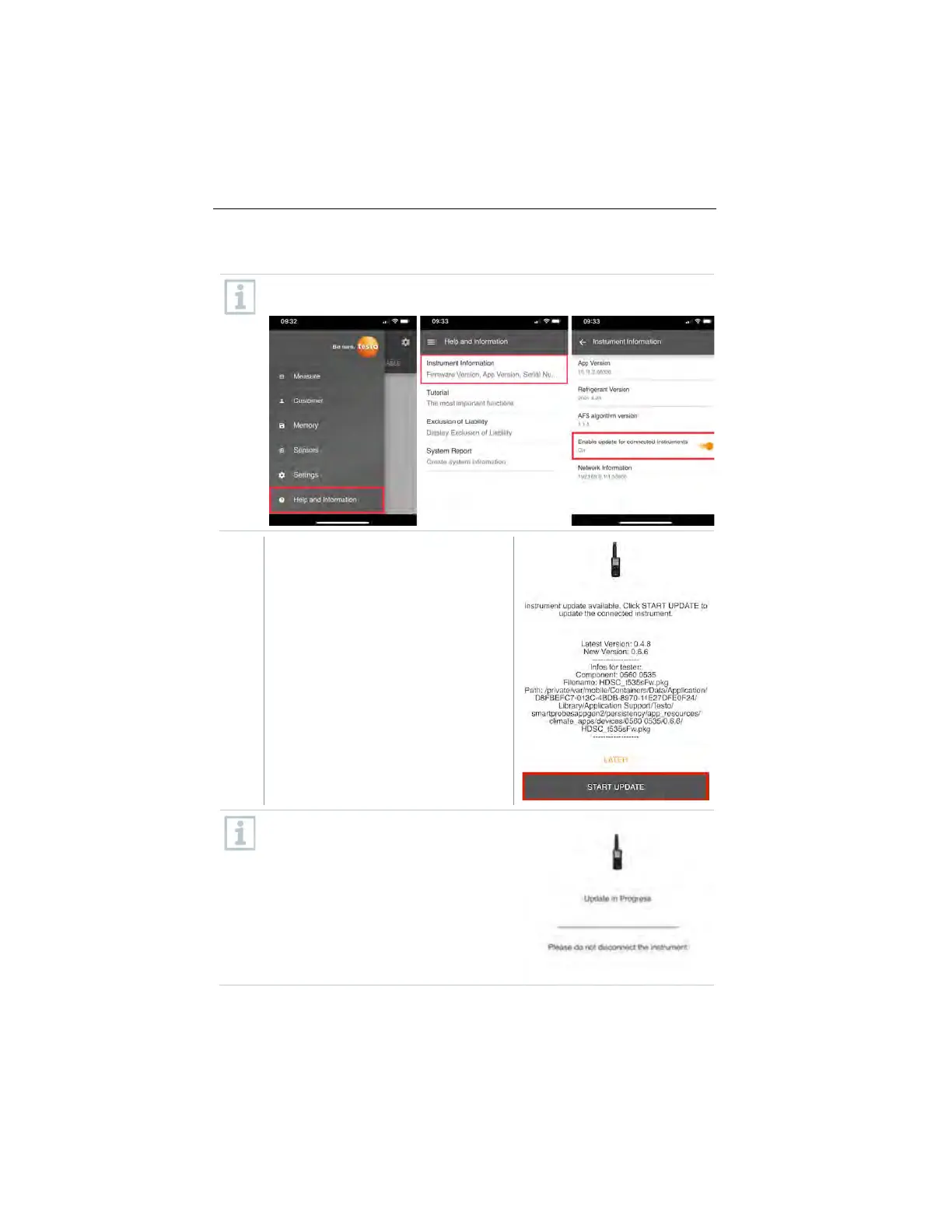
Perform Firmware update
Ensure that the option for Enable update for connected instruments
in Instrument Information is always enabled.
1
If a new firmware is available for your
measurement instrument, an update
notification is shown after connecting
the instrument with the testo Smart
App.
Click Start Update to perform the
update.
If you click Later, the Update
notification is shown again during the
next connection.
During the instrument update the
Bluetooth connection must not be
disconnected.
The update needs to be performed
completely and takes approx. 5-10
minutes depending on the used
smartphone.
1.888.610.7664 sales@GlobalTestSupply.com
www.Testo-Direc t.com



 To Next Page