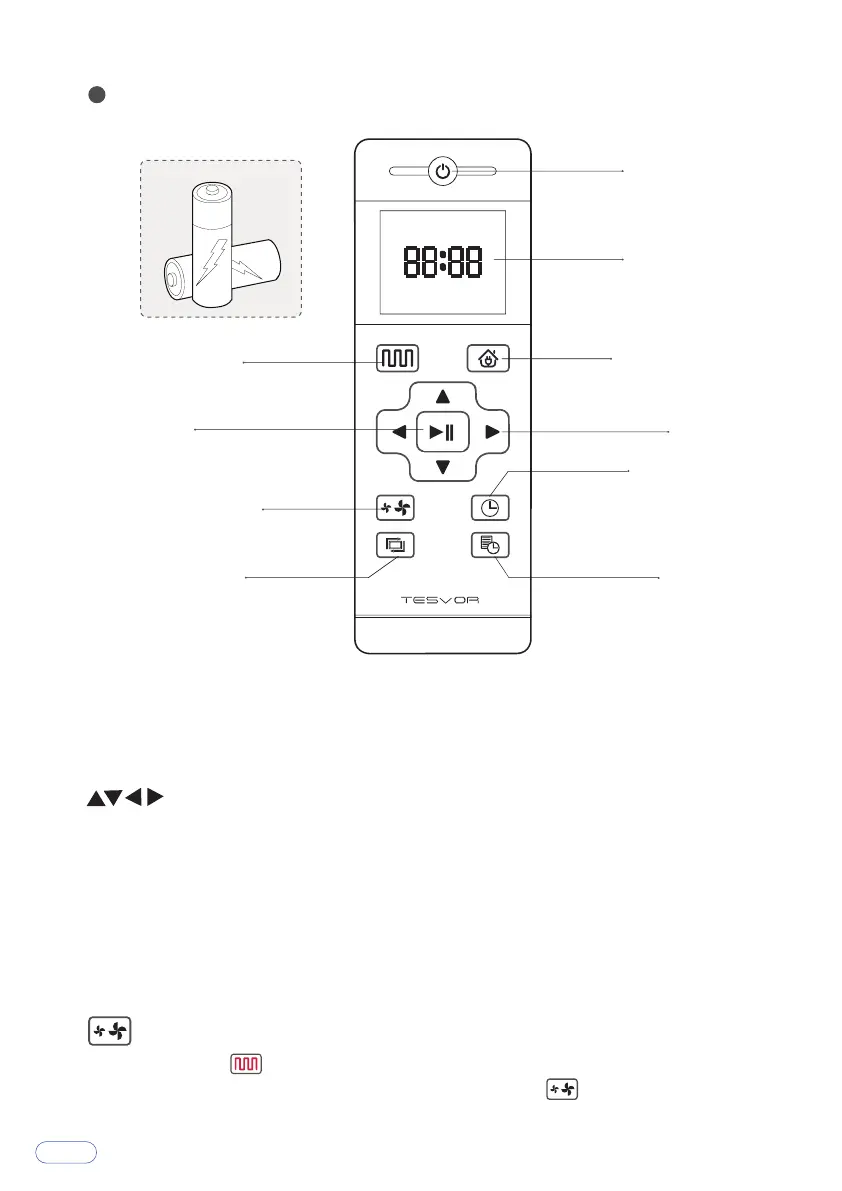
Install 2 AAA batteries (Not included in the package) into the remote control.
When the device is in the vicinity of the charging base and the virtual protection
wall, it may not be able to receive the instructions issued by the remote control. If
you do not use the remote control for a long time, please remove the battery.
Note: For App users, please refer to our User Guide for App&Alexa.
Power On/Off
Display Screen
Return for Auto
Charging
Direction
Clock Settings
Edge Cleaning
Confirm
Plan Cleaning
(Mopping)
Suction Settings
Schedule
Direcon Buon
Under the standby mode, press this button to turn left/right, Press backward
button, Vacuum will rotate 180 degrees. Release button to return to standby
mode.
Press forward button, Vacuum continues forward and returns to standby mode
when hitting obstacles.
Under the Preset mode or the Time Settings mode, press this button to switch
from hours to minutes.
Sucon Sengs
When you press on the remote control, you can see a fan sign appear on the
screen. You can adjust the suction power by pressing on the remote control.
5
7



 To Next Page