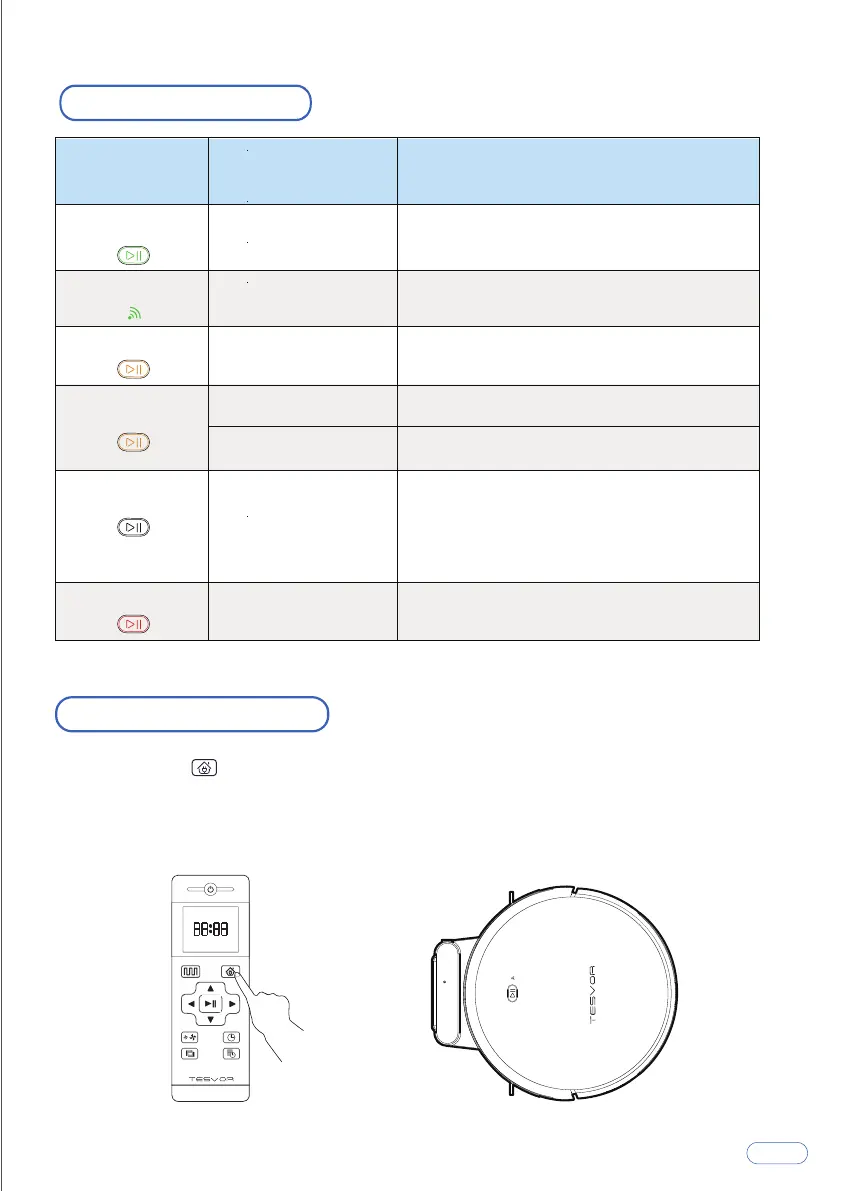
Charging Modes
Method 2: When cleaning is completed, or the battery is too low, the X500Pro
will automatically start finding the charging base to charge itself. Please keep the
charging base energized, or the X500Pro will not be able to find the charging
base.
Method 1: Press on the remote control to return the X500Pro to the Charging Base.
LED Indication
Indicator Light Machine Status
Scene
Solid green Standby / Cleaning
/ Fully charged
Flashing green Configuring mode
Solid orange
Flashing orange
Off
Return for charging
Return for charging
Recharging
Sleep
Flashing / Solid red Error
The X500Pro is in Standby or Cleaning
mode, or fully charged.
When connecting with the app
Return for charging after cleaning finished
Low power recharging
Low power and returning to Charging Base
The X500Pro is off.
To conserve power, the light automatically
turns off when the X500Pro has been
inactive for 10 minutes.
The X500Pro has an error.
8



 To Next Page