Aenon
The power supply must be removed from the socket-outlet before cleaning or
maintaining the device.
The battery must be removed from the device before it is scrapped.
The device must be disconnected from the mains supply when removing the
battery.
The battery should be disposed of safely.
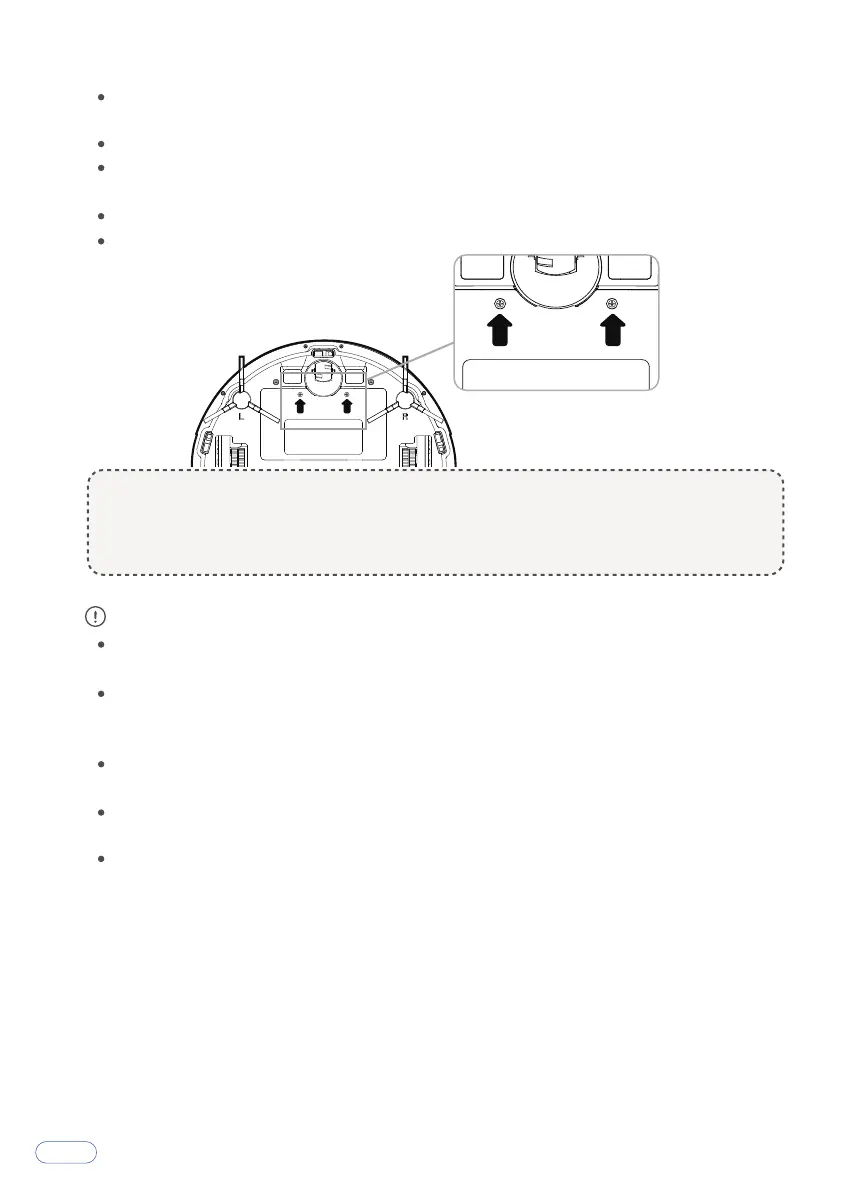
How to remove the battery:
If abnormal overheating is discovered during charging, stop using it immediate-
ly to avoid leakage, heating or rupture.
To prolong the service life of the battery, please remove the battery and place it
in a cool, dry environment if it is out of service for a long time; this will avoid
leakage, heating or rupture.
Do not soak the battery in water or let it come into contact with any liquid;
otherwise, it may cause leakage, heating or rupture.
Be sure to stop using it immediately in case of any problem (e.g., discoloration
or deformation), to avoid leakage, heating or rupture.
Always use tape to insulate the battery’s electrode when recycling or disposing
of it.
① Take out the two screws on the battery cover with a screwdriver.
② Take off the battery cover.
③ Take the battery out and unplug the electric wires to remove the battery.
3



 To Next Page