30
EN
x2
15sec.
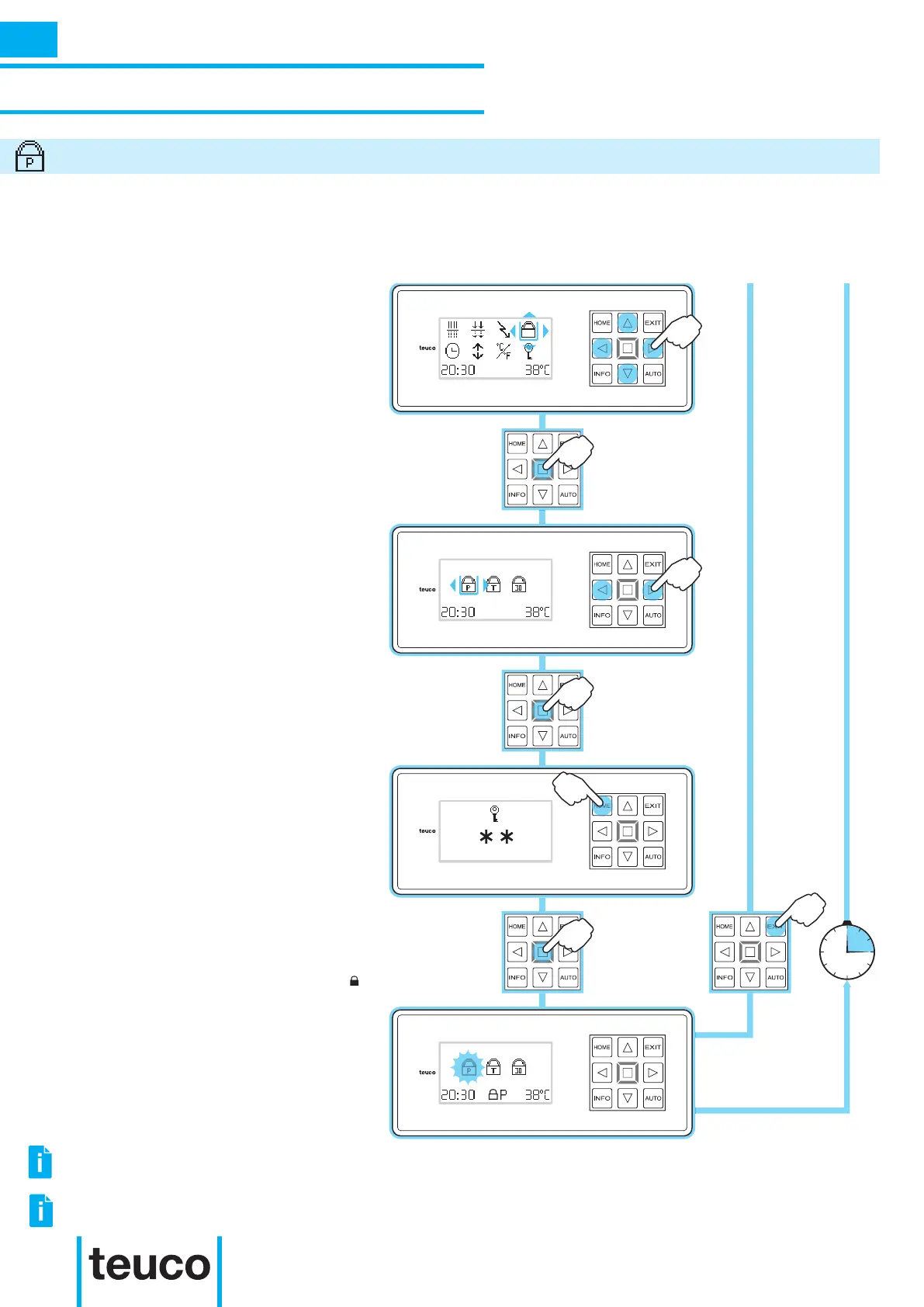
- From the INFO MENU select the LOCK
icon, using the arrows to move the
cursor.
- Press OK to conrm.
- From the LOCK MENU select the
LOCK P icon, using the RIGHT-LEFT
arrows to move the cursor.
- Press OK to conrm.
- Press HOME twice to insert the
activation/deactivation key of the LOCK
P function.
- Press OK to conrm.
- The display will pass to the LOCK
MENU.
- The ashing LOCK P icon and the P
symbol show that the LOCK P function is
on.
- Press EXIT to return to READY MENU
mode.
- If no buttons are pressed for 15 seconds
the panel will return to READY MENU mode.
The LOCK P setting locks all functions on the control panel with the exception of the MASSAGE, BLOWER
and INFO, LIGHT and TEMPERATURE. This function allows the use of the product but blocks some of
the adjustments accessible from the INFO MENU.
INSTRUCTIONS FOR USE
SECONDARY FUNCTIONS
LOCK P
INFO
IT IS NOT POSSIBLE TO ACTIVATE TWO LOCK FUNCTIONS AT THE SAME TIME.
TO DISACTIVATE “LOCK P” PRESS “INFO” TO RETURN TO THE “LOCK MENU” AND RE-ENTER THE
ACTIVATION/ DISACTIVATION CODE.



 To Next Page