37
EN
15sec.
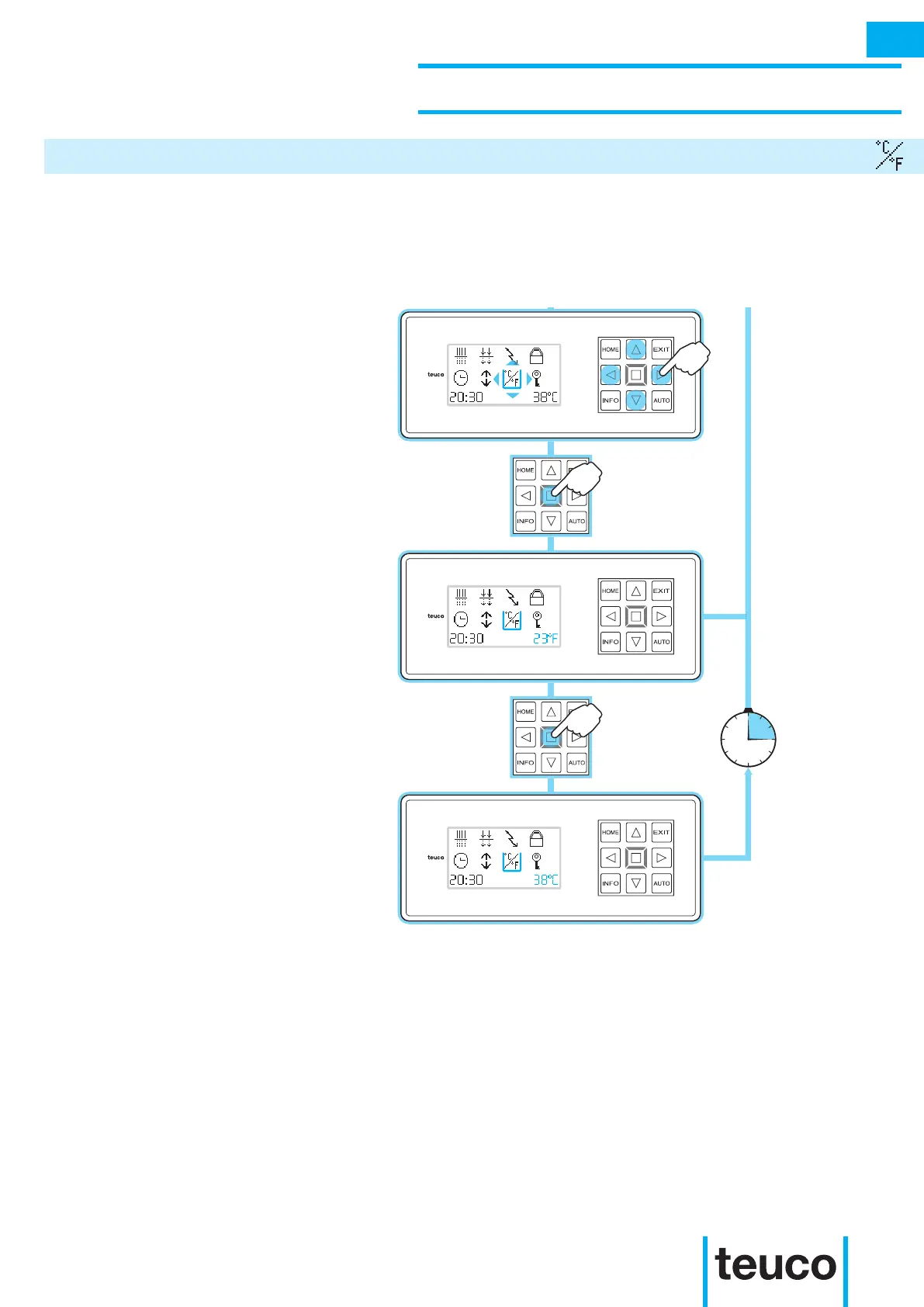
From the INFO MENU select the
CELSIUS/FAHRENHEIT icon, using the
arrows to move the cursor.
- Press OK to conrm.
- The display will show the temperature
in FAHRENHEIT.
- To return to the display in CELSIUS
press OK again.
- If no buttons are pressed for 15 seconds
the panel will return to READY MENU
mode.
The CELSIUS FAHRENHEIT function serves to view the temperature on the control panel in either Celsius
or Fahrenheit.
INSTRUCTIONS FOR USE
SECONDARY FUNCTIONS
CELSIUS FAHRENHEIT
INFO



 To Next Page