38
EN
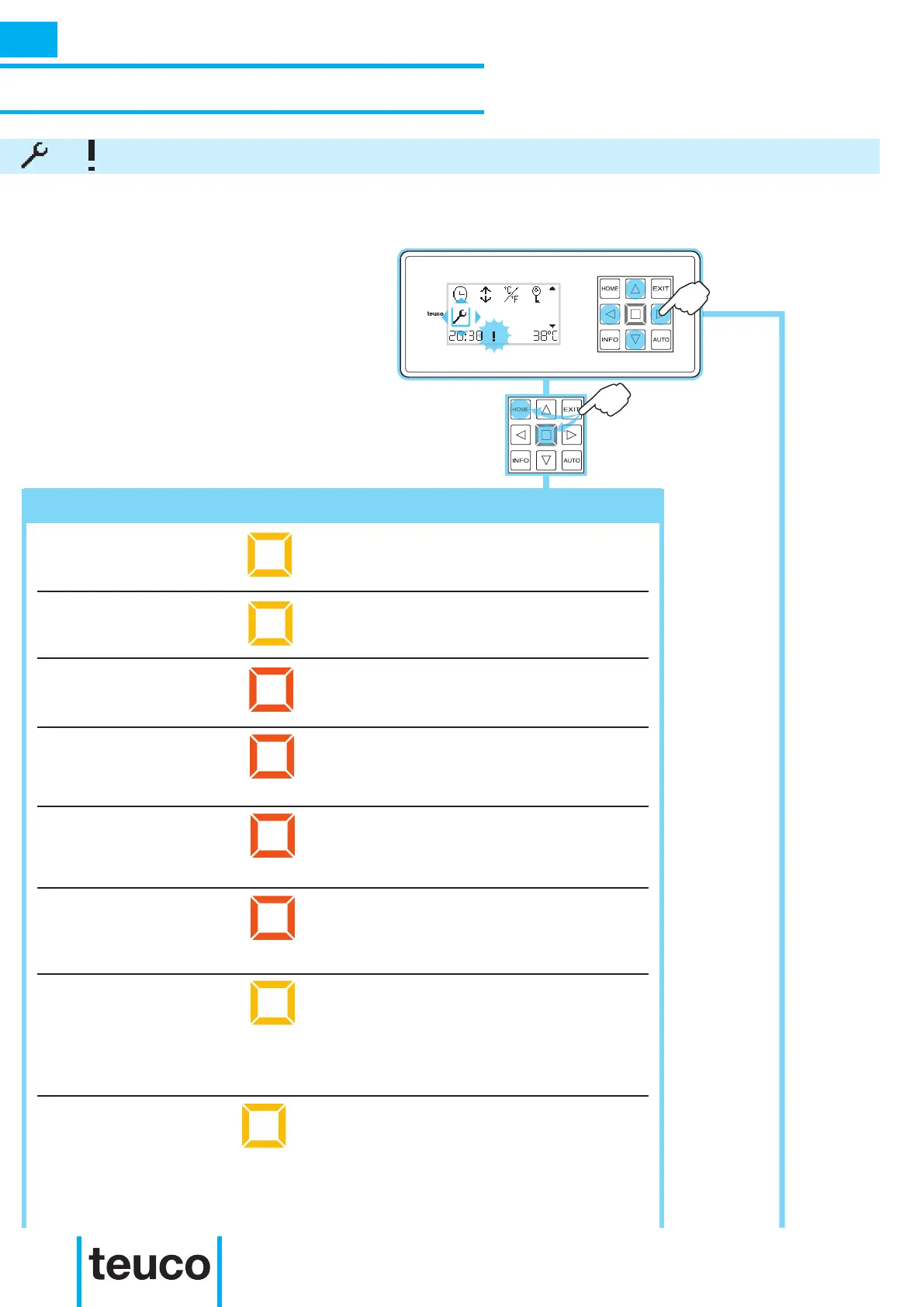
- From the INFO MENU select the
ALARMS icon, using the arrows to move
the cursor.
- Press HOME or OK to view the
ALARMS MENU.
In case of anomaly in the system, the crown will light up and the control panel will display a ashing
exclamation mark at the bottom.
Panel displays Solution
Call the technical assistance service.
Clean the lters as illustrated in the user’s manual
for the tub/minipool and if the problem persists, call
the technical assistance service.
The water is too hot, leave it to cool and if the
problem persists, call the technical assistance
service.
The water is too hot. Leave it to cool, clean the
lters as described in the tub’s user’s manual and if
the problem persists, call the technical assistance
service.
The water is too hot; switch off the system and
leave the water to cool. Switch on the system
again and if the problem persists, call the technical
assistance service.
The water is too hot; switch off the system and
leave the water to cool. Switch on the system
again and if the problem persists, call the technical
assistance service.
Amber LED lit. The alarms
menu reads:” pressure
switch ”
Amber LED lit. The alarms
menu reads: “ow”
Red LED ashing. The
alarms menu reads: “high
limit”
Red LED ashing. The
alarms menu reads “over
temp”
Red LED ashing. The alarms
menu reads “probe temp
Red LED ashing. The alarms
menu reads “probe temp hi
limit“
Too much water in the tub compared to the dimensions
of the tub/minipool or to the number of users.
Turn off any taps and partially empty the tub/minipool.
If the problem persists, call the technical assistance
service.
Amber LED ashing. The
alarms menu reads “ERR44“
No cold water is owing to the lling device. Check
the correct installation and the actual availability of
cold water (<20°C).
If the problem persists, call the technical assistance
service.
Amber LED ashing. The
alarms menu reads “ERR43“
INSTRUCTIONS FOR USE
SECONDARY FUNCTIONS
ALARMS
INFO



 To Next Page