4
EN
x2
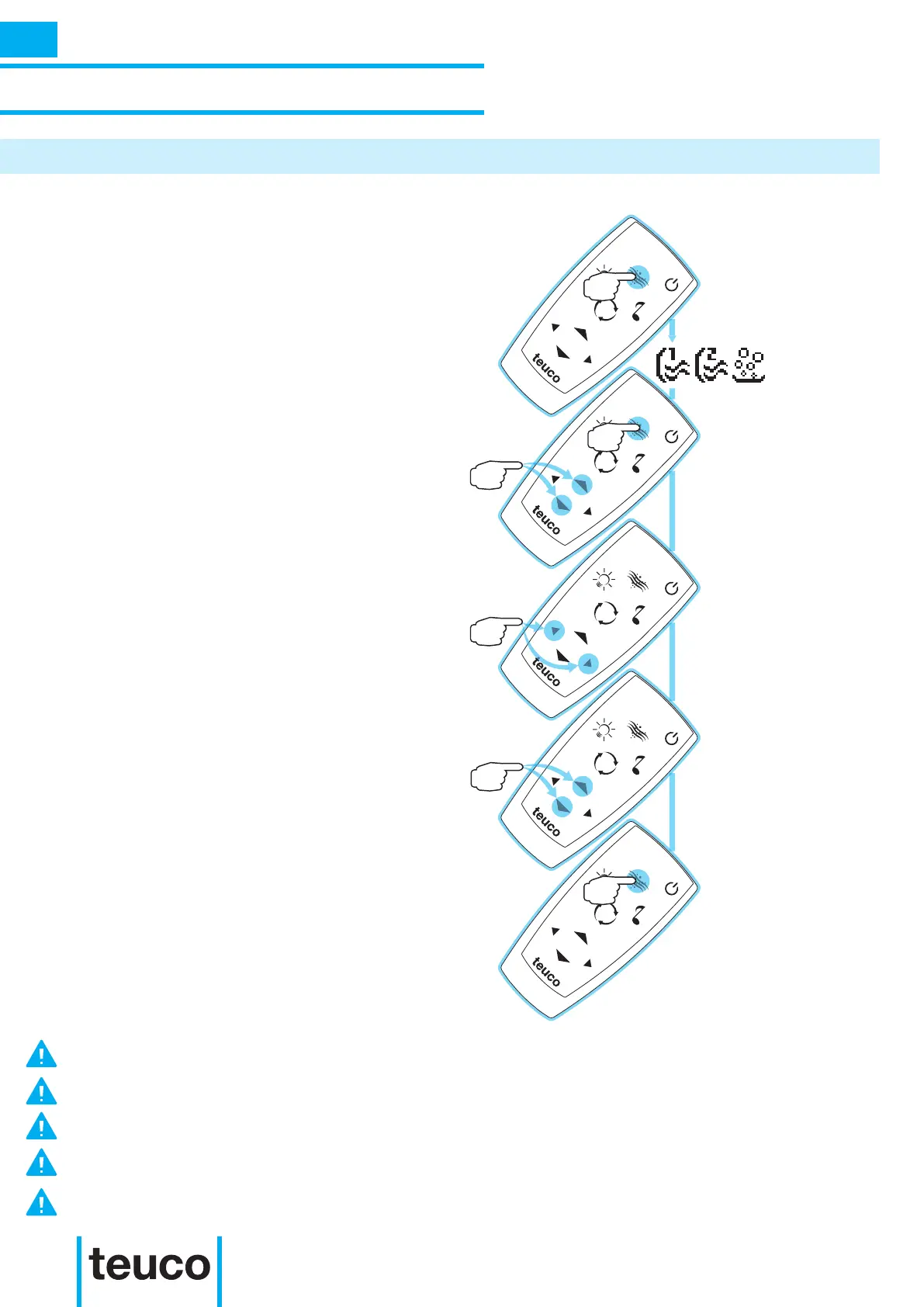
- To start the spa function, press the SPA
button.
- All functions will start up after a few
seconds.
- To adjust the massage power, press the
HYDRO key and set the power using the
UP or DOWN keys from maximum power
to switching off.
- If there are more functions, press the
LEFT button to scroll through to the
adjustment of the previous function; press
the RIGHT button to scroll through to the
adjustment of the next function.
- Press the SPA button twice to stop the
spa function.
INSTRUCTIONS FOR USE
ACCESSORY FUNCTIONS
STARTING THE SPA TUB FROM THE REMOTE CONTROL
IF THERE IS AN ATTEMPT TO ACTIVATE A FUNCTION NOT FOUND ON THE PRODUCT, THE CONTROL PANEL
WILL DISPLAY “NOT AVAILABLE” FOR 2 SECONDS.
IF THERE IS ONLY ONE MASSAGE FUNCTION, THE LEFT AND RIGHT BUTTONS WILL NOT BE OPERATIONAL
AND THE CONTROL PANEL WILL SHOW THE MESSAGE “NOT AVAILABLE” FOR 2 SECONDS.
ACCESSING THE INFO MENU WILL DEACTIVATE THE REMOTE CONTROL.
THE 0/I BUTTON INSTANTLY STOPS ALL ACTIVE FUNCTIONS, SETTING THE SYSTEM TO STAND BY.
DO NOT CARRY OUT THE MASSAGE ADJUSTMENT AT THE SAME TIME AS ADJUSTING THE LIGHT AND SOUND
SETTINGS.



 To Next Page