9
EN
INSTRUCTIONS FOR USE
MAIN FUNCTIONS
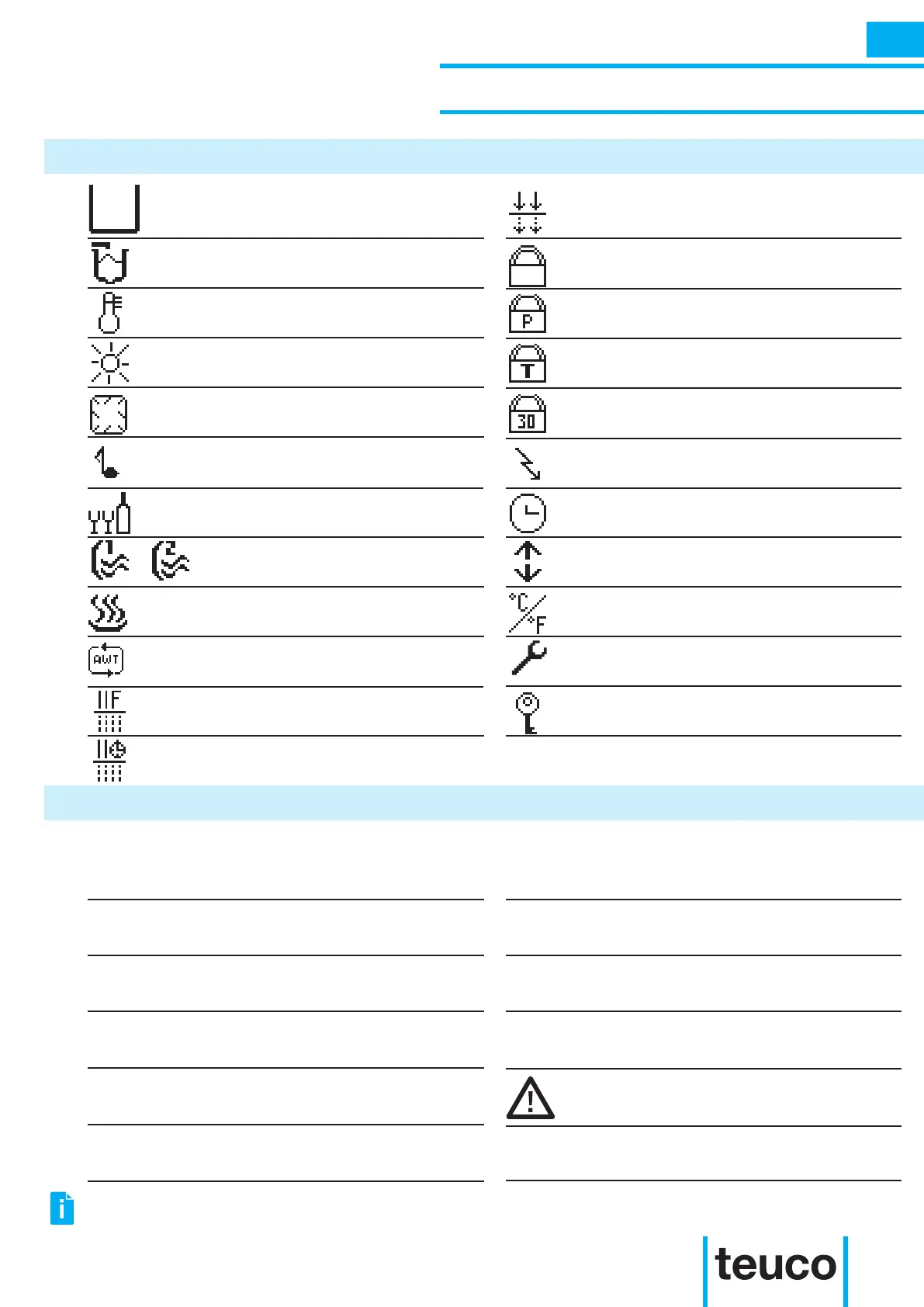
Icon Description Icon Description
Cursor
Automatic lling
Temperature
Perimeter lighting
Refrigerated compartment
Light function / Chromo experience
Massages
Lock
Lock P (partial lock)
Lock T (total lock)
Date and time
Invert display
Celsius - Fahrenheit
Alarms
Lock 30 (30-minute lock)
Economy
Message Description Message Description
!
FILTER
FI.PLUS
T
T30
P
ECONOMY
NOT
AVAILABLE
NO ALLARM
...
H2O
This indicates an anomaly or a malfunction
(see ALARMS section).
This indicates that a programmed lter
function is active.
This indicates that manual ltering is active
(Filter Plus).
This indicates that the Lock T function is
active.
This indicates that the Lock 30 function is
active.
This indicates that the Lock P function is
active.
This indicates that the programmed
energy-saving function (economy) function
is active.
This indicates that an inactive button on
the remote control has been pressed.
This indicates that an attempt has been
made to access the ALARMS menu, but
there are no alarm messages in progress.
...
This indicates that there is not enough
water in the tub/minipool.
This indicates that an incorrect parameter
has been entered.
Filter plus
Filter
Spring
Timed recirculation
Functions reserved to
Technical Assistance
Automatic water treatment
Sound functions
THE NUMBER OF ICONS ON THE CONTROL PANEL WILL DEPEND ON THE FUNCTIONS INSTALLED ON THE
PURCHASED PRODUCT.



 To Next Page