12 CONFIGURATION
In order to use the advanced functions of the device, you must carry out a configuration
procedure.
You can configure the device through:
•
the MK3Starter app;
•
the on-line portal.
12.1 Configuration through the App
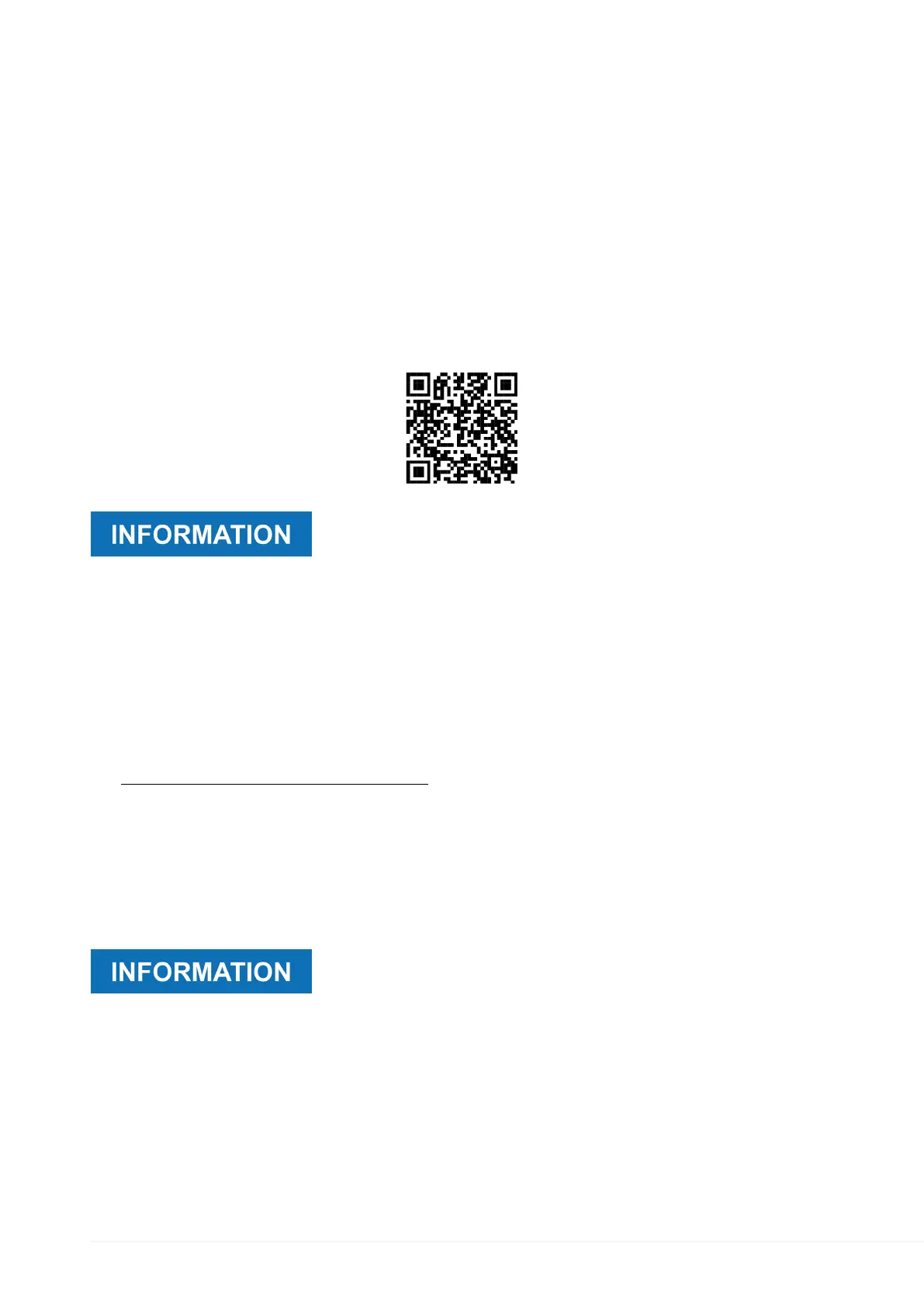
You can configure the device using the specific MK3Starter app for Android.
The app can be downloaded free of charge using the following QRCode:
For a proper operation of the app, the device the app is installed
in must connect to the Internet and be enabled to install apps
coming from unknown creators.
Proceed as follows:
1.
Download the app.
2.
Follow the instructions that appear on screen.
12.2 Configuration through the Portal
The device can be configured remotely through the specific portal accessible at the
link:https://mkxstarter.tmdproject.com/
All the operations performed automatically through MK3Starter may be conducted through
the portal.
Proceed as follows:
1.
Log in to the portal using your credentials.
2.
Follow the instructions that appear on screen.
The portal can be used to correct any wrong configurations if
necessary.
The access to the configuration pages in the portal is linked to
the rights granted to the user with which you log in.
For further information contact Technical Assistance.
82


 To Next Page