EasyManua.ls Logo

The Singing Machine STVG785 - Digital Content Management; Downloading MP3+G Karaoke Files; Preparing USB Media

The Singing Machine STVG785
12 pages
Print Icon
To Next Page IconTo Next Page
To Previous Page IconTo Previous Page
Loading...
I
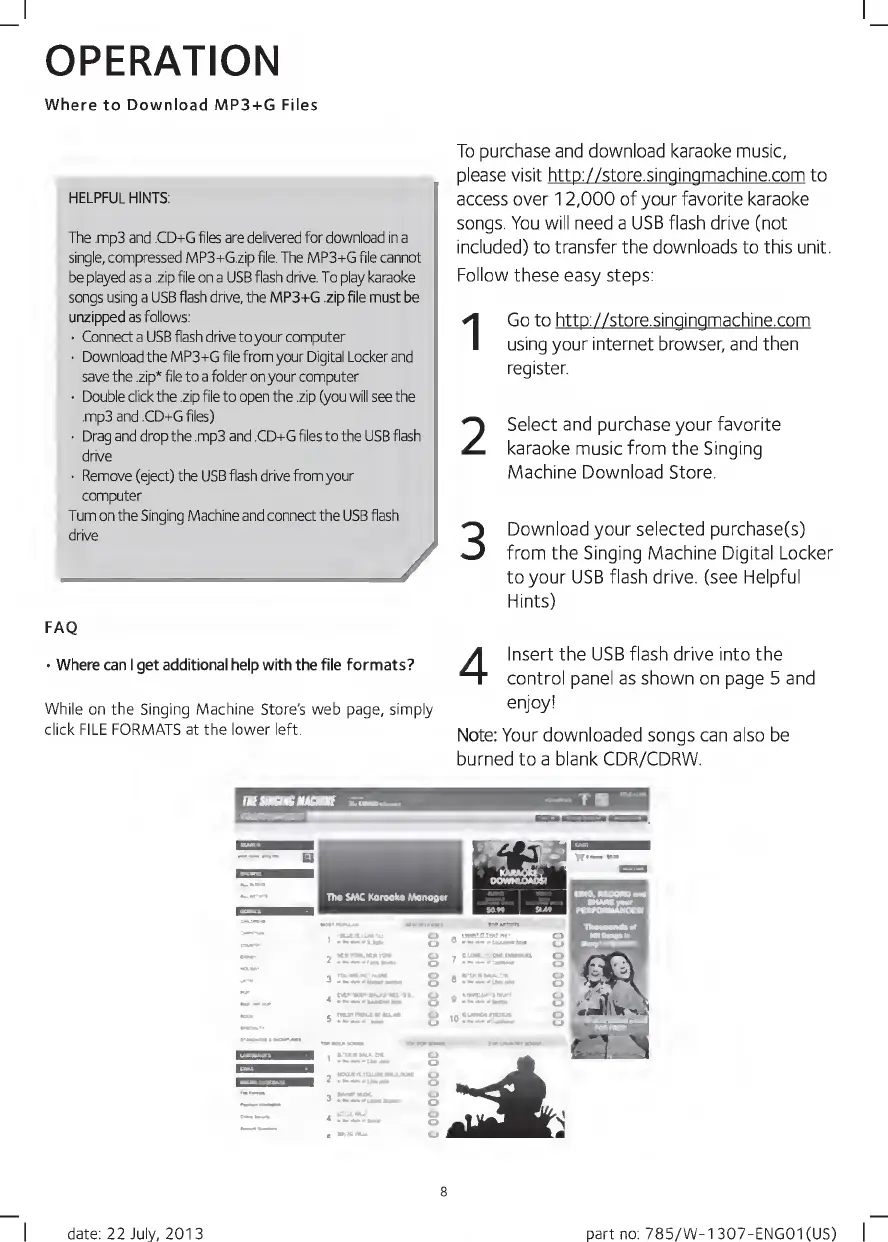
OPERATION
Where
to
Download
MP3+G
Files
HELPFUL
HINTS;
The
.mp3
and
.CD+G
files
are
delivered
for
download
in
a
single,
compressed
MP3+G.zip
file.
The
MP3+G
file
cannot
be
played
as
a
.zip
file
on
a
USB
flash
drive.
To
play
karaoke
songs
using
a
USB
flash
drive,
the
MP3+G
.zip
file
must
be
unzipped
as
follows:
Connect
a
USB
flash
drive
to
your
computer
Download
the
MP3+G
file
from
your
Digital
Locker
and
save
the
.zip*
file
to
a
folder
on
your
computer
Double
click
the
.zip
file
to
open
the
.zip
(you
will
see
the
.mp3
and
.CD+G
files)
Drag
and
drop
the
.mp3
and
.CD+G
files
to
the
USB
flash
drive
Remove
(eject)
the
USB
flash
drive
from
your
computer
Turn
on
the
Singing
Machine
and
connect
the
USB
flash
drive
_
/
To
purchase
and
download
karaoke
music,
please
visit
http://store.singingmachine.com
to
access
over
12,000
of
your
favorite
karaoke
songs.
You
will
need
a
USB
flash
drive
(not
included)
to
transfer
the
downloads
to
this
unit.
Follow
these
easy
steps:
Go
to
http://store.singingmachine.com
using
your
internet
browser,
and
then
register.
Select
and
purchase
your
favorite
karaoke
music
from
the
Singing
Machine
Download
Store.
Download
your
selected
purchase(s)
from
the
Singing
Machine
Digital
Locker
to
your
USB
flash
drive,
(see
Helpful
Hints)
1
2
3
FAQ
Where
can
I
get
additional
help
with
the
file
formats?
While
on
the
Singing
Machine
Store's
web
page,
simply
click
FILE
FORMATS
at
the
lower
left.
4
Insert
the
USB
flash
drive
into
the
control
panel
as
shown
on
page
5
and
enjoy!
Note:
Your
downloaded
songs
can
also
be
burned
to
a
blank
CDR/CDRW.
I
date:
22
July,
2013
part
no:
785/W-1307-ENG01(US)
|

Related product manuals