EasyManua.ls Logo

The Singing Machine STVG785 - Unit Operation; Powering On and Off; Loading and Playing Discs; Playing USB Media

The Singing Machine STVG785
12 pages
Print Icon
To Next Page IconTo Next Page
To Previous Page IconTo Previous Page
Loading...
I
OPERATION
This
unit
is
designed
to
piay
CDs,
CD
+
Gs
and
MP3
+
G
discs
bearing
the
identification
iogo
respectiveiy.
if
the
disc
does
not
conform
to
the
standard,
it
may
not
play
properiy.
_n
COMPACT
mm
_n
COMPACT
mn
gfa
DIGITAL
flUDID
[
GRAPHICS]
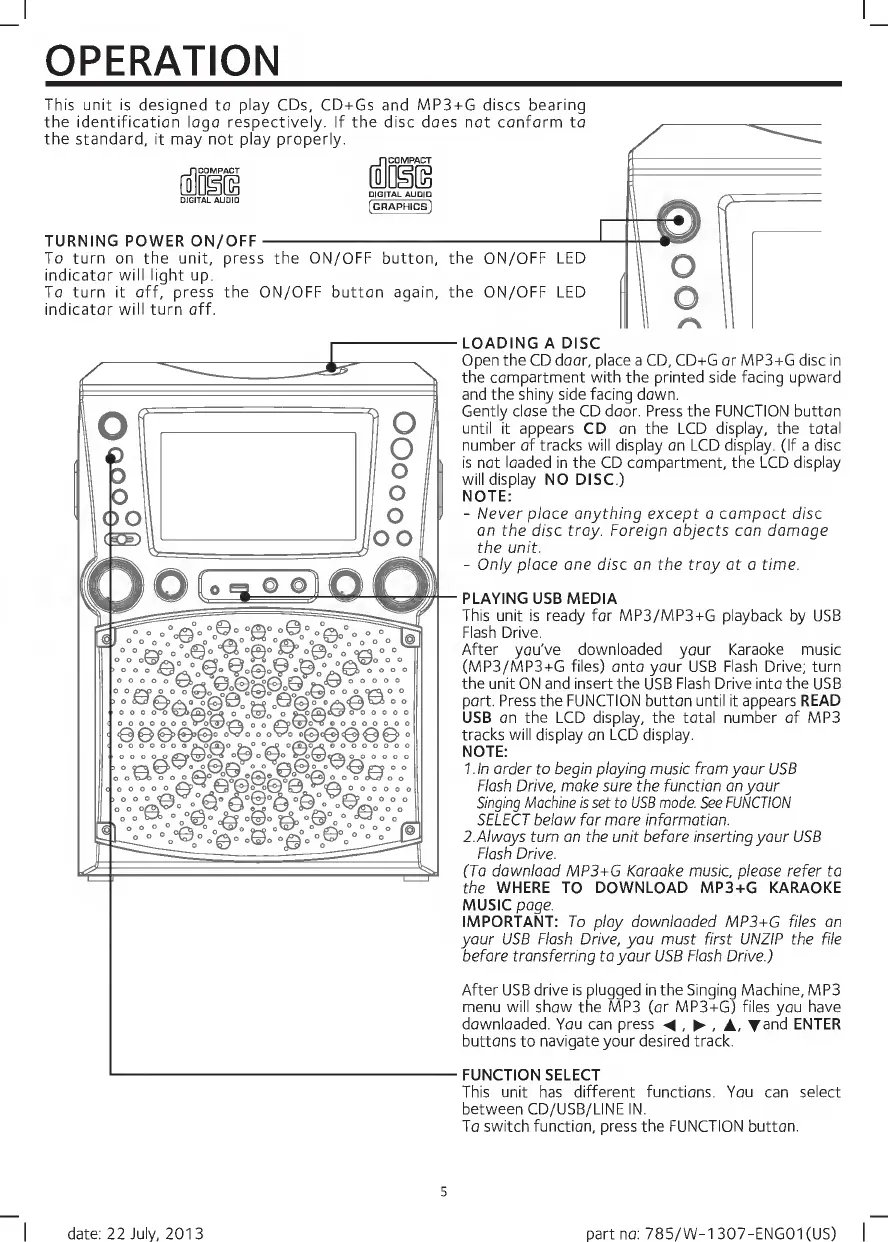
TURNING
POWER
ON/OFF-
To
turn
on
the
unit,
press
the
ON/OFF
button,
the
ON/OFF
LED
indicator
wiii
iight
up.
To
turn
it
off,
press
the
ON/OFF
button
again,
the
ON/OFF
LED
indicator
wiii
turn
off.
LOADING
A
DISC
Open
the
CD
door,
place
a
CD,
CD+G
or
MP3+G
disc
in
the
compartment
with
the
printed
side
facing
upward
and
the
shiny
side
facing
down.
Gentiy
ciose
the
CD
door.
Press
the
EUNCTION
button
untii
it
appears
CD
on
the
LCD
dispiay,
the
totai
number
of
tracks
wiii
display
on
LCD
display.
(If
a
disc
is
not
loaded
in
the
CD
compartment,
the
LCD
display
will
display
NO
DISC.)
NOTE:
-
Never
place
anything
except
a
compact
disc
on
the
disc
tray.
Foreign
objects
can
damage
the
unit.
-
Only
place
one
disc
on
the
tray
at
a
time.
PLAYING
USB
MEDIA
This
unit
is
ready
for
MP3/MP3+G
playback
by
USB
Flash
Drive.
After
you've
downloaded
your
Karaoke
music
(MP3/MP3+G
files)
onto
your
USB
Flash
Drive;
turn
the
unit
ON
and
insert
the
USB
Flash
Drive
into
the
USB
port.
Press
the
FUNCTION
button
until
it
appears
READ
USB
on
the
LCD
display,
the
total
number
of
MP3
tracks
will
display
on
LCD
display.
NOTE:
l.ln
order
to
begin
playing
music
from
your
USB
Flash
Drive,
make
sure
the
function
on
your
Singing
Machine
is
set
to
USB
mode.
See
FUNCTION
SELECT
below
for
more
information.
2.Always
turn
on
the
unit
before
inserting
your
USB
Flash
Drive.
(To
download
MP3+G
Karaoke
music,
please
refer
to
the
WHERE
TO
DOWNLOAD
MP3+G
KARAOKE
MUSIC
page.
IMPORTANT:
To
play
downloaded
MP3+G
files
on
your
USB
Flash
Drive,
you
must
first
UNZIP
the
file
before
transferring
to
your
USB
Flash
Drive.)
After
USB
drive
is
plugged
in
the
Singing
Machine,
MP3
menu
will
show
the
MP3
(or
MP3+G)
files
you
have
downloaded.
You
can
press
,
,
A,
Tand
ENTER
buttons
to
navigate
your
desired
track.
FUNCTION
SELECT
This
unit
has
different
functions.
You
can
select
between
CD/USB/LINE
IN.
To
switch
function,
press
the
FUNCTION
button.
5
I
date:
22
July,
2013
part
no:
785/W-1307-ENG01(US)
|

Related product manuals