— 12 —
Operation
Playing Songs from the USB (Continued)
6
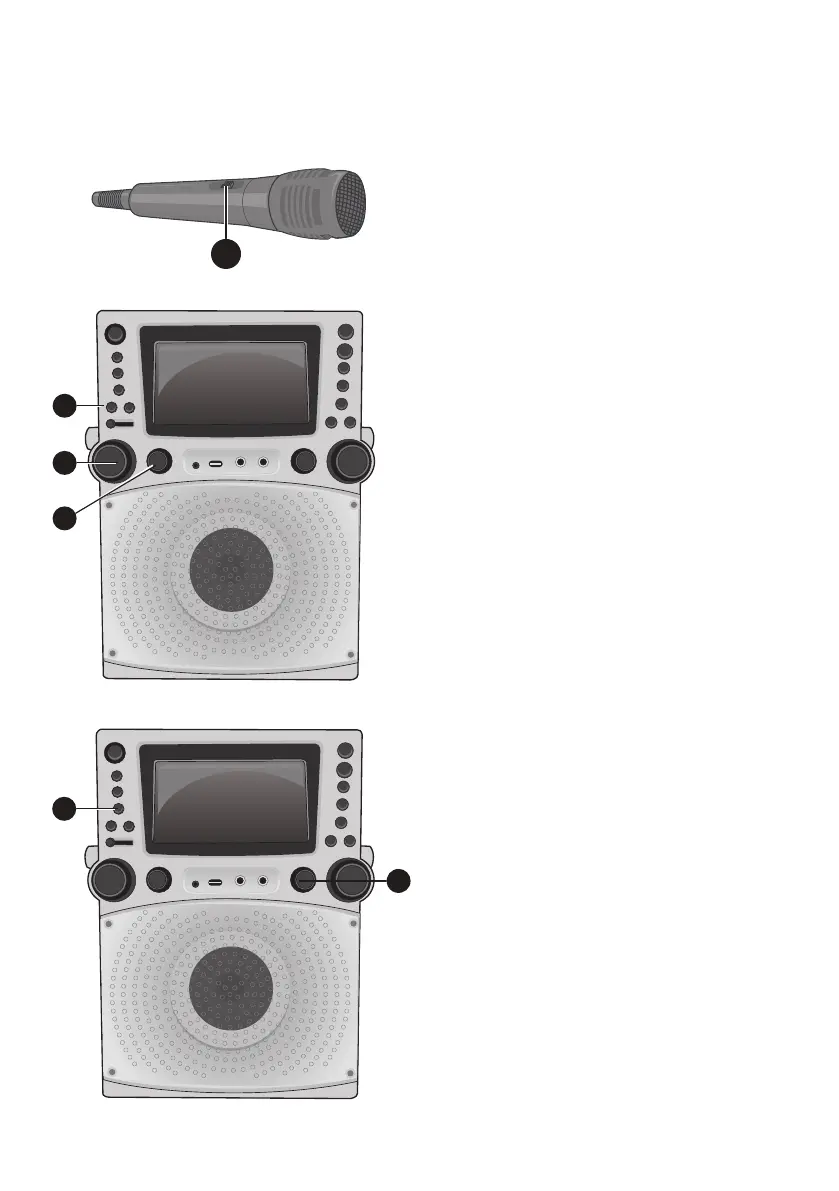
Connect microphone(s) as shown
on page 5, and slide the ON/OFF
switch on the microphone to the ON
position.
7
Adjust the MIC VOLUME control
as desired. Increasing this control
will increase the volume of both
microphones.
8
Rotate the ECHO control to add an echo
effect to your voice. Rotate towards
MAX to increase the echo effect.
9
Adjust the Key for the song using the
KEY +/ and KEY –/ buttons to
obtain the best key for the singer.
10
AUTO VOICE CONTROL can be
activated by pressing the AUTO
VOICE CONTROL ON/OFF
button. T
he vocals on a multiplex
recording will be muted as soon
as the singer begins singing into
the microphone. When the singer
stops singing, the vocals are
automatically unmuted.
Note
:
This is only for files recorded with
this multiplex feature.
11
Adjust the BALANCE control to
move the audio from the left to
right speaker or vice-versa.
6
7
8
9
10
11



 To Next Page