— 17 —
1
2
3
4
Operation
Using the LINE IN Jack
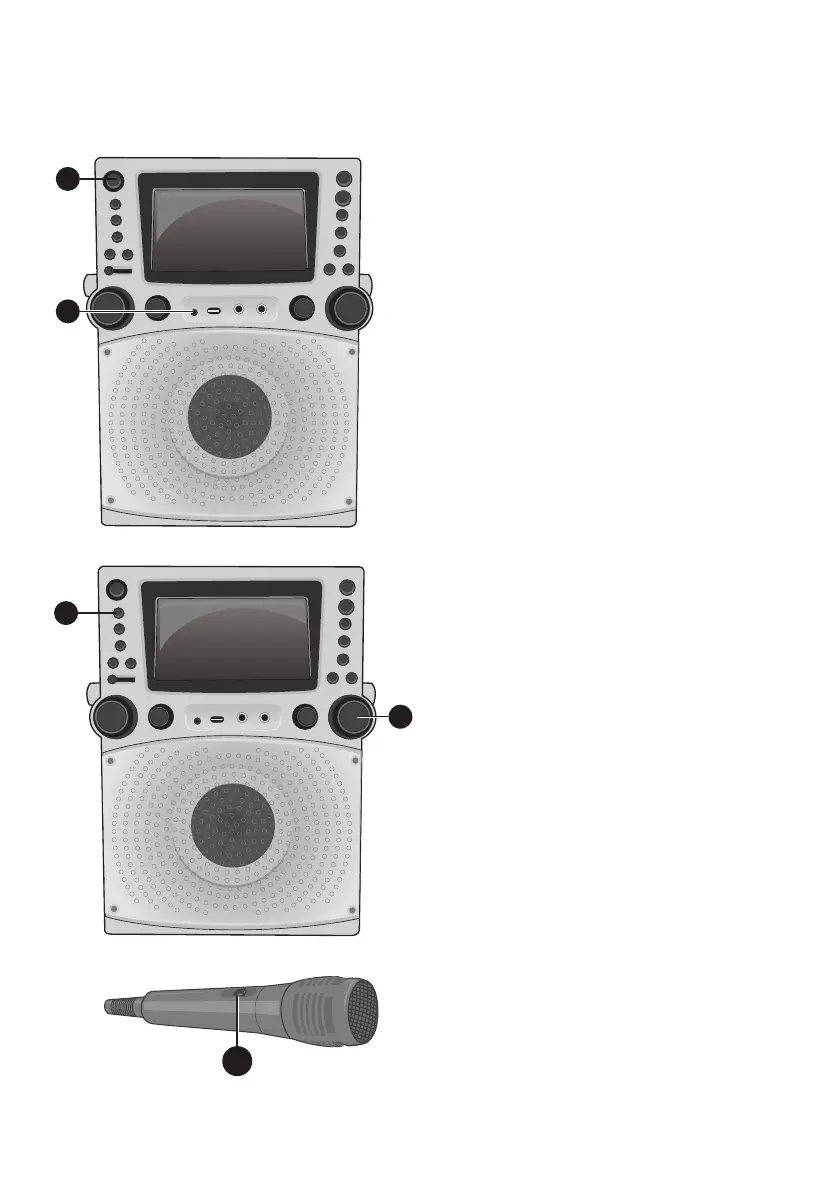
1
Connect the unit as described
previously. Press the ON/STANDBY
button to turn the unit on
2
Connect the external unit to the
LINE IN Jack on the front of this unit.
Connecting an external unit will allow
the audio to be played through your
Singing Machine.
Notes:
• It is highly recommended to set the
volume on the auxiliary unit to 1/3 or
lower to avoid distortion.
• Skipping files/tracks is not possible on
this unit when using an external device.
3
Repeatedly press the FUNCTION
button to select the Line In; “LINE IN”
will appear on the screen.
4
Adjust the volume using the MASTER
VOLUME control on this unit or your
external device’s volume control.
5
Connect microphone(s) as shown on
page 5, and slide the ON/OFF switch
on the microphone to the ON position.
5











 To Next Page